I’m trying to free up space and fix some browsing issues on my iPhone, and I keep seeing advice to clear cookies and website data in Safari. I’m worried this might sign me out of all my apps and websites, or erase important saved logins and preferences. Can someone explain what actually happens when I delete cookies on my iPhone, and which accounts or data (Safari, apps, saved passwords, etc.) might be affected?
Short answer, clearing Safari cookies on your iPhone signs you out of websites in Safari, but it does not log you out of your separate apps like Instagram, TikTok, banking apps, etc.
Here is how it works, step by step:
-
What gets deleted when you clear Safari cookies
• Website logins in Safari
• Site preferences, like language or dark mode on some pages
• Tracking data sites use to remember you
• Some cached website files if you tap “Clear History and Website Data”After this, you need to log back in to websites again in Safari, like Gmail, Facebook, forums, etc.
-
What does not get touched
• App logins that use their own system
Example, the YouTube app, Reddit app, banking apps. Those use app storage, not Safari cookies.
• iCloud account on your phone
• Wi‑Fi passwords
• Contacts, photos, messagesSo you will not get kicked out of everything on your iPhone.
-
When you might lose logins in apps
Some apps open an “in‑app browser” that is based on Safari. If an app logged you in through a Safari web view, clearing cookies can force those specific logins to reset.
Example, some SSO logins or “Sign in with Google” in an app might ask you to sign in again. -
If you want to free up space more safely
Clearing Safari data does not free a ton of space for most people. A few hundred MB usually.
Bigger space hogs are:
• Photos and videos
• Message attachments
• Large apps and games
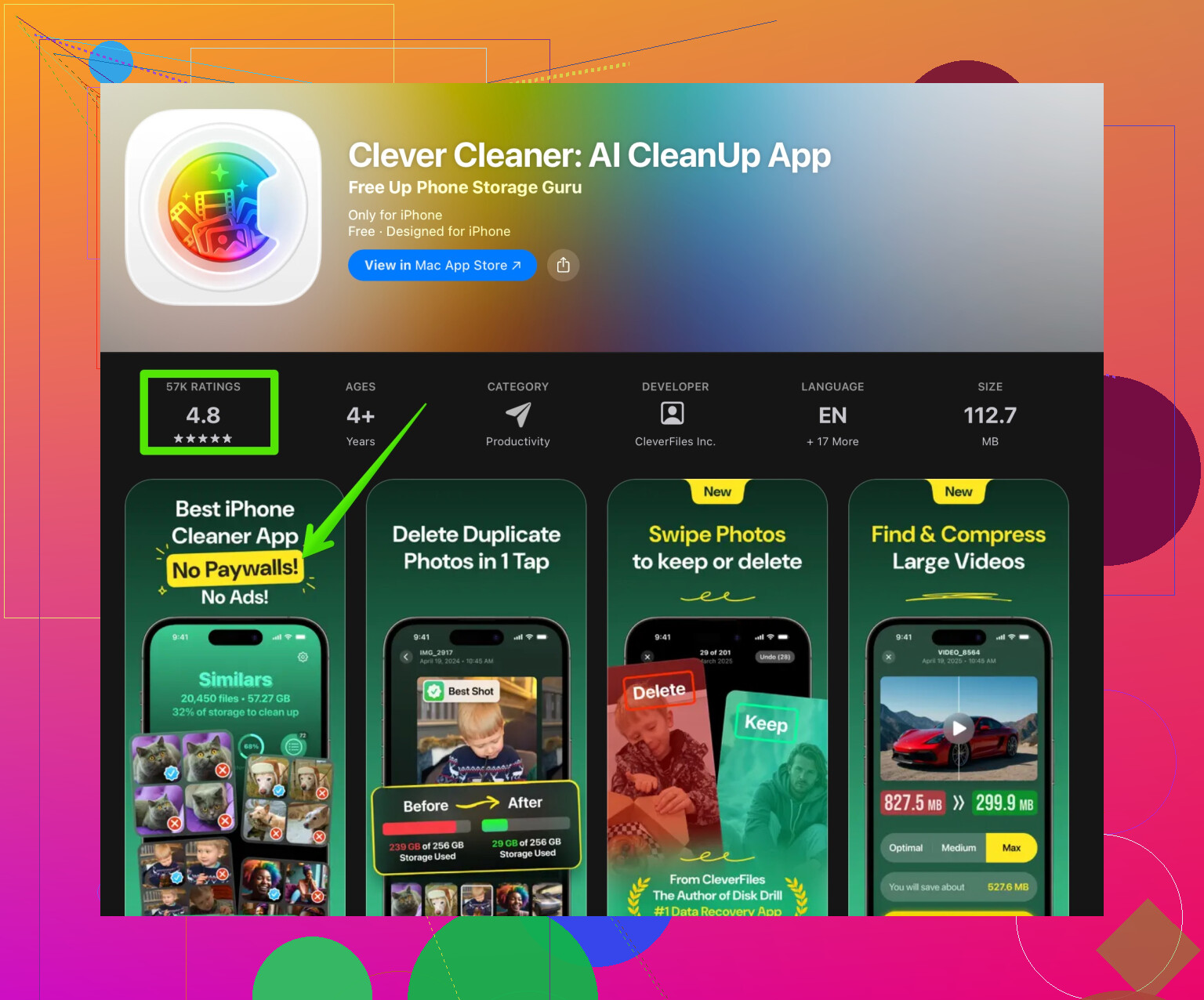
• Offline downloads from Netflix, Spotify, YouTubeFor cleaning storage in a more focused way, something like the Clever Cleaner App helps a lot. It scans for duplicate photos, blurry screenshots, big video files, and lets you bulk delete.
You can check it out here:
Smart iPhone cleanup with Clever Cleaner
That kind of tool targets the stuff that eats real space, instead of only cookies. -
How to clear Safari cookies with a bit more control
If you do not want to wipe all sites at once:
• Go to Settings > Safari > Advanced > Website Data
• You see a list of sites and how much space they use
• Swipe left on specific sites and tap Delete for only those
• Or tap Remove All Website Data to reset everything
So, yes, clearing cookies logs you out of websites in Safari, but it does not wipe your whole phone or sign you out of all your apps. The bigger win for storage comes from cleaning media and large files, not from cookie cleanup.
35 Likes
Short version: clearing Safari cookies will sign you out of websites you use inside Safari, but it will not magically log you out of all your apps or wipe important stuff off your iPhone.
@voyageurdubois already nailed most of the mechanics, so I’ll try not to repeat the same checklist. A couple extra nuances they did not really lean on:
-
Apps are mostly safe
Instagram, TikTok, banking apps, Reddit app, etc store their login tokens in the app’s own storage, not in Safari cookies. Clearing Safari data will not touch those in normal cases. -
The “weird edge cases”
Where people get surprised is when an app relies on Safari for a web-based login:- “Sign in with Google / Microsoft / Apple” inside an app that opens a Safari-style web view
- Corporate SSO pages that briefly throw you into Safari
If those sessions lived in Safari’s cookies, clearing them can make those apps ask you to re-authenticate, even though the app itself was not directly wiped.
-
You do not lose:
- Photos, videos, contacts, notes
- iCloud account on the device
- App data in general
- Saved Wi‑Fi networks
So it is not a “nuke the phone” button, it is more like “websites forget who you are.”
-
Space saving reality check
Here I slightly disagree with the usual advice. People act like clearing cookies is some kind of hardcore storage hack. It is really not.
Most of the time you might see a few MB to maybe a few hundred MB. If your phone is screaming “Storage Almost Full,” the big culprits are:- Photos and videos (especially 4K, Live Photos, bursts)
- Messages with tons of photos/vids
- Offline downloads in streaming apps
- Massive games
For actual storage cleanup, a focused tool is way more effective than obsessing over cookies. Something like the Clever Cleaner App scans your device for duplicate or blurry photos, large videos and other junk so you can remove the stuff that truly eats space. If you want a more hands-off way to free space, check this out:
smart iPhone cleanup with Clever Cleaner -
When to clear cookies at all
It is more useful for:- Fixing glitchy sites that will not load or keep redirecting weirdly
- Clearing tracking data / starting fresh with some privacy
- Resetting a site that is stuck logged into the wrong account
If you are mainly worried about being logged out of “everything,” you are safe. Expect to re-login to websites in Safari (like Gmail, Facebook, or forums), possibly a couple of apps that used a Safari based SSO, and that is about it.
Now, about your original topic description, here is a cleaner version you could use if you are posting this elsewhere or searching for help:
I want to free up space and solve some browsing problems on my iPhone, and I keep seeing advice to clear cookies and website data in Safari. I am worried that deleting cookies might log me out of all my apps and websites or erase important information on my phone. I need to understand exactly what happens when I remove Safari cookies, how it affects logins in Safari and in apps, and whether it is a safe way to fix browsing issues and recover storage.
Short version: clearing Safari cookies is like wiping the memory of websites, not the memory of your phone.
To complement what @voyageurdubois said, here is a different angle:
-
What actually gets you logged out
- Safari sites: You will be logged out of sites you visit in Safari, yes. Banking sites, web Gmail, web Facebook, forums, etc.
- Some “Sign in with X” apps: If they rely on Safari’s stored session, they might ask you to log in again. Think of it as losing your shortcut, not your account.
-
What almost never gets touched
- Native app logins: Social, banking, games, note apps keep tokens in their own sandbox. Clearing Safari data does not blow those away.
- iCloud on the device: Your main Apple ID login, iMessage, FaceTime remain.
- Actual content: Photos, notes, WhatsApp chats, etc stay.
-
Where I slightly disagree
- I would not treat cookie clearing as a “routine maintenance” habit. Every time you do it, you sacrifice convenience and some 2FA sessions for modest privacy gains.
- If you are continuously clearing cookies just to feel “fresh,” you may be overdoing it and making your own life harder with endless re‑logins.
-
Storage reality vs expectations
- Safari “Website Data” can occasionally be huge (I have seen close to 1 GB in edge cases like heavy media sites), but usually it is much smaller.
- The largest space hogs still tend to be photos, videos, and cached downloads from streaming or messaging apps. That is where you should focus first if space is the real problem.
-
If your main goal is storage, not login fixes
- Tactic I actually recommend:
- Review Photos > Albums > Recently Deleted / Videos / Bursts / Screen Recordings.
- Check Settings > General > iPhone Storage and look at which apps are massive.
- If you hate doing manual cleanup, an app-based scanner is actually more impactful than fiddling with cookies. A tool like the Clever Cleaner App can surface duplicate photos, giant videos, and random junk in a way Apple’s built-in view does not make obvious.
- Tactic I actually recommend:
-
Pros and cons of using Clever Cleaner App for this
Pros:- Quickly finds duplicate or near-duplicate photos and big videos that quietly eat space.
- Can be much faster than scrolling through years of images.
- Good for people who are not comfortable digging through every app’s “Downloads” folder.
Cons:
- You still need to pay attention. If you just tap through blindly, you might delete pictures you actually care about.
- Extra app on your phone. For someone with only a tiny bit of storage left, even that install can be annoying.
- It tackles files and media, not login or Safari issues, so it is a separate solution from cookie clearing, not a replacement for web troubleshooting.
-
When clearing cookies is actually the right move
- A site stuck in an endless login loop or infinite redirect.
- A web app that insists on using an old account.
- Targeted privacy reset for one or two sites that track you heavily.
In your position, I would:
- First, handle real storage hogs with Photos cleanup and maybe something like Clever Cleaner App.
- Second, clear Safari cookies only if specific sites are misbehaving, accepting that you will re‑enter a few passwords.
That combo fixes most people’s problems without feeling like you “nuked” your phone.
Try offloading unused apps instead. Go to Settings, General, iPhone Storage, then tap an app you rarely use and choose Offload App. This removes the app itself while keeping its documents and settings. Reinstall it later with one tap.
For Safari glitches, restart your iPhone and disable Safari extensions under Settings, Apps, Safari, Extensions. This often fixes slow pages or loading errors without deleting cookies, losing website sessions, or doing alot of manual cleanup.
The re-login part scares people way more than it needs to. If your passwords are saved in iCloud Keychain, logging back into Safari sites after clearing cookies takes a couple taps, not a full password hunt. So the ‘logged out of everything’ panic is mostly a non-event for the actual account access.
What nobody above mentioned is the thing that actually annoys me: two-factor. A lot of sites drop a ‘trust this device’ cookie so they stop asking for codes. Wipe cookies and that trust is gone, so you can get hit with a wave of SMS codes and authenticator prompts on your next round of logins. Not a disaster, just tedious if you use a lot of sites with 2FA turned on.
On the storage angle, I’m with @cazadordeestrellas and @shizuka that cookies are basically noise there. The Website Data list can look chunky on a couple of media-heavy sites, but it’s rarely the reason a phone is full. If space is the real goal, @nina_dev’s offload tip is honestly the fastest low-risk move, and something like the Clever Cleaner App is fine for digging out duplicate photos and big videos afterward. Just don’t treat either one as a fix for a glitchy Safari site, since those are two separate problems.
So my rule: clear cookies only when a specific site is misbehaving, and expect a few 2FA re-checks. If it’s storage, leave Safari alone and go straight for media and unused apps.