I’m setting up regular file transfers between my local PC and a web server and I’m overwhelmed by all the FTP client options out there. I need something stable, secure, and easy to use that supports SFTP and handles large files without constant timeouts. What FTP software are you using and why do you recommend it over others?
I bounced around a bunch of macOS file transfer tools before I landed on something that didn’t annoy me every 10 minutes, so here’s how it shook out for me.
I know everyone always name‑drops FileZilla. It works, it’s free, it’s familiar, etc., but I eventually wanted something that felt a bit less like a relic and more like it actually belonged on macOS.
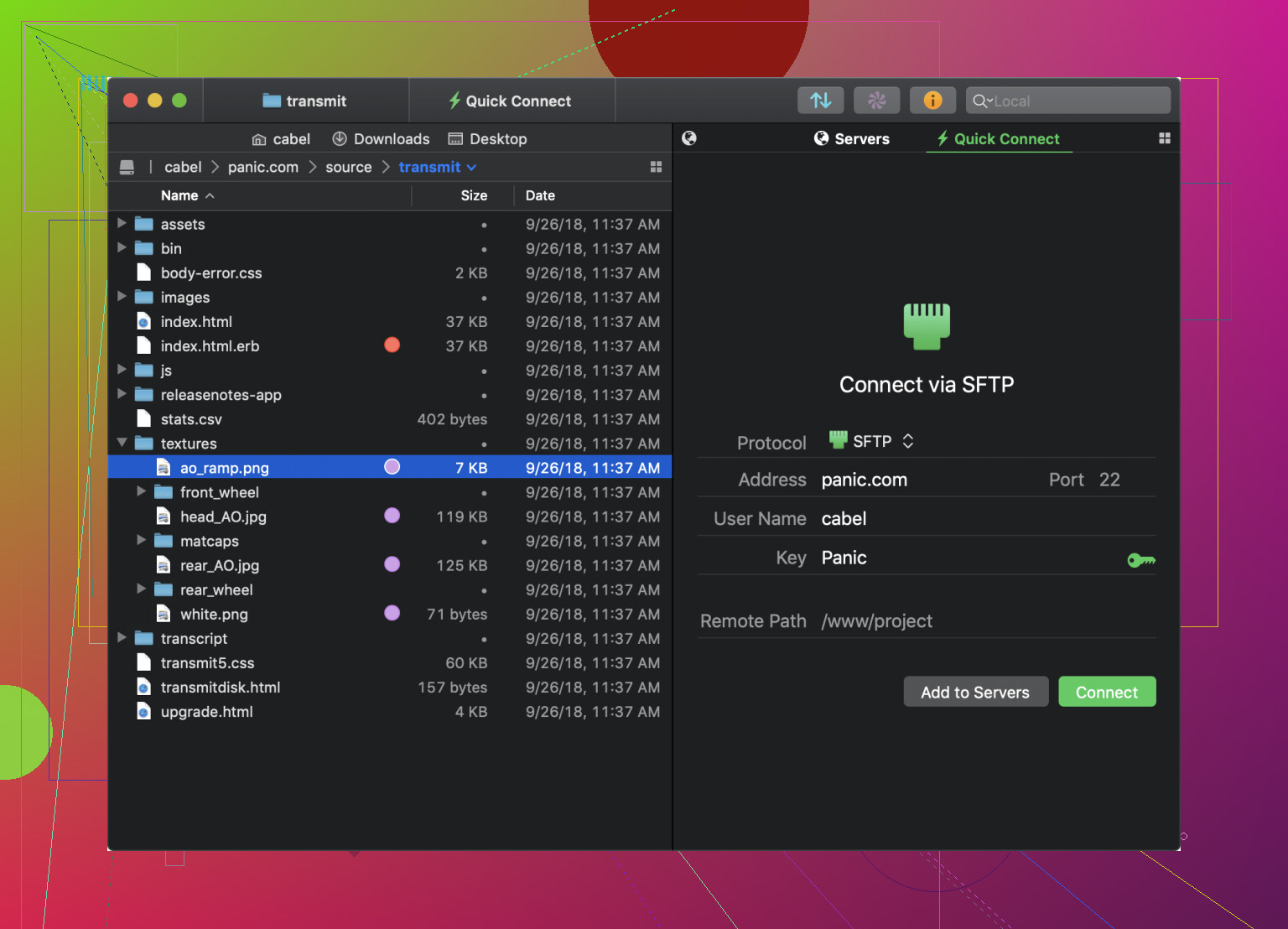
Transmit was the first one I tried when I decided to level up a bit. On the surface, it feels super smooth on macOS: fast transfers, nice animations, the UI looks like an actual native app instead of a Java port from 2007. Drag and drop works the way you expect, and for basic FTP/SFTP stuff, it is honestly great.
Then you start trying to do more advanced things and that “minimal” design suddenly means you’re hunting through menus and tiny buttons trying to find settings that should probably be a bit more obvious. It is like someone hid the power features behind three layers of “let’s keep this simple for the average user.” It does have them, but I kept feeling like I had to wrestle the interface to get to them.
After that, I tried Commander One, and this one clicked way faster for me.
The dual‑panel layout is old‑school in a good way. Left side, right side, boom: local on one side, remote on the other, or two different servers, or cloud on one and local on the other. You always see source and destination, so you’re way less likely to drop something into the wrong folder at 2 a.m. and then spend half an hour figuring out where it went.
Out of the box, it handled FTP, SFTP, and different cloud services, plus it can mount remote servers so they behave kind of like normal drives. That part made day‑to‑day stuff a lot less irritating. I didn’t have that “ok, now I need to open another app for my cloud stuff” moment; it was just everything in one place.
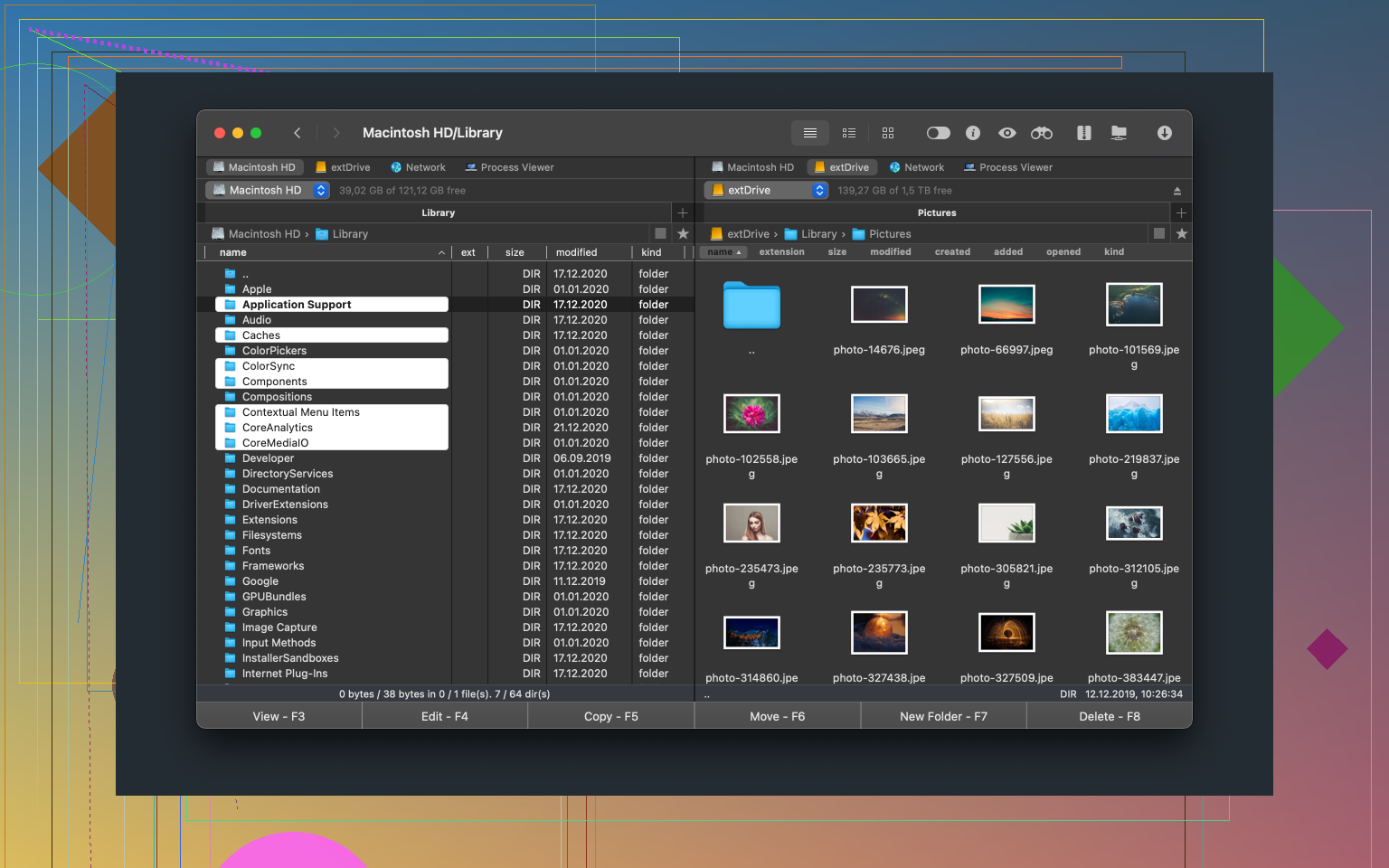
It also feels more like a file manager that happens to be great at remote connections, instead of a pure “FTP client” that you only open when you remember a server address. I ended up using it for a lot of local file shuffling too.
I also spent some time with Cyberduck. It deserves the reputation it has: supports a bunch of protocols, leans toward the open‑source side of things, and is pretty dependable overall. It connects, it transfers, it resumes, it doesn’t freak out over long paths, all that good stuff.
The thing that never quite worked for me was its single‑window style. When I’m juggling multiple servers or hopping between various folders and cloud accounts, having everything crammed into one main window just slows me down. I constantly felt like I was tabbing, switching, and backtracking instead of seeing everything at a glance.
It is “good citizen” software, just not the most comfortable for my particular workflow.
After bouncing between all three for a while, I noticed a pattern:
- Transmit: pretty, quick, but sometimes feels like it hides knobs and switches I actually need.
- Cyberduck: reliable and generous with protocol support, but a bit cramped when you have a lot going on.
- Commander One: not as flashy, but it let me jump between local files, remote servers, and cloud storage without mentally switching “modes” or tools.
So I ended up sticking with Commander One simply because I felt less context switching. One app, two panels, local and remote visible at the same time, cloud in the same flow. It wasn’t that the others couldn’t do the job; this one just made it feel like regular file management instead of a “special task” each time I needed to connect somewhere.
13 Likes
If you’re mainly doing regular SFTP transfers between a local machine and a web server and care about stability + big files, I’d narrow it down differently than @mikeappsreviewer did.
They’re spot on that FileZilla “works but feels like a relic,” and I actually disagree with them a bit on Transmit: it’s pretty, but for a lot of people it’s overkill and still hides too much behind cute UI. Cyberduck is decent, but for frequent, scheduled, larger transfers it can feel clunky and a bit slow in day‑to‑day use.
Here’s how I’d slice it, focusing on your actual use case:
1. If you’re on macOS: Commander One is probably your best bet
For what you described, Commander One hits a nice sweet spot:
- SFTP support: Works fine with key‑based auth, so you’re not stuck throwing passwords around.
- Large file handling: Handles big uploads/downloads without choking, and resuming interrupted transfers is reliable in my experience.
- Dual‑panel UI: Local on one side, server on the other; reduces “where did that file go?” problems. For routine transfers, that visual layout makes life simpler.
- More than “just FTP”: It’s a legit file manager, so once you get used to it you’ll use it for local file wrangling too, not just remote stuff.
Compared to Transmit and Cyberduck, I find Commander One more “workhorse” and less “special occasion” app. It’s not as flashy as Transmit but for regular SFTP sessions and large files, it feels more straightforward and less fiddly.
2. If you’re on Windows: skip the shiny stuff and use WinSCP
Since you said “local PC” and not specifically Mac, I’ll call it out:
- WinSCP is ugly, yes, but:
- Rock‑solid with SFTP
- Handles large files and resumes transfers reliably
- Built‑in synchronization (mirror local ↔ remote) is far better than a lot of prettier tools
- Easy to script / schedule via command line + Task Scheduler, which is huge once you get sick of manual uploads
If you’re on Windows and not using WinSCP for routine SFTP, you’re kinda choosing aesthetics over sanity.
3. “Regular” transfers = think in terms of sync & automation
Whatever client you pick, for recurring uploads/downloads you probably want:
- Saved sessions/profiles for each server
- Directory sync or at least comparison
- Automatic reconnect + resume on failure
- Optional CLI or scripting support if you ever want to automate
Commander One and WinSCP both do this reasonably well, though WinSCP is stronger on scripting and Commander One is nicer for interactive work.
TL;DR recommendation:
- macOS: Use Commander One as your main SFTP / FTP client and file manager. Stable, secure, dual‑pane layout, good for big files and frequent transfers.
- Windows: Use WinSCP for no‑nonsense, reliable SFTP with large files and easy automation.
Everything else is mostly UI preference. Once you pick one of these and stick to it for a week, the “overwhelmed by options” feeling kinda evaporates.
You’re not alone, the FTP client rabbit hole is way deeper than it has any right to be.
I’m mostly with @mikeappsreviewer and @reveurdenuit on what works, but I’d slice the recommendations a bit differently for “regular SFTP transfers, big files, minimal hassle.”
1. First thing: use SFTP, not plain FTP
Since you mentioned “secure” and “web server,” just to be super clear:
Use SFTP only. Disable plain FTP on the server if you can. SFTP rides over SSH, so:
- Encryption by default
- Easier to lock down with keys
- Fewer random config suprises
Any client you choose should treat SFTP as a first class citizen, not some tacked‑on extra.
2. macOS: Commander One is the workhorse, not the sidekick
I actually agree with @reveurdenuit more than I thought I would, but I’d go even stronger:
If you’re on macOS and doing frequent local ↔ server transfers, Commander One is probably the best long‑term pick.
Why:
-
Dual‑pane UI
Left = local, right = server, or server ↔ server. Super obvious what’s going where. When you’re moving a lot of files regularly this matters more than “pretty UI.” -
SFTP done right
Works with SSH keys, multiple saved connections, and does not freak out on long sessions. You set it up once and it just… keeps working. -
Handles large files & interruptions
Big uploads don’t choke, and resuming interrupted transfers is solid. This is where some people overrate Transmit in my opinion. It’s pretty and fast, but when a 20 GB upload dies at 89%, you stop caring about pretty. -
Feels like a file manager, not a “special tool”
You open Commander One and you’re just… managing files. Locally, remotely, cloud. Less mental context switching than hopping from Finder to “my FTP app” every time.
Transmit is nice, but I agree it hides too much under cutesy UI choices. Cyberduck is fine, but once you juggle multiple servers, that single-window feel turns into tab‑hell.
If you want one macOS app that you can grow into, Commander One is the one I’d actually build a daily workflow around.
3. Windows: use the boring thing that never dies
If you’re on Windows, I’m going to be that person and say:
- WinSCP for interactive + scripted SFTP
- Optionally psftp / sftp (OpenSSH) for pure automation
WinSCP is not cool, and it looks like it was designed in the “gray button” era, but:
- Rock solid with SFTP
- Great with big files and resuming
- Built in synchronization (mirror local / remote) is very handy
- Command line interface works with Task Scheduler, so you can actually automate those “regular transfers” instead of clicking yourself into RSI
If looks matter more than reliability, ignore me. If reliability matters more than looks, this is the thing to use.
4. For “regular” transfers, features that actually matter
Regardless of platform, for what you described I’d specifically check:
- Saved sessions / bookmarks with all connection details
- Key based auth support for SFTP
- Automatic reconnect + resume on drops
- Directory sync / comparison if you ever want to keep local and remote in sync
- Logging so when something breaks, you can see why
- Optional CLI / scripting if you might automate later
Commander One and WinSCP both tick those boxes better than most “shiny” clients.
5. Concrete picks based on your setup
-
On macOS:
Use Commander One as your main SFTP / FTP client. It is stable, secure, easy enough to learn, handles large files, and that dual panel layout saves you from “where the hell did I just upload that?” moments. -
On Windows:
Use WinSCP for everyday work and automation. It’s ugly but brutally dependable.
Others like Transmit and Cyberduck are not “wrong,” and @mikeappsreviewer and @reveurdenuit are fair in their takes, I just think for routine, large SFTP transfers, you care more about workflow and robustness than UI personality.
For reliable, regular SFTP transfers with big files, I’d frame it like this:
Commander One in practice
Pros
- Dual‑pane layout: local on one side, remote on the other, so fewer “where did that upload go?” moments than Transmit or Cyberduck.
- Solid SFTP support: plays nicely with keys, long sessions and resumes big transfers without much drama.
- Feels like a real file manager: once you get used to it, you can treat remote storage like an extension of your local drives instead of a separate “FTP app” mindset.
- Multi‑service hub: FTP, SFTP and several cloud services in one place, which reduces the app juggling @mikeappsreviewer bumped into.
Cons
- Less pretty than Transmit and can look a bit dated.
- Power features are there but not always obvious; the learning curve is steeper than something ultra‑simple.
- If you never use dual panes elsewhere, it can feel “busy” at first.
- Lacks some of the ultra‑fine‑grained sync tooling that automation‑heavy people on Windows get used to with WinSCP.
How it compares to what others said
- I agree with @reveurdenuit that Cyberduck is dependable, but once you juggle multiple servers/folders, its single‑window model can slow you down.
- I partly disagree with treating Transmit as “good enough” for advanced work: the hidden settings and slightly opinionated UI become more annoying when you script or tune performance.
- @vrijheidsvogel is right to push SFTP only. Disabling plain FTP on the server is as important as which client you pick.
If you are on macOS and want stable, secure, easy‑to‑repeat transfers with SFTP and big files, Commander One hits the best balance between power and not being in your way once you internalize the dual‑pane workflow.