I need realistic, professional-looking AI headshots I can use on LinkedIn and my portfolio, but I’m overwhelmed by all the iPhone apps and conflicting reviews. I’d really appreciate specific recommendations based on your experience, especially apps that handle different lighting, outfits, and poses well without looking too fake or overedited.
Best AI headshot tools I tried so you do not have to
I hit that point where my LinkedIn photo looked like it belonged to a different decade. Did not feel like paying a photographer a few hundred dollars, so I spent a couple evenings going through the usual suspects, plus some stuff people kept mentioning on Reddit and random forums.
I tried:
- Web tools
- iOS apps
- Android apps
- And a “do it for free with LLMs” route
Keeping all the links and screenshots from the original post, but this is my own run-through of how each one behaved in actual use.
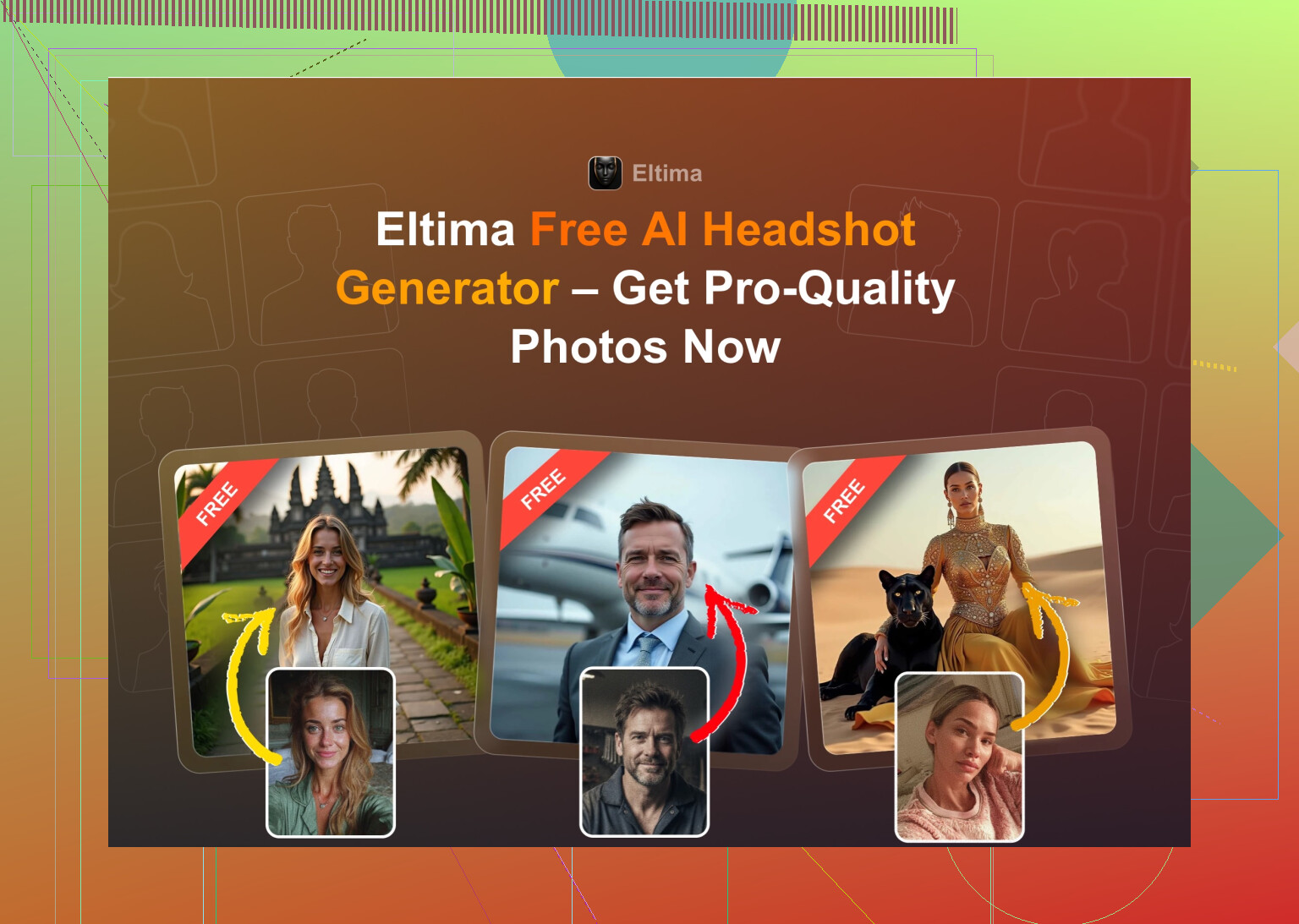
Eltima AI Headshot Generator for iPhone
App Store link:
Product page:
Reddit thread that first pushed me toward it:
https://www.reddit.com/r/DataRecoveryHelp/comments/1qi12pn/best_ai_headshot_generator/
I started with this one because it kept popping up in Reddit searches and Quora answers.
What I noticed using it for a week:
-
You get 1 free photo per day
That sounds small, but for testing styles, it is enough. I used the free daily one for a few days before paying. -
Setup
You can start even with one photo, but it works better if you add several later. The UI does not fight you. I uploaded a couple of selfies, hit a template, waited, done. -
Group photos
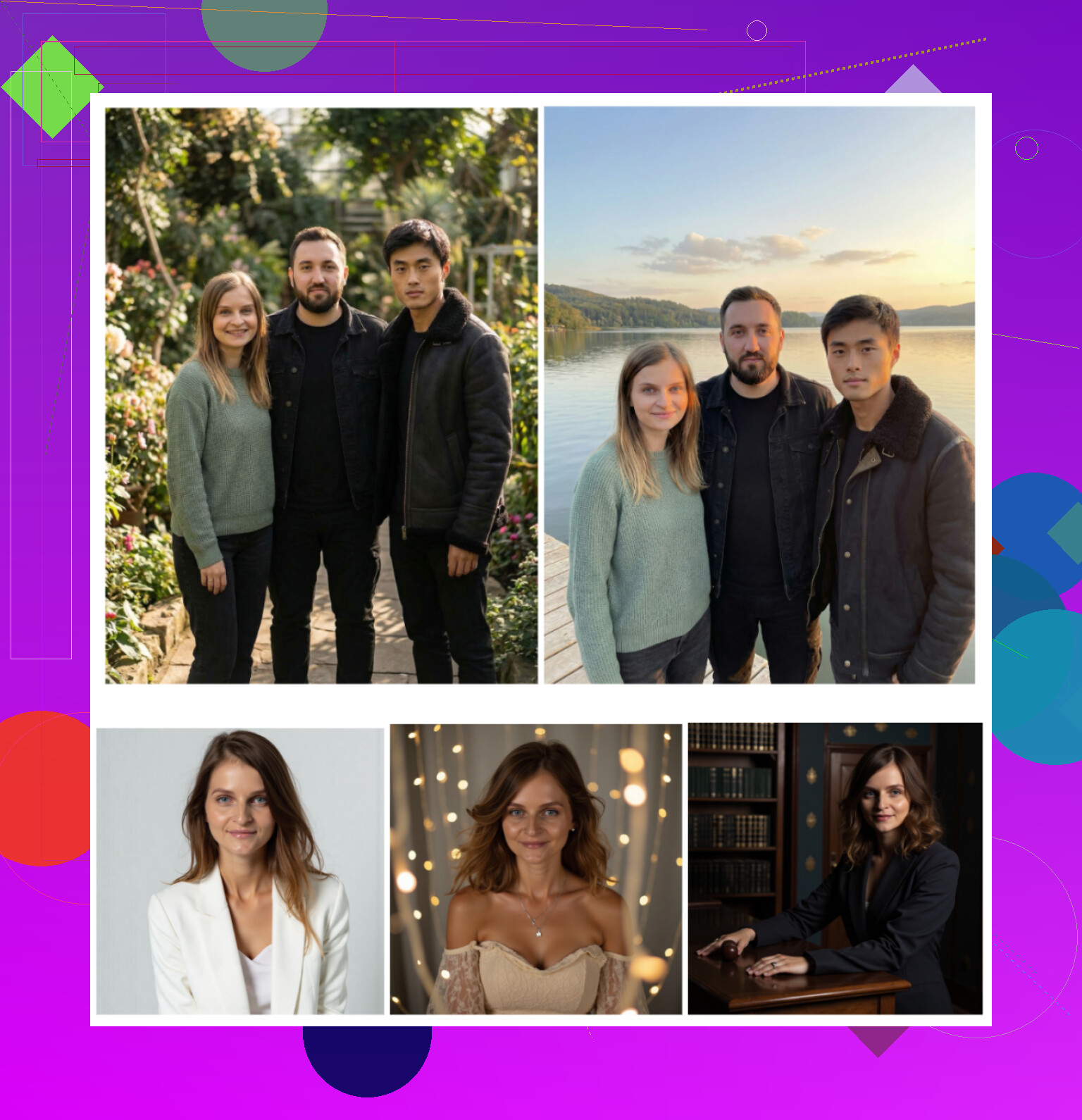
It lets you generate photos with up to 3 people. I tried it with me and 2 coworkers. It did not nail both of them every time, but a few shots looked good enough for a company “About” page. -
Video generation
Tried it once. Output looked like those talking AI avatar things. Fun, not something I would use for LinkedIn. -
Templates
The catalog is huge. They say 800+ templates, which matches how it feels in-app. I filtered by “Business” and “Casual office,” and that alone gave lots of options, from blazer against plain background to more lifestyle style stuff.
Quick rundown from my screenshots:
-
Photo realism
Best realism of everything I tested on iOS. It still smooths skin a bit, and there is a “beauty” slider, but it did not turn me into a different person. Beard, glasses, jawline, all consistent. -
Styles
They split templates into categories like corporate, creators, startup founder, etc. I used three of them on LinkedIn, one on my website, and none looked “AI” at first glance. -
Price
- 7.99 per week
- 49.99 per year
- 1 free photo daily
The free daily output is full quality, not a tiny watermark preview. I switched to the yearly plan once I saw it was giving consistent results.
-
Speed
Usually under a minute on decent WiFi for a batch.
My take on Eltima
This is the only iOS headshot app from this list I kept paying for. It treats your face as the anchor, not a loose suggestion, and the “I could actually send this to HR” rate is high.
YouTube video the devs link to:

Screenshots from the original post still match what I saw in my runs:
Web services I tried after seeing them repeatedly on Google
I googled “AI headshot generator” in an incognito window and stuck to the first obvious three: Canva, Aragon AI, HeadshotPro. No sponsorships, no codes, nothing.
Canva
Site:
https://www.canva.com/
I already used Canva for slides and social media stuff, so trying their portrait flow was simple.
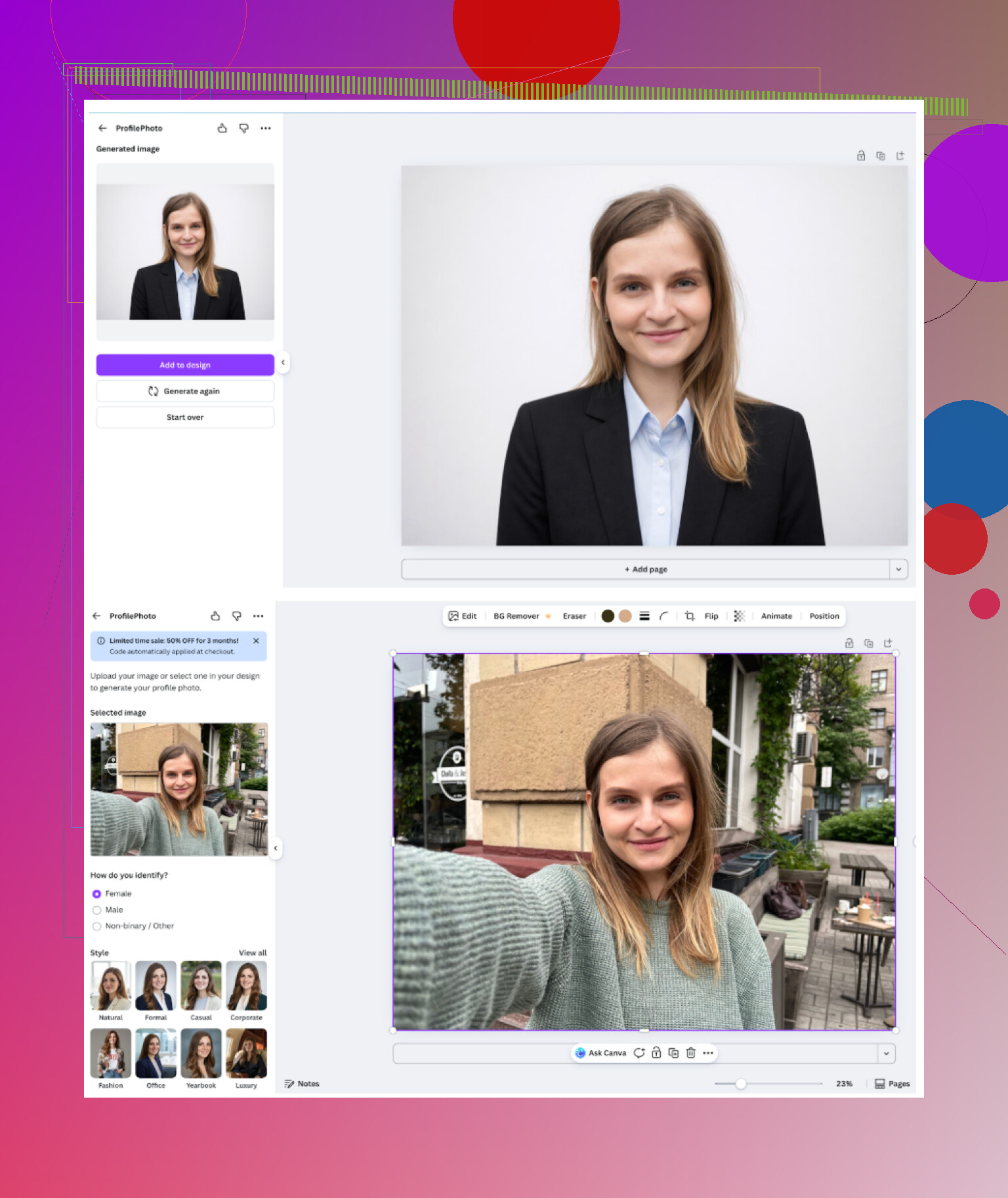
How it works:
- Upload 1 or a few photos
- Pick a style preset from the side panel
- Let it run and it spits out several options
My result from those tests looked similar to this example:
What stood out:
-
Overall feel
It feels like “Canva for headshots.” Predictable, tidy, on-brand with the rest of their tools. -
Pros
- Integrated with the rest of your design stuff
- Lots of presets
- Easy to tweak background, text, crop after generating
-
Cons
- Skin often looks plastic, especially under bright presets
- To get higher volumes and more frequent usage, you end up in Canva Pro territory, which is not cheap if you only want headshots
-
Price
Their higher tiers sit around 120+ per year, sometimes lower if on sale. If you are already paying for Canva Pro for work, then this is almost a free bonus. If you want it only for headshots, it feels expensive.
If I had nothing else and already paid for Canva, I would be fine using it. For pure “I want the best headshot possible,” it lagged behind Aragon and Eltima in my tests.
Aragon AI
Site:
This one shows up in tons of Reddit replies and blog lists.
Onboarding:
First surprise, it hit me with a questionnaire before I could do anything useful. About ten questions about role, industry, purpose, etc. Then it wanted a decent number of reference photos. For the first run, I uploaded a small album worth.
One of the example screenshots from the original post:
<img alt=‘Part 4: The ‘Free’ Way (ChatGPT, Gemini, & Hustle)’ src=‘https://pjirc.com/uploads/default/original/image-1768927193.png’ height=‘537’ width=‘381’>
My experience:
-
Overall feel
It targets “serious headshots” as its main job. It felt more specialized than Canva. -
Pros
- The likeness was strong. It kept my nose shape, eye spacing, and hairline more accurately than lots of the mobile apps.
- Processing time was reasonable for a service training a model on your face.
-
Cons
- Needs multiple photos to start; minimum was 6 in my flow, but you get better output with more. That means digging through your phone for different angles, lighting, etc.
- Not free. You commit money before you even know if the style feels right to you.
-
Price
For new users, I saw entry offers around 12 to 25 dollars. Mine sat in that range.
If you are willing to do a dedicated upload session and you want only “business / formal” outputs, this worked well. It produced some of the closest “this is really me” results of the web tools.
HeadshotPro
Site:
Positioning is obvious from the landing page. It talks about teams, data handling, security, compliance. Less fun, more HR.
Their example layout looked like this:
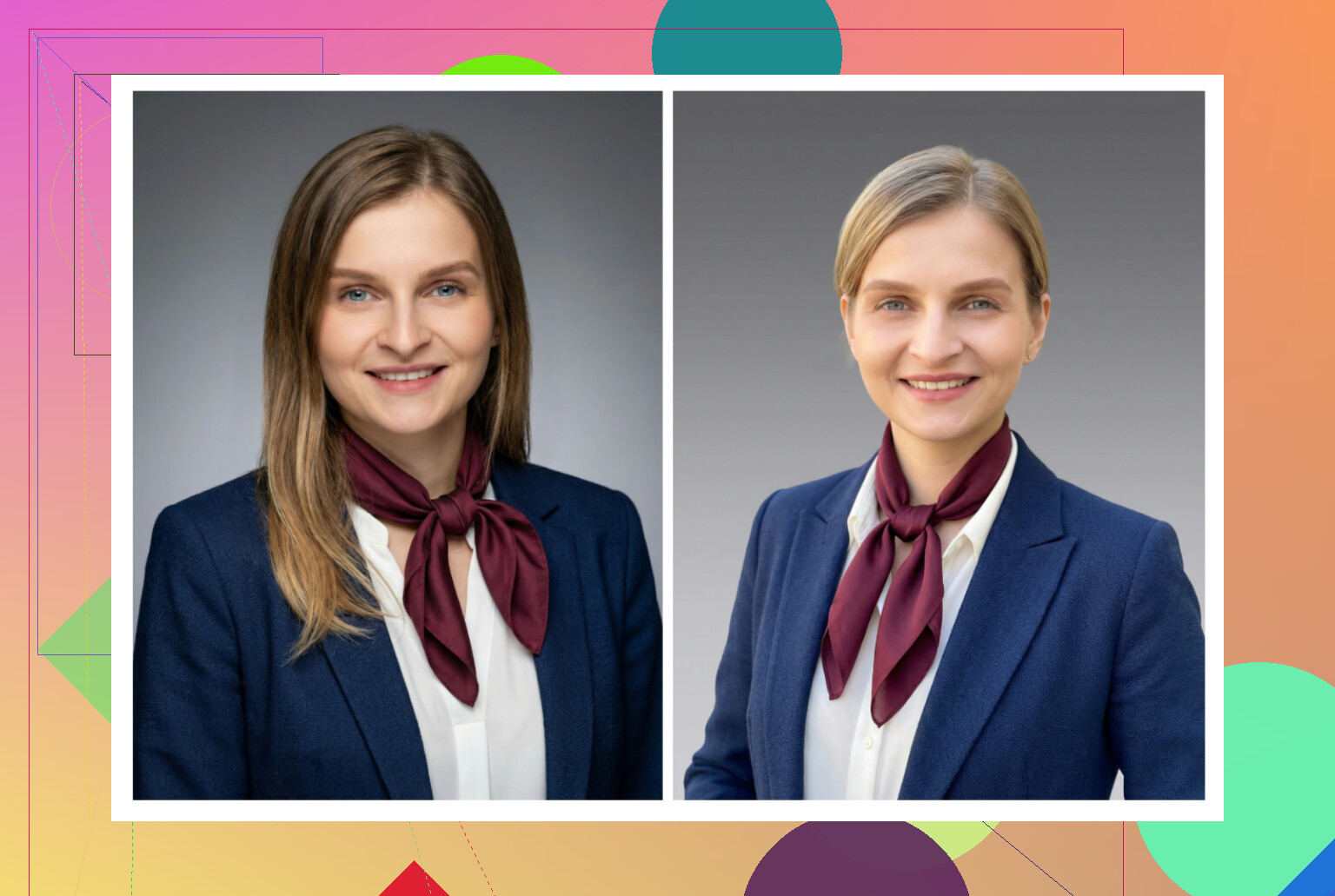
How it felt:
-
Overall feel
Safe, neutral, corporate. If I were generating 100 badge photos for a mid-size company, this would be high on the list. -
Pros
- Lighting consistency is good
- Backgrounds are clean and simple
- Results look like something your IT department would approve without a comment
-
Cons
- Few creative options; not much personality
- If you work in a more casual field, most outputs feel too stiff
-
Price
Starts around 29 dollars in my view. Goes up if you do team packs.
I would not use this for social accounts, but for compliance-friendly company headshots, it fits exactly that niche.
iOS apps I went through
Here is the batch I installed from the App Store:
- Remini
- Fotorama AI Photo Generator
- Collart AI Photo Generator
- IRMO AI Photo Generator
- Eltima AI Headshot Generator (already covered above)
Criteria I kept in mind:
- Ease of use
- How much it still looked like me
- Style range
- Cost vs free options
- Speed
Remini on iOS
App Store:
On most people’s phones already, so I started there.
What using it felt like:
-
Ease of use
Interface is clean. You pick a feature, choose a style, tap generate. No weird menus. Even a non-tech user would figure it out in a minute. -
Video from photo
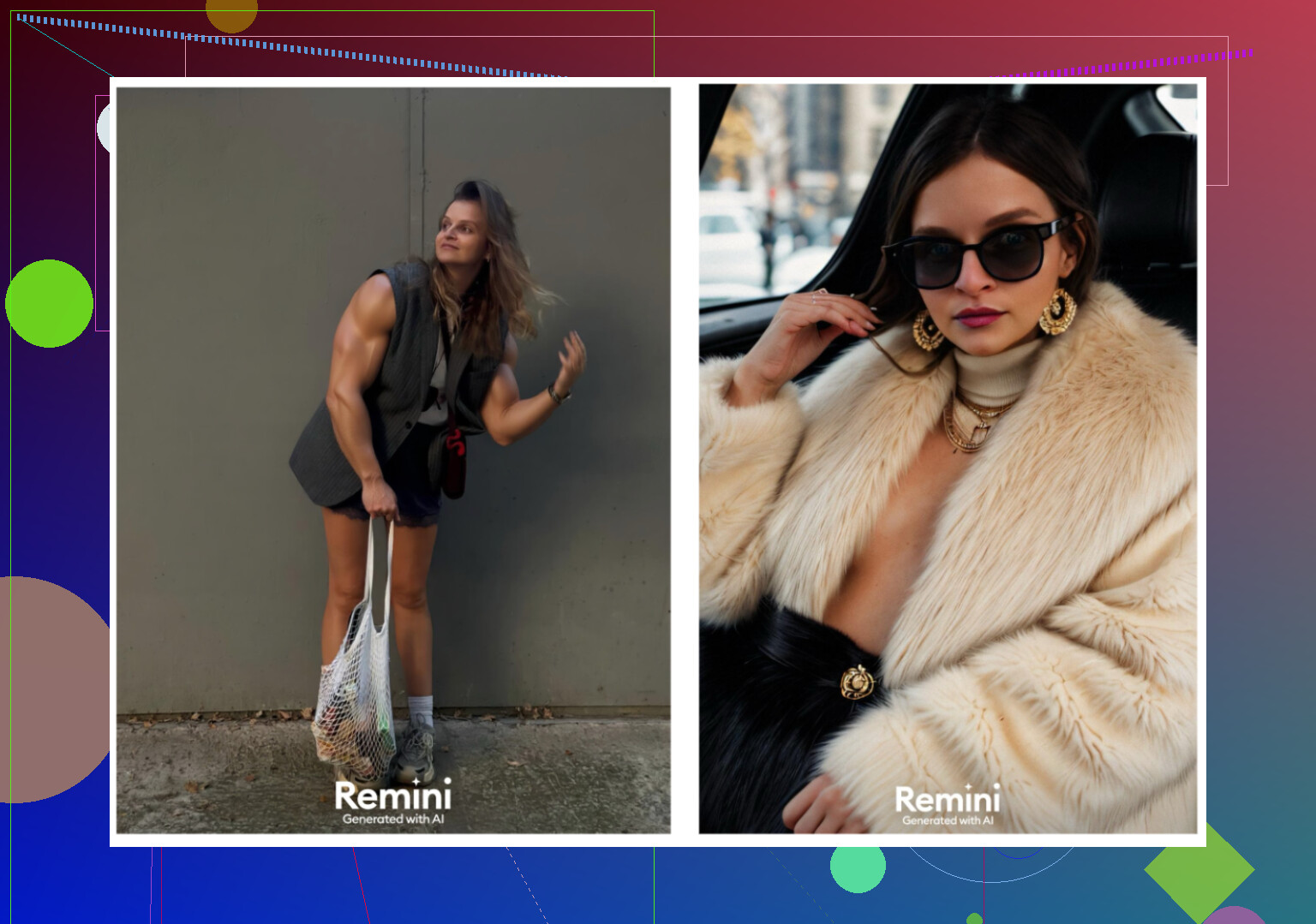
It generates short videos. The one that stuck in my head was surreal. It took a frame where I was lifting a child under some stairs and animated it into something that looked off. Not in a useful way. -
Photo realism
Still frames were better, but faces pushed into a glossy, overdone look. Clothes warped in some outputs, collars bending in odd ways, shoulders shifting. -
Styles
There are plenty of templates, including work-appropriate looks. The issue was consistency. One run looked okay, the next made me look like a different person. -
Price
- 9.99 per week
- 79.99 per year
- Free trial week when I signed up
-
Speed
Video generation took around 13 minutes for me. That is long when you want a headshot now.
My take on Remini iOS
For pure “enhance some old photos,” it is fine. For professional headshots, it felt unreliable. Too much distortion, too much over-smoothing.
Example from the original:
Fotorama AI Photo Generator
App Store:
Install felt straightforward and the UI did not confuse me.
What happened when I tried to use it:
-
Ease of use
The layout is simple. Buttons labelled clearly. No hunting for core features. -
Video / photo generation
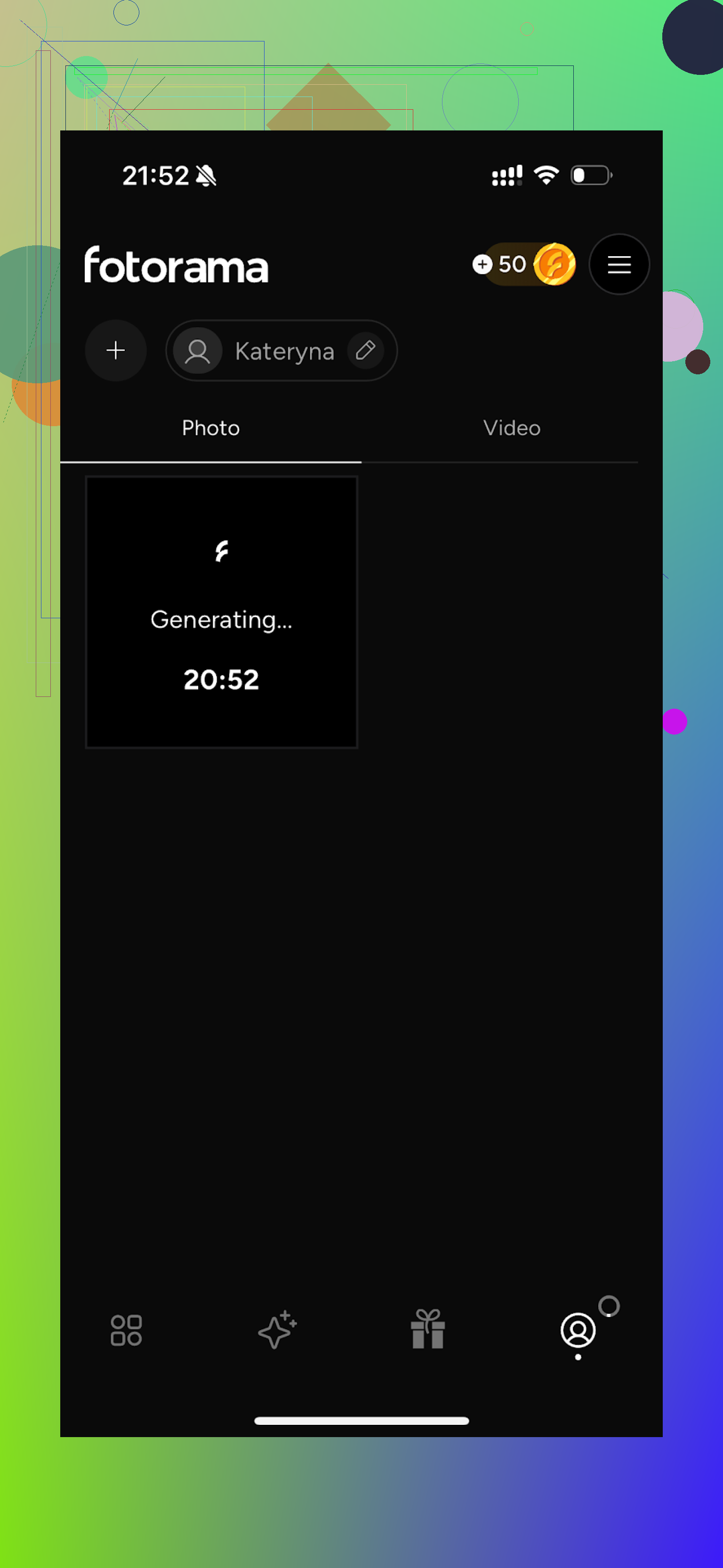
This is where it went sideways for me. First full generation took about 30 minutes “analyzing” my photos. I got bored, closed the app, came back later, no result. Coins were gone. -
Styles
Plenty of fun stuff. Fashion shoot vibes, character-inspired looks. Nice variety on paper. -
Price
- 11.99 per week
- 79.99 per year
-
Speed
Too slow. If your first serious attempt takes half an hour and still fails to show an output, trust drops fast.
My take on Fotorama
I liked the structs of the styles but the coin system plus unstable speed killed it for me. I do not want to babysit an app for 30 minutes per run when other tools finish in 1 or 2 minutes max.
Screenshot from original:
Collart AI Photo Generator
App Store:
Feels more playful from the start.
My run:
-
Ease of use
Clean UI, quick to learn. I did not need a guide. -
Video from photo
It can animate photos. Treated that as a bonus feature. -
Photo realism
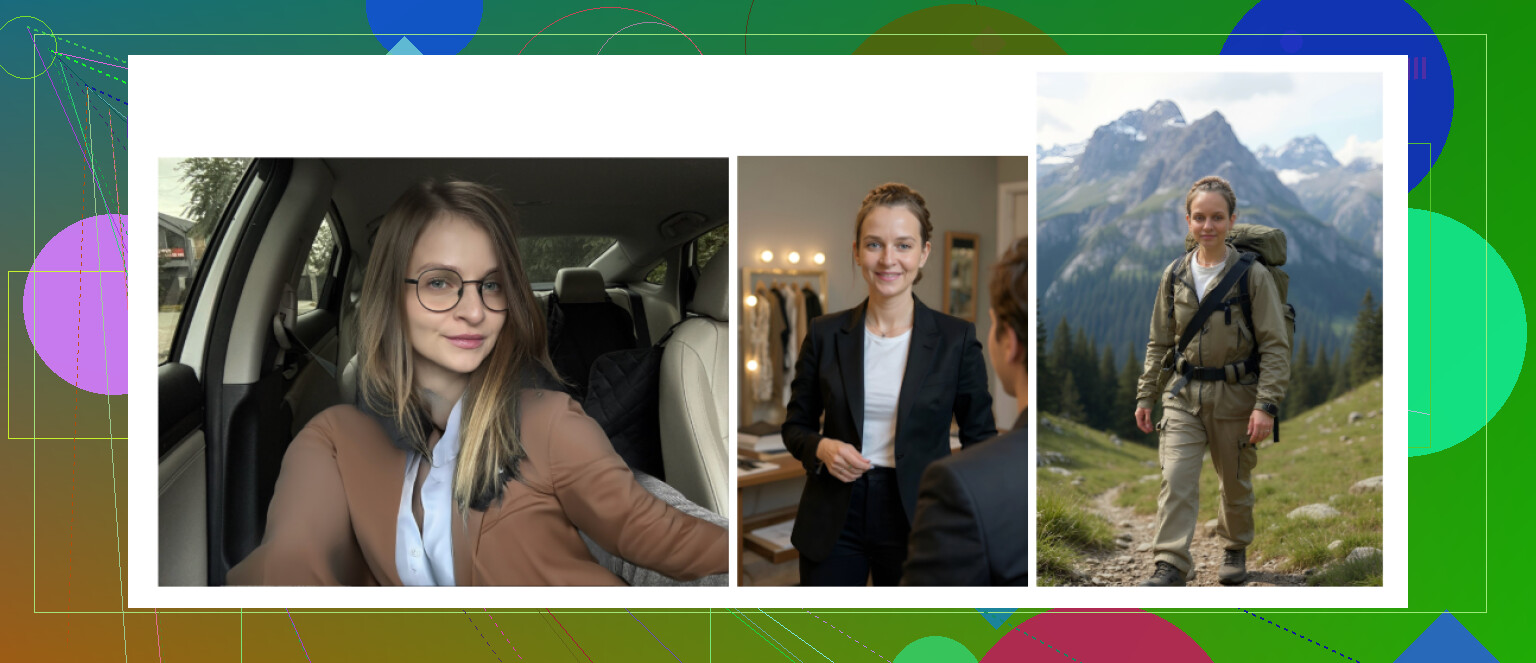
Weak spot. It based generations on a single photo, so the model did not fully “learn” my face. I ended up with outputs that looked more like generic attractive strangers than me. -
Styles
Big variety. Lots of “fun” presets, collages, and themed looks. -
Price
- 3.99 per week
- 59.99 per year
-
Speed
Reasonably quick. No long waits.
My take on Collart
If you want goofy avatars or Pinterest style edits, it is alright. For serious headshots, using only one input photo hurt accuracy. The mismatch between styles and actual likeness was big.
Example:
IRMO AI Photo Generator
App Store:
Feels like a general AI photo/video tool with headshots as one part.
How it went:
-
Ease of use
Straightforward. No hassle going from upload to output. -
Video
It generates video from photos as expected. Looks similar to other “avatar talking” apps. -
Photo realism
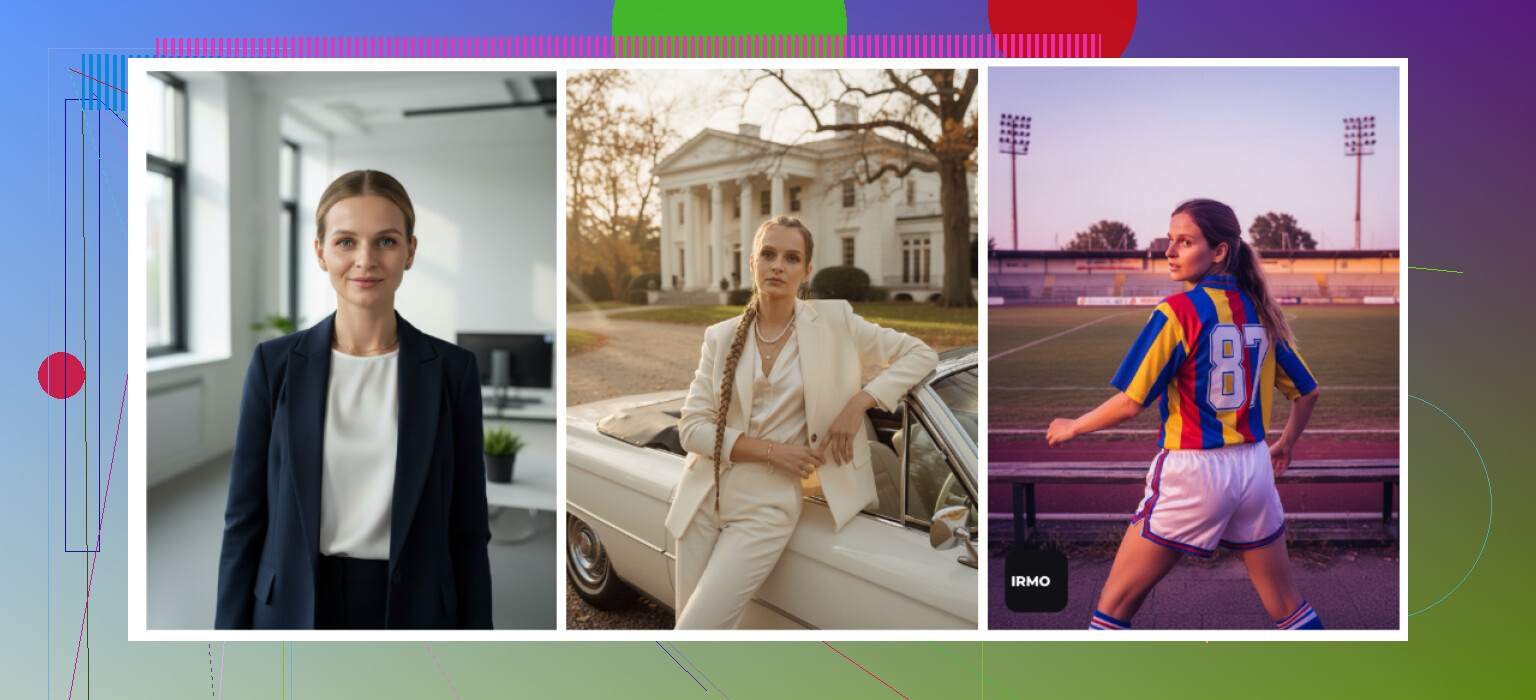
The core problem was, again, low reference data. It let me upload one photo only. Likeness suffered. The face looked like a cousin version of me. -
Styles
Has lots of scenes, outfits, and moods to pick from. Playing with them was fun, but I never got something I would trust as a professional profile picture. -
Price
- 5.99 per week
- 99.99 per year
-
Speed
Around 2 to 6 minutes per image. Acceptable.
My take on IRMO
Feels like a sandbox toy for creatives more than a “I need one realistic headshot” solution. Outputs looked good visually, but not personal enough to use on LinkedIn.
Example:
Android apps I tested
Google Play is a mess in this category. Tons of clones, weird permission requests, and coin systems. I stuck to three:
- Remini
- GIO: AI Headshot Generator
- Momo
Remini on Android
Google Play:
Experience was similar to iOS:
- Stupid simple to use. Upload selfies, pick a style, wait.
- Results skewed toward glam. Even on “professional,” my face looked touched up with strong makeup and sharper jaw.
This type of output:
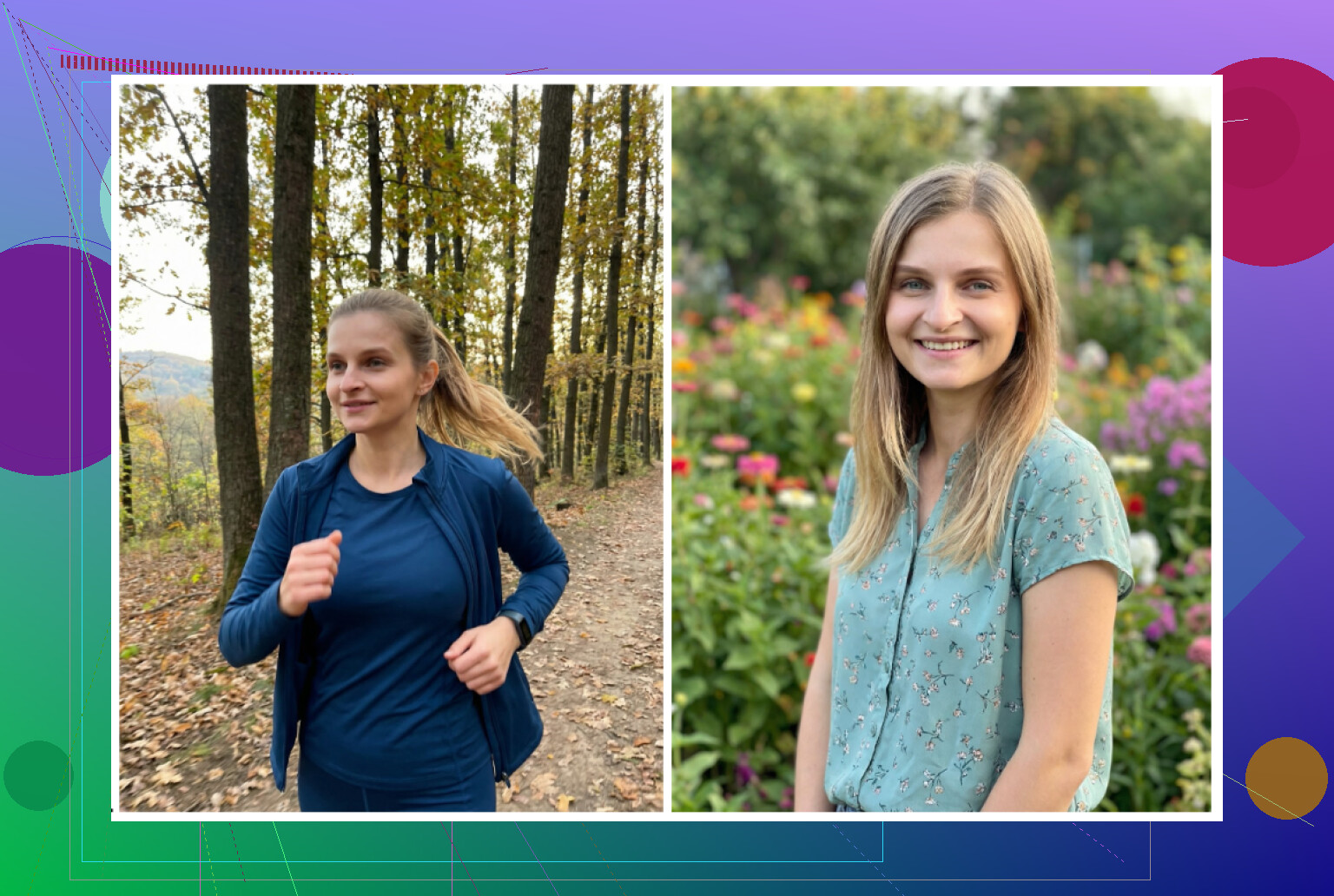
Good enough for Tinder, questionable for serious roles. If your industry cares more about vibe than strict realism, it might still work. For finance, legal, or conservative fields, I would avoid it.
GIO: AI Headshot Generator (Android)
Google Play:
It also exists on iOS, but I focused on Android to avoid repeating the same app twice.
From my tests:
Pros:
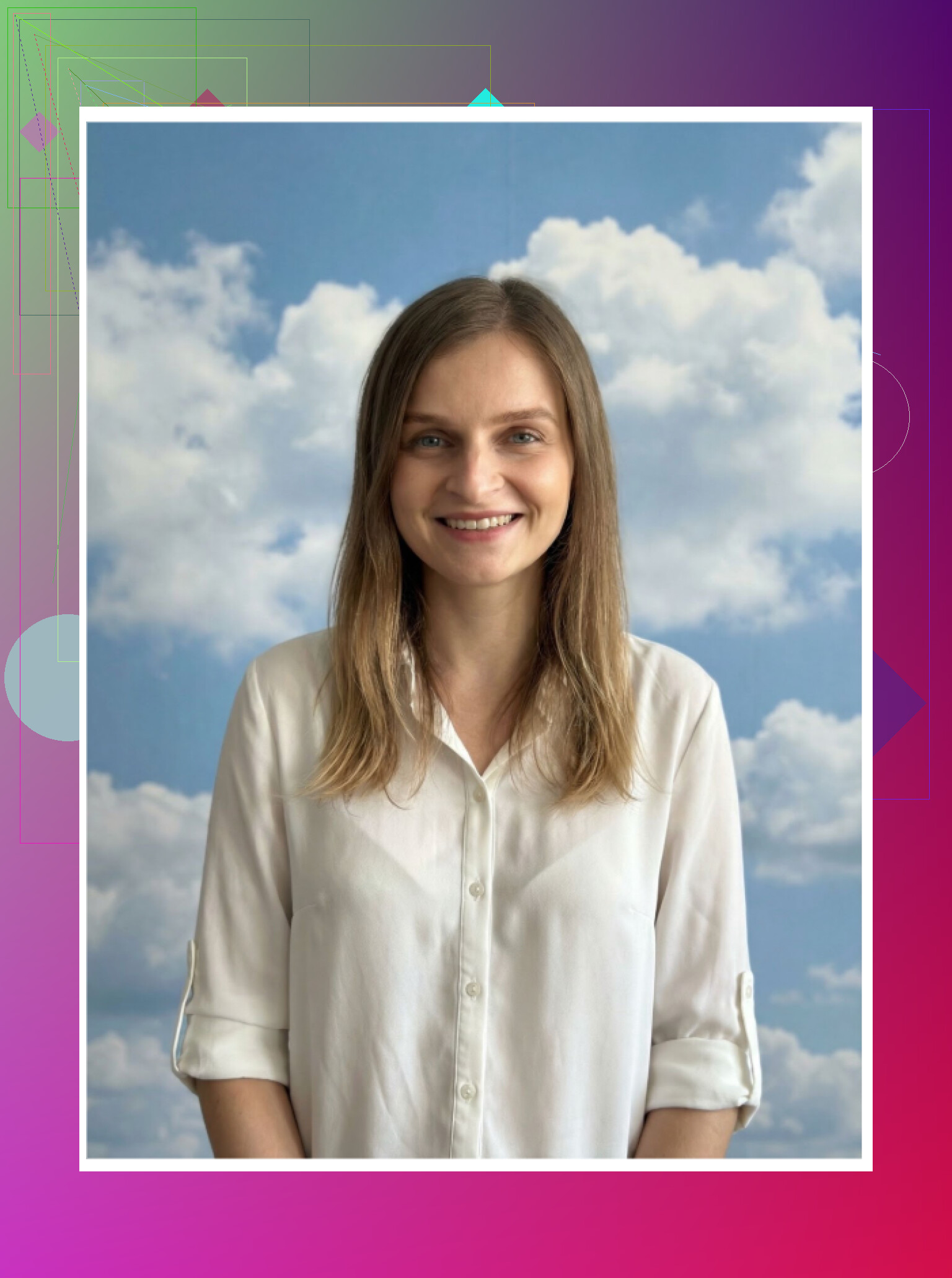
- Less plastic than Remini at default settings
- Clothing swapping worked better than I expected, suits looked fine in several shots
Cons:
- Unstable quality. Some runs were okay, others were unusable.
- Detail work, especially around hairlines and ears, often misfired.
Verdict:
A workable backup if Remini is too fake-looking for your taste, but not something I would rely on as my only option.
Original example:
Momo
Google Play:
Momo sat somewhere between GIO and Remini for me.
Pros:
- Better output than GIO in my tests
- Generated pictures that, at a quick look, felt usable
- Some styles had decent lighting and framing
Cons:
- Price higher than other apps with equal or better quality
- Once you compare side by side with Eltima or Aragon, the flaws stand out, especially around eyes and mouth
Verdict:
Usable, but not strong enough to justify its higher ongoing cost against competitors.
Example shot:

Trying the “free” route with ChatGPT and Gemini
If you do not want to pay at all, there is a workaround. It needs some patience, but it works to a point.
You use what I would call a “description loop” with LLMs and image models.
Works with:
- ChatGPT (GPT-5.2 with DALL·E)
- Gemini (Advanced / Ultra with image generation like their Nano Banana model)
Official pages:
ChatGPT
https://chatgpt.com/
Gemini image generation
Basic 5 step process I followed
-
Find a reference photo
Something that represents the pose, outfit, and mood you want. Could be a random person from a stock site. -
Paste that reference into ChatGPT or Gemini
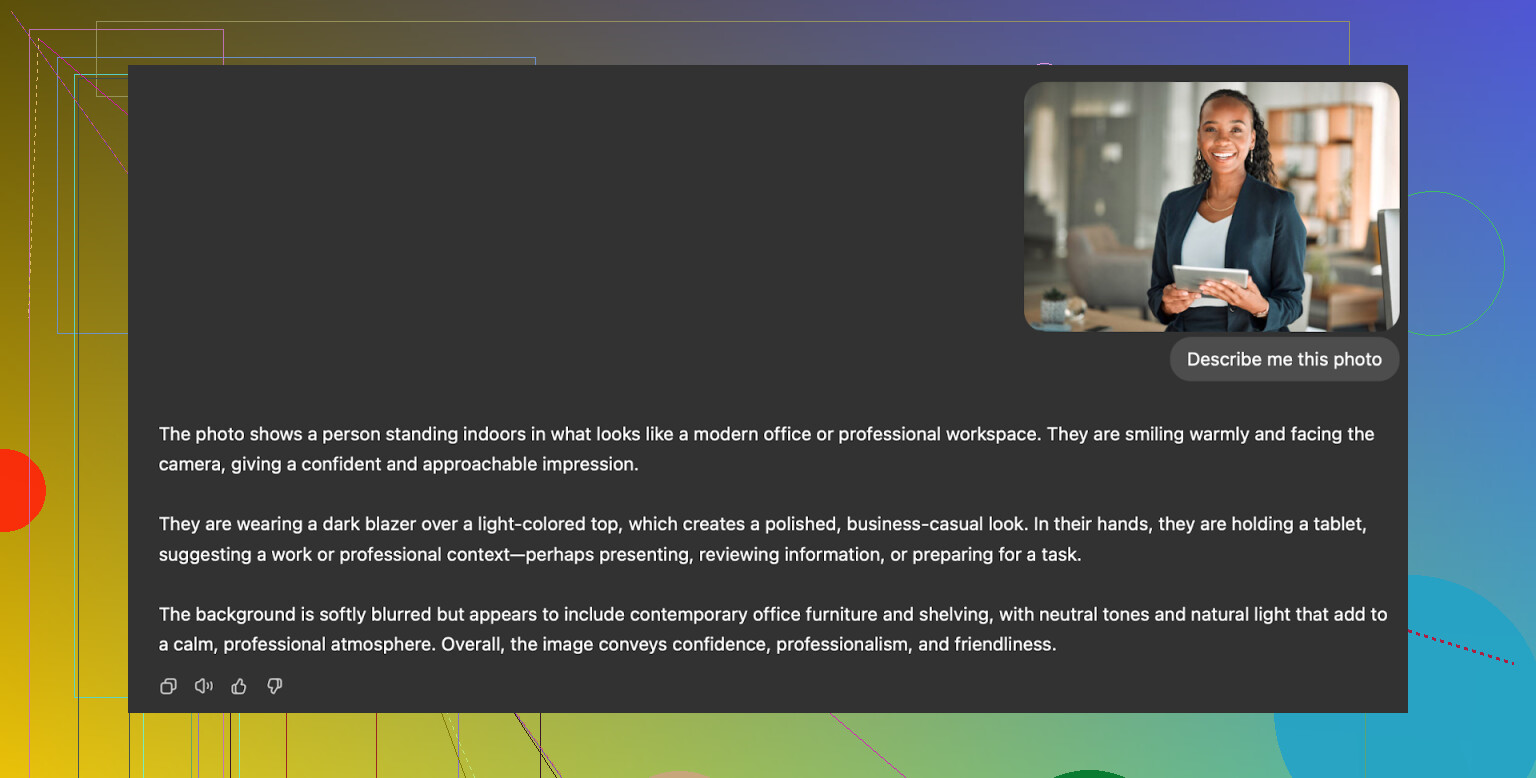
Ask the model to describe the photo in precise detail. Things like camera angle, lighting, clothing, facial expression, background. -
Copy that description
Open a fresh chat. Paste the description. Then say you want the same composition, but with your own face instead of the original person. -
Upload your selfie in that new chat
Use a clear, front-facing shot, neutral lighting, no heavy filters. -
Ask the model to generate a photo
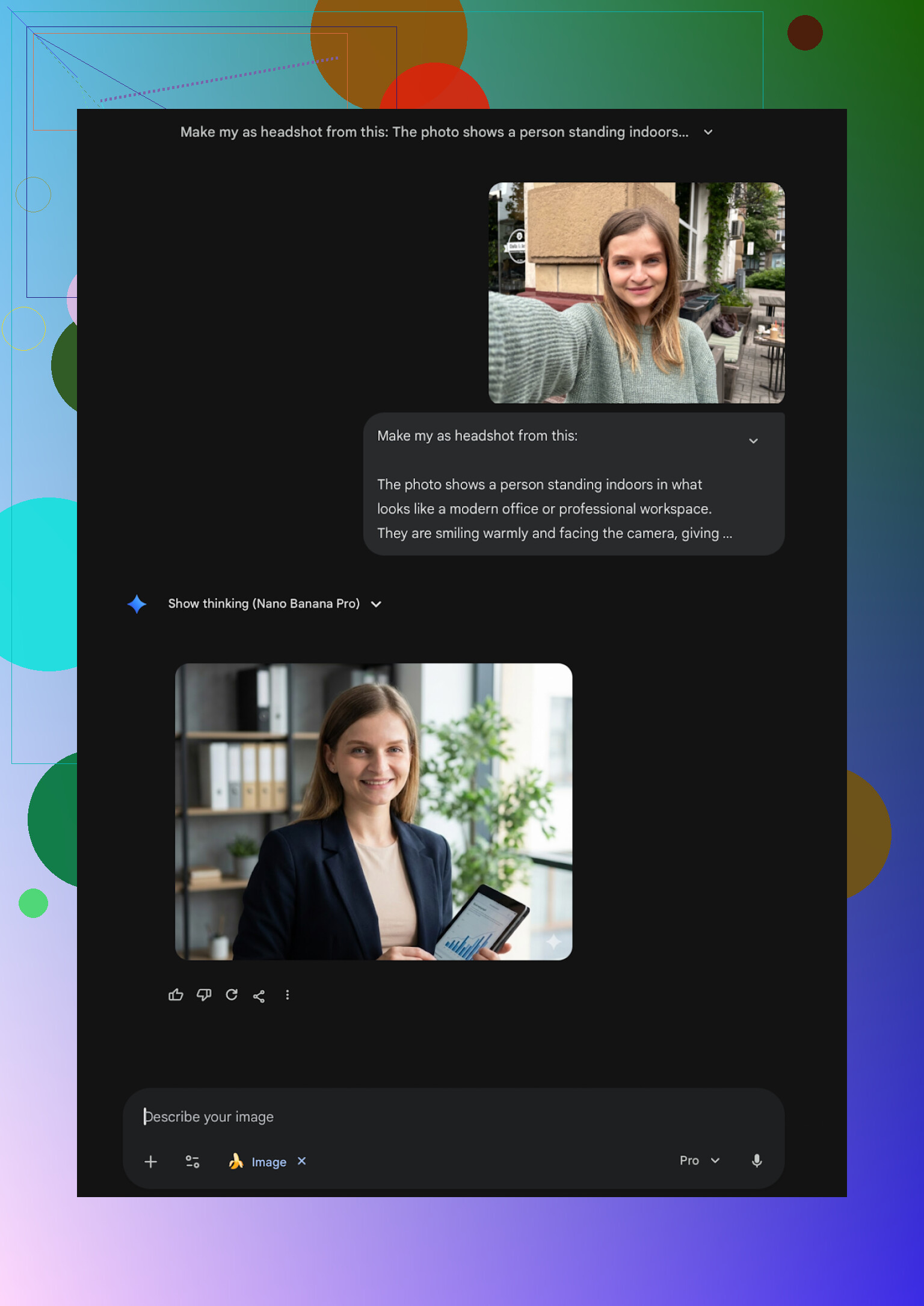
On Gemini, choose the proper image model (like Nano Banana Pro when available). On ChatGPT, pick the DALL·E image mode, paste the text, attach your selfie, and tell it to keep your identity.
Example from the earlier post:
What I got
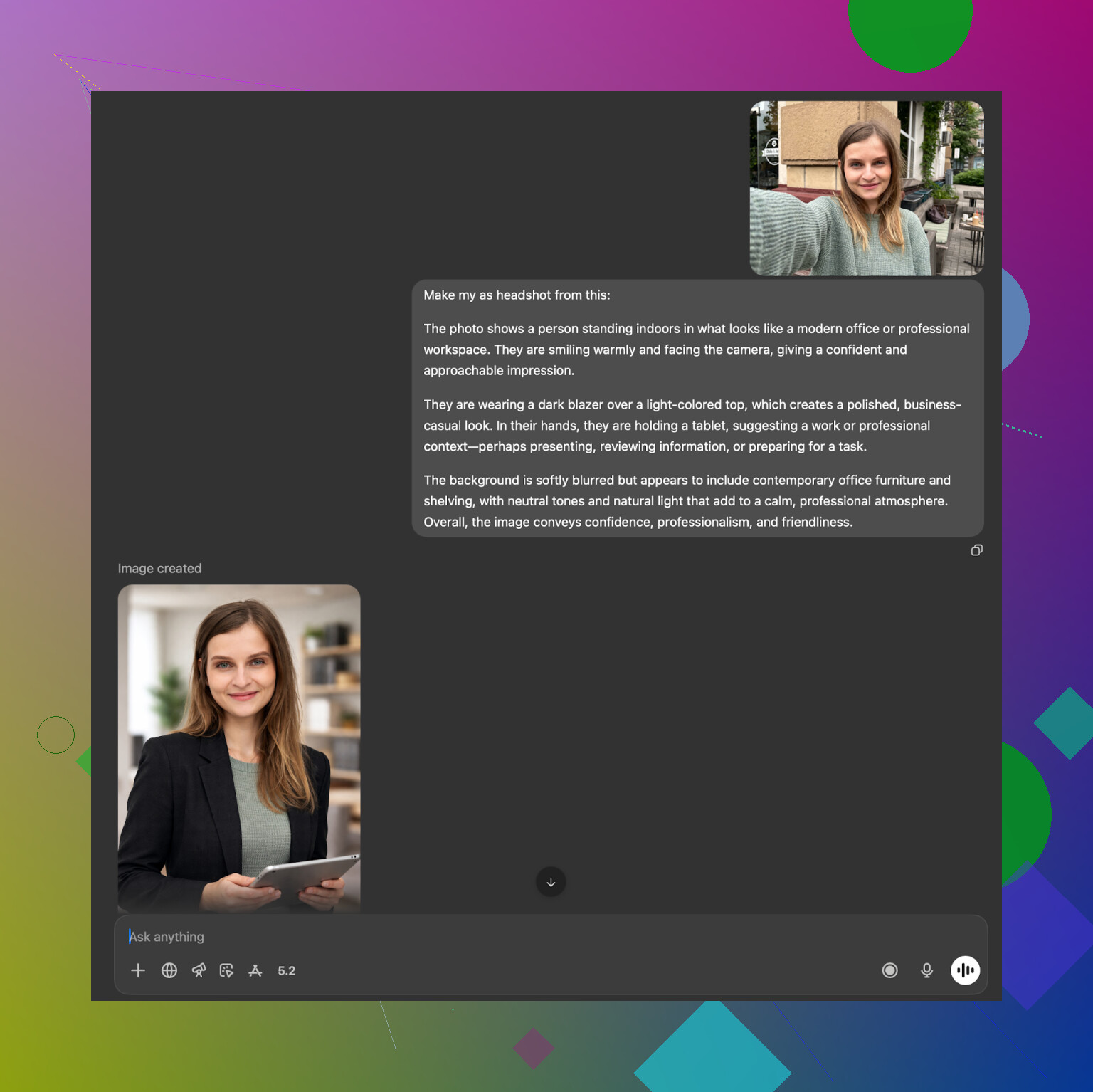
ChatGPT with DALL·E:
- It tends to keep your vibe but change some key features. Feels like you are looking at a close relative.
- Style is pleasant, but there is a layer of “AI illustration” on top. Up close, it still reads as generated.
Example:
Gemini (Nano Banana Pro and similar):
- Faces looked more like real photos.
- Safety filters sometimes refuse to generate images that resemble a real person too closely. That blocks specific prompts.
Example:
YouTube link that shows a related flow:
What I ended up doing long term
After bouncing between everything above, here is what stuck for me:
-
For “I need one rock solid LinkedIn headshot”
Eltima on iPhone plus Aragon AI on web gave me the best balance of likeness and polish. Those two, for me, made images where coworkers said “oh that looks good” instead of “is that some AI filter.” -
For “I want to play with concepts for free”
Gemini’s image generator with the description loop method gave decent outputs, enough to test poses and outfits. You hit safety limits sometimes, but no cost. -
For quick social stuff
Remini is still fine if you are okay looking more smooth and stylized.
I ended up keeping Eltima on my phone because of the daily free shot and the huge bank of templates. I ran into a ceiling with my own ideas using LLM prompts. Having ready-made, well-framed templates helped more than I expected.
Last note, if you are choosing between these, I would focus less on marketing lines and more on this single question: does the tool keep your closest friends from asking “is that even you?” when you send the photo. The ones above that passed that test for me were Eltima and Aragon.
8 Likes
If your main goal is “realistic enough for LinkedIn without looking AI’d to death,” here is how I would sort it on iPhone, keeping it practical.
- Best starting point on iPhone
For your use case, I’d start with the Eltima AI Headshot Generator App.
Key reasons from my own tests:
• Likeness: It keeps facial structure, glasses, beard, etc, stable across shots. I had fewer “who is that guy” moments compared with Remini and Collart.
• Styles: Strong business templates. Clean backgrounds, normal office outfits, not weird fashion editoral stuff.
• Daily free image: One full quality headshot per day is enough to experiment before you pay. Helpful if you feel overwhelmed.
• Price vs output: On iOS it hit the best balance for LinkedIn and portfolio photos without turning the face into plastic.
I slightly disagree with @mikeappsreviewer only on how “small” the daily free limit feels. If you focus on one or two poses you like, one image per day is enough to get 3 to 5 finals in a week.
Basic workflow I’d use with Eltima:
• Pick 4 to 8 selfies in neutral light, different angles.
• Start with “Business” and “Casual office” templates only. Ignore the rest at first.
• Generate, then compare side by side with your real selfie. If eyes or jaw look off, toss it.
• Save only 2 or 3 that pass the “would my coworker recognize me instantly” check.
- When to use web tools instead
If you want to go one level higher on realism and do not mind using Safari on your phone:
• Aragon AI: Better likeness than most apps when you feed it 10 to 20 photos. Good if you want one serious corporate photo and you are ok doing a bigger upload session.
• HeadshotPro: Safe corporate vibe. Good if you work in conservative fields, weaker if you want personality.
For pure iPhone use, I’d still put Eltima in front, then Aragon as a one time upgrade if you are picky.
-
What I’d skip for LinkedIn first
If your priority is “professional, not glam, not cartoon”:
• Remini: Good for glow up selfies, too glossy for a lot of roles. Clothes and hair warped for me.
• Collart and IRMO: Fun, but they often look like a cousin of you, not you. Single input photo is not enough for accurate headshots.
• Random App Store clones: Many use similar underlying models and add coin systems or slow queues. You burn time and money for inconsistent output. -
Simple decision path so you do not get stuck
On iPhone only:
• Start with Eltima AI Headshot Generator App. Use the free daily shots for 3 to 4 days.
• If you get one you like in that period, pay for a short subscription, generate a batch, then cancel if you want.
• If after that you still feel it is “almost me but not perfect,” run a single paid session on Aragon via browser and select 1 or 2 finals from there.
That keeps the total spend low, avoids app hopping, and you end up with 3 to 8 solid photos you can use on LinkedIn, your site, and CV without looking overprocessed.
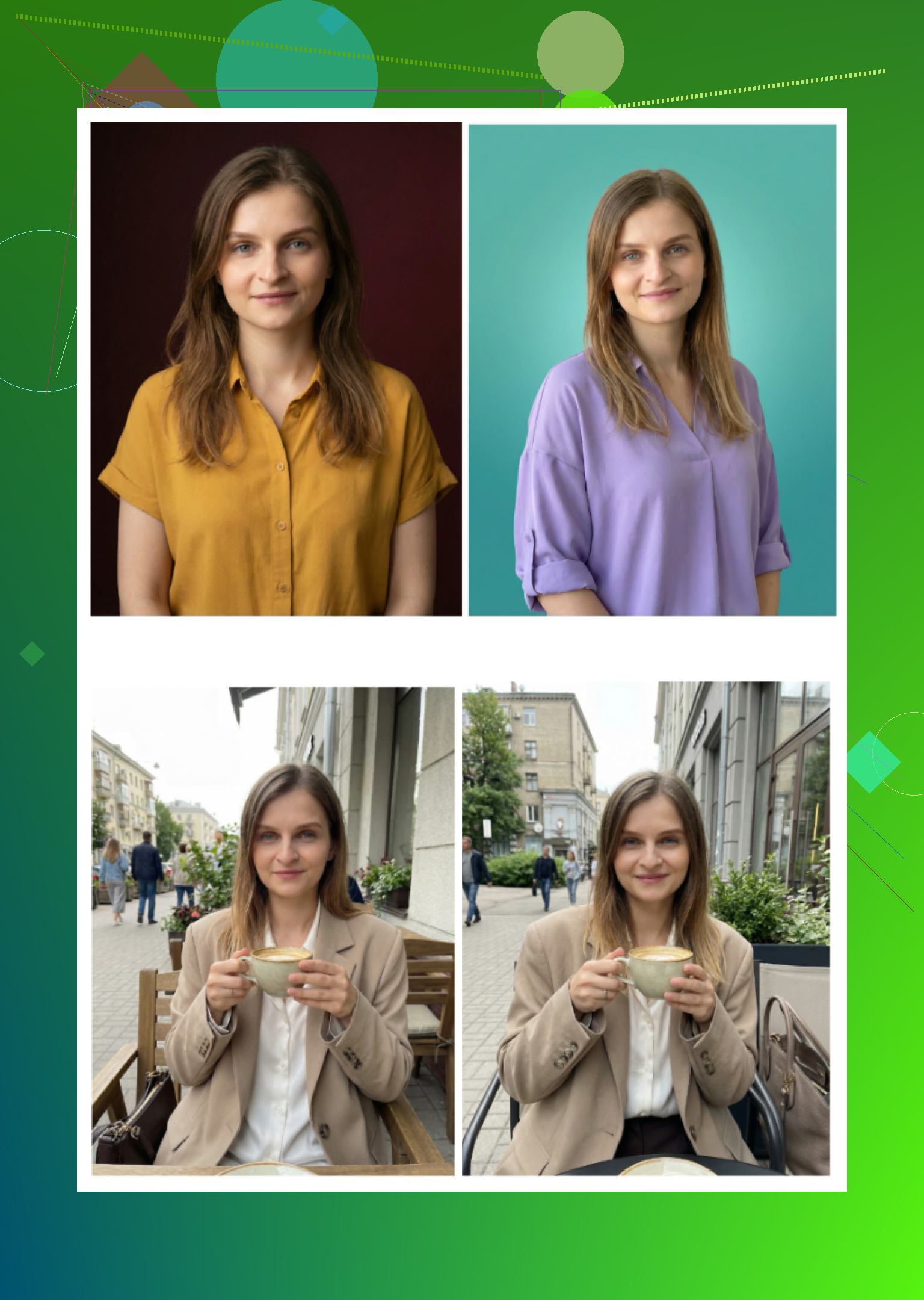
Short version: if you’re on iPhone and care about “this actually looks like me” more than gimmicks, Eltima AI Headshot Generator App is the one to beat right now, with Aragon as a good backup via web.
Building on what @mikeappsreviewer and @nachtdromer already wrote:
1. Where I agree (mostly) with them
They’re both right that:
-
Eltima on iPhone is currently the strongest combo of:
- Likeness (face stays consistent, no “AI cousin” effect)
- Realistic business styles
- Usable pricing, especially with 1 free full‑res headshot per day
-
Aragon (web) is excellent if you are willing to sit down once, upload 10–20 pics, and pay for a single serious “photo session.”
So if you just want a practical answer:
iPhone only: start with Eltima AI Headshot Generator App.
Extra picky and ok using Safari: add Aragon for one premium batch.
2. Where I slightly disagree with them
-
They’re a bit too forgiving of Remini for “social” photos. Even on the “professional” styles, it still gives that ultra-filtered, “dating app glam” look. For LinkedIn or a portfolio where hiring managers are involved, I would skip it completely. It looks fine on your phone screen, but side by side with a real corporate headshot, it screams filter.
-
On the “1 free photo a day is enough” point with Eltima:
I actually think it feels small if you’re indecisive or testing clothes / glasses / hair variations. You can work with it, but be ready that you might burn 3–4 days just finding the style you like. If you are in a rush, a 1-week sub to Eltima is more realistic than living on the free quota.
3. How I’d pick between the main options
For LinkedIn + portfolio, ranked for realism and professionalism:
-
Eltima AI Headshot Generator App (iPhone)
- Best iPhone-native option I have seen so far for:
- Corporate / startup founder / “normal office” looks
- Keeping your features accurate
- Tons of templates is actually a double-edged sword. Nice to have, but stick to the “Business / Corporate / Casual office” filters or you’ll drown in choices.
- Best iPhone-native option I have seen so far for:
-
Aragon (web, works fine on iPhone Safari)
- Strong realism if you feed it enough varied photos.
- Best as a one-time purchase to get 20–40 strong shots, then you are done for a couple of years.
- Slightly boring in a good way, which is exactly what a lot of hiring managers want.
-
HeadshotPro (web)
- Very “HR safe,” but tends to flatten personality.
- I’d only use it if you are in very conservative fields or need matching headshots for a team.
4. Stuff I’d personally avoid for professional use
Even though @mikeappsreviewer and @nachtdromer covered these, from a stricter “would I put this in front of a recruiter” lens:
-
Remini (iOS)
Too glossy, too much warping around clothes and hair, and it often makes you look like your own retouched movie poster. -
Collart / IRMO
Fine if you want “cute AI selfies,” not fine if you need a headshot for a law firm or serious portfolio. Single reference photo is just not enough to nail likeness. -
Random App Store AI headshot clones
The coin systems, weird timeouts, and permission spam are not worth it when Eltima exists.
5. Practical, no-fuss path forward
Since you said you’re overwhelmed and just want realistic, professional output:
- Install Eltima AI Headshot Generator App on your iPhone.
- Pick 6–10 clear selfies in normal lighting (no heavy filters).
- Use only the Business / Corporate / Casual office templates at first.
- Use the free daily headshot for a couple of days to see if the likeness feels right.
- If it does, grab a short subscription, generate a focused batch, then cancel if you don’t need ongoing stuff.
If, after using Eltima, you still feel like the images are “95 percent me but not quite,” then run a single session on Aragon via Safari and cherry‑pick 1–3 absolute favorites from there.
That way you avoid the app-store circus, keep costs sane, and end up with 3–8 headshots you can safely use on LinkedIn and in your portfolio without people asking “is that really you?” in the comments.