I’ve been testing Originality AI’s humanizer to make AI-written content look more natural, but I’m getting mixed detection results across different AI detectors. Sometimes it passes, other times it still flags as AI. Can anyone who has used it long-term share how reliable it really is, what settings or workflows work best, and whether it’s worth paying for compared to other tools?
Originality AI Humanizer review, from someone who tried to break it on purpose
I went into this one with some expectations. If a company builds one of the stricter AI detectors out there, you sort of expect their own “humanizer” to know how to slip past detection. That did not happen at all.
Here is what I did and what I saw.
Originality AI Humanizer test setup
I pulled a few standard ChatGPT pieces I use for testing:
• Generic blog-style explainer
• SEO-flavored article
• A short how‑to with headings
Then I ran each sample through the Originality AI Humanizer here:
I tested both modes:
• Standard
• SEO / Blogs
After every run, I pushed the outputs through:
• GPTZero
• ZeroGPT
Results
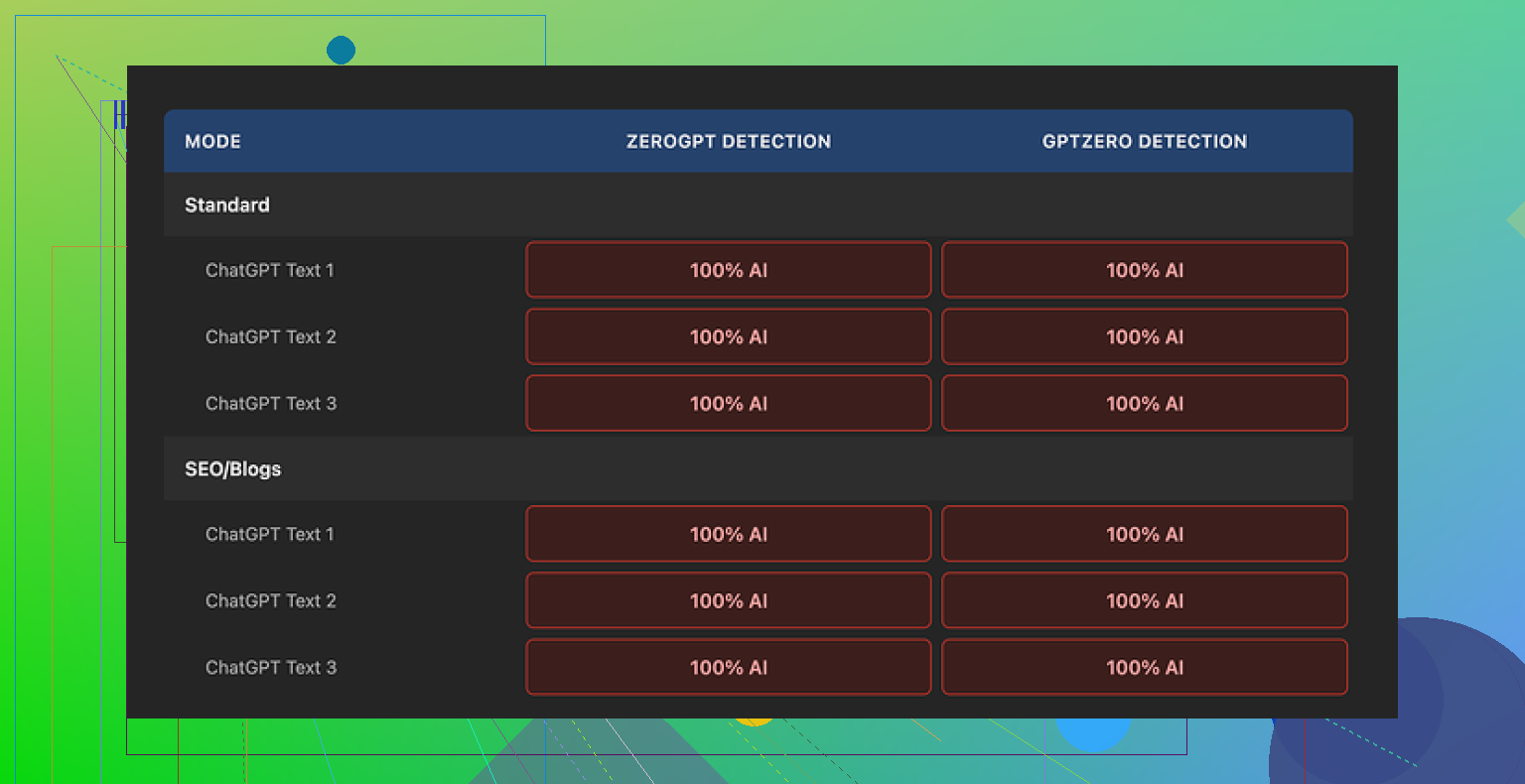
Every single output hit 100% AI on both detectors.
Not 70. Not 85. A clean 100 on all the samples, in both modes.
I went through the text side by side with the original ChatGPT content. That is where it became obvious what is going on.
How much it changes your text
Short answer, barely at all.
Here is what I noticed while diffing the outputs:
• Sentence structure stayed almost identical
• Common AI phrases stayed in place
• It kept long, smooth, low-friction sentences that detectors love flagging
• It even left in em dashes and those typical “AI article voice” transitions
• Occasional synonym swaps, nothing structural
So when GPTZero and ZeroGPT called it 100% AI, it felt fair. The text still read like default LLM output with a light touch of search-and-replace.
Because of that, it is hard to rate its “writing quality” as a humanizer. You are mostly still reading the original ChatGPT writing. The tool is more of a proofreader that barely touches the work.
Screenshots and sample proof
I logged the whole thing with screenshots and kept detection results visible. The original post with the test samples and outputs is here:
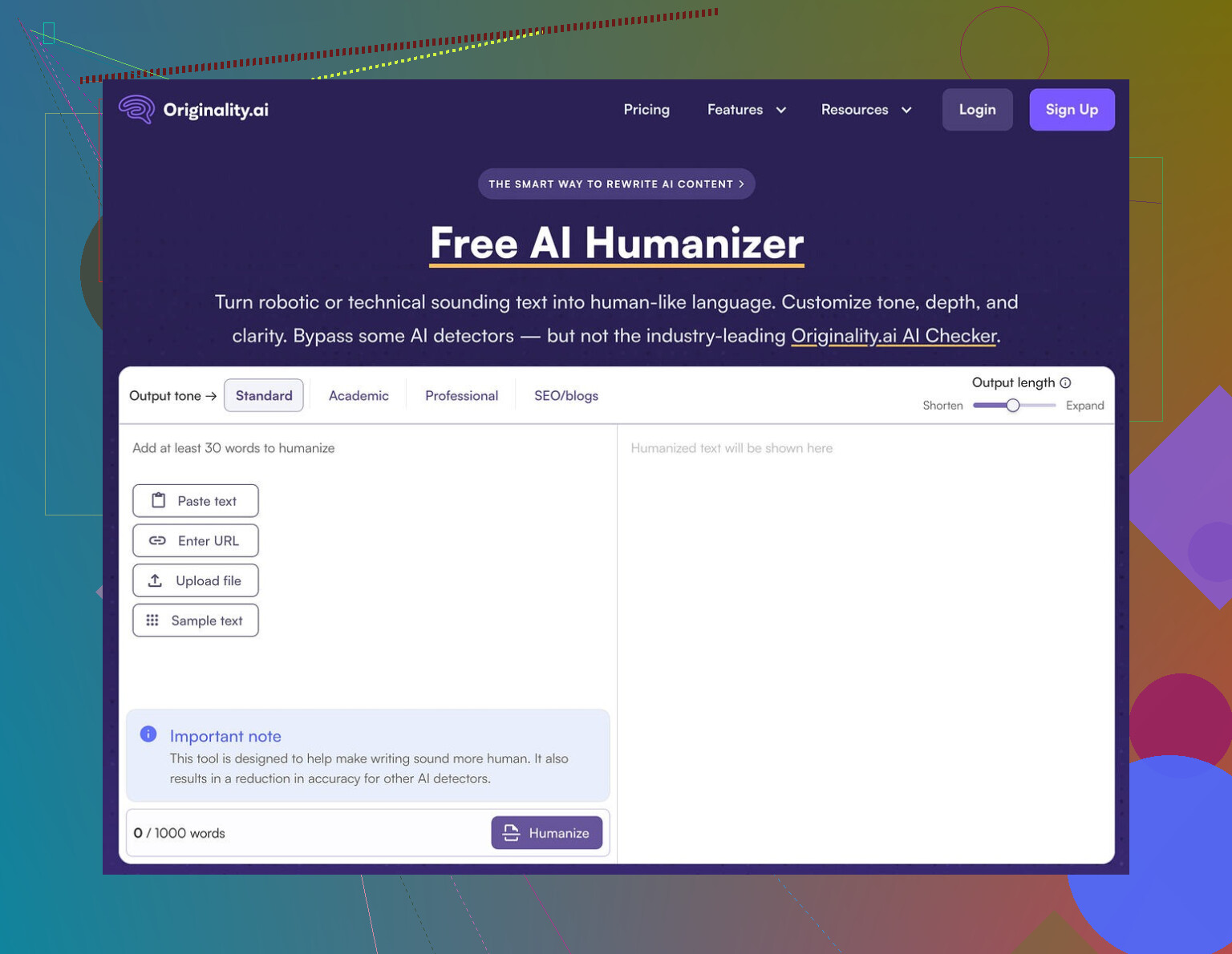
There are also images like this in the original review:
And detection screenshots like:
So if you want visual proof, it is all archived there.
What does it do well
It is not useless, it is just not good at what people expect from a “humanizer.”
Stuff I thought was decent:
-
Free and no account wall
You go to the page, paste text, hit the button. No login, no email grab. For quick tests, that is fine. -
Word limit workarounds
It caps you at 300 words per session. I got around this by opening new incognito windows and pasting chunk by chunk. Annoying, but workable if you are stubborn. -
Output length slider
There is a length control that lets you expand content. It does stretch the text a bit, so if you want a longer version of what you already have, it does that job in a simple way. -
Privacy policy
Their policy reads like a lawyer checked it. There is a retroactive opt‑out for AI training, which I do not see everywhere. So if you care where your text ends up, that part is at least thought through.
Where it falls apart as a “humanizer”
Here is the main problem.
If your goal is to pass AI detection:
• It leaves structure unchanged
• It keeps the “AI rhythm” in the sentences
• It does not introduce enough variance in syntax or style
• It does not add human quirks, hedging, or minor inconsistencies that lower AI scores
From the way it behaves, it looks more like a traffic tool. Something like:
- Give people a free “humanizer”
- They run their text
- Then they see detection tools and paid stuff in the same ecosystem
As a funnel into Originality’s paid detection services, it makes sense for them. As an actual humanizer, it did not help me at all with detection bypass.
If you are trying to turn AI text into something that scores as human, this will waste your time.
What I use instead
After messing with a bunch of these tools, the one that performed better on both quality and detection scores was Clever AI Humanizer.
You can see their breakdown and proofs here:
It is free, and in my own tests the outputs:
• Changed structure more aggressively
• Broke the “LLM sentence melody”
• Reduced AI scores on detectors in a visible way
I still edit everything by hand after, but at least it does something measurable.
Quick takeaway
If you:
• Want cleaner phrasing on AI text and do not care about detectors, Originality AI Humanizer is a lightweight rewriter with a simple interface.
• Need lower AI scores on GPTZero, ZeroGPT, and similar tools, this is the wrong choice. It leaves your text almost untouched and you will still show up as 100% AI.
I would keep it in the “minor rewrite” bucket, not in the “humanizer” bucket.
16 Likes
You are seeing mixed results because the tool edits surface text, not the underlying patterns detectors look for.
Originality’s humanizer mostly keeps:
• Same sentence order
• Same paragraph flow
• Same average sentence length
• Same “neutral explainer” tone
Detectors like GPTZero, ZeroGPT, and Originality’s own scanner look at those patterns, not only at single words. So when you slightly rephrase AI text, some detectors drop the score a bit, others still scream 90–100 percent AI.
Where I slightly disagree with @mikeappsreviewer is on the “useless” part. If your goal is cleaner AI text or minor SEO tweaking, it does an ok job as a light rewriter. For detection evasion, it is weak.
Here are a few practical things you can do if your target is lower AI scores:
-
Change structure, not synonyms
• Shuffle paragraph order.
• Merge or split sentences aggressively.
• Remove generic intros and conclusions. -
Add “human friction”
• Insert small asides, short opinions, hedging, even a small typo here and there.
• Vary sentence length a lot. Short. Long. Short again. -
Limit AI voice patterns
Avoid stock phrases like “on the other hand”, “in this article”, “it is important to note”, “overall”. Detectors see those across millions of AI samples. -
Use a stronger humanizer as a starting point
If you want a tool to do more of the heavy lifting first, Clever Ai Humanizer is closer to that. It tends to:
• Break structure more.
• Change rhythm.
• Drop detector scores more reliably in many tests.
You still need to edit by hand after. No humanizer gives safe results across all detectors, all the time. Different detectors use different signals and they update often.
If your risk is high, mix methods:
• Run text through something like Clever Ai Humanizer.
• Then manually rewrite 20–30 percent of sentences.
• Then recheck on 2–3 detectors, not only one.
If your goal is long term safety, use AI for outlines and research, then write most of the final text yourself. Detectors have trouble when real human style sits on top of AI help instead of AI doing all the writing.
You’re getting mixed results because you’re trying to hit a moving target with a blunt instrument.
What @mikeappsreviewer and @waldgeist already showed pretty well is that Originality’s “humanizer” barely touches the underlying structure. I actually think they’re being slightly generous on one point: I don’t even see it as a solid “light rewriter.” It feels more like a glossy paraphraser wrapped around their detection funnel. If your main KPI is “does this survive multiple detectors,” it is the wrong tool.
Couple of extra angles that haven’t been covered yet:
-
Detectors do not agree by design
GPTZero, ZeroGPT, Originality, etc. use different signals and thresholds. When you nudge wording only a bit, you land right around the gray zone where:
• One detector dips under its cutoff
• Another still screams AI
That is why you are seeing “sometimes passes, sometimes flags” even with the same text. -
Originality’s conflict of interest
Mildly controversial take: a company that sells strict detection has zero incentive to ship a truly effective humanizer that reliably defeats detectors, including its own. The safest business move is exactly what you are seeing:
• Tiny edits
• Cosmetic changes
• Just enough to look “useful” without actually undermining their core product -
Style fingerprint stays intact
Most AI writing has a very clean, low‑friction cadence. You can swap synonyms all day, but if:
• Paragraphs appear in the same order
• Claims are presented in the same neat progression
• Sentences glide along at a smooth, mid‑length average
Detectors still see the same fingerprint. Originality’s humanizer does almost nothing to scramble that. -
“Humanizing” ≠ “passing detectors”
I think this part gets mixed up all the time.
• Making text nicer or “more natural” to a human reader is easy.
• Making text statistically weird enough to look human across multiple models is a different sport.
Originality is mostly doing the first, barely touching the second.
On tools: since you clearly care about detector scores, you are in the “second sport.” In that context, Clever Ai Humanizer is actually worth testing. Not saying it is magic, but it at least tries to:
• Break sentence rhythm
• Mess with structure
• Inject more variance in phrasing
That tends to produce more reliable drops in AI probability across several detectors, especially when you then go in manually and roughen up 20 to 30 percent of the output yourself. I’d treat any humanizer, including Clever Ai Humanizer, as a first pass, not a get‑out‑of‑jail card.
If you want more stable “passes” instead of coin‑flip results:
- Stop sending full raw AI drafts. Use AI for outlines and facts, then write the final piece yourself.
- If you insist on full AI drafts, run them through something more structural like Clever Ai Humanizer, then:
• Rewrite intros and conclusions by hand
• Add a couple of personal asides, even slight contradictions
• Shorten some sentences to 4 to 6 words, let a few be long and messy - Test on at least two detectors. If one is consistently harsh, calibrate against that, not the friendlier one.
And blunt truth: if there is serious compliance, academic, or employment risk riding on this, relying on automated humanizers at all is playing with fire. AI detectors are inconsistent, but they are not getting dumber over time.
Short version: your “mixed results” are normal, and not really fixable with Originality’s humanizer alone.
What @waldgeist, @reveurdenuit and @mikeappsreviewer already showed is that Originality’s humanizer barely changes the deeper statistical footprint. I actually think the mixed scores are a feature of detectors, not a sign the humanizer is close to “good enough.”
Where I slightly disagree with them is on how much time you should spend trying to game detectors at all. Past a certain point, every extra tweak buys you less safety and more risk of your writing turning into a weird Frankenstein.
A few angles that have not been hit directly:
-
Detectors are tuned for “false negatives,” not for you
Many of them would rather flag too much as AI than miss AI content. That means:- Light edits from a tool like Originality’s humanizer are under the noise floor.
- The same text can jump 20 to 40 percent in “AI probability” between versions as models update.
So if you are chasing the last 10 to 20 percent, you are fighting an unstable target.
-
Human style is not just “messier”
People often say “add typos, add asides.” That helps a bit, but the bigger thing is that humans violate patterns at the idea level:- We repeat ourselves in dumb ways.
- We switch goals mid‑paragraph.
- We introduce irrelevant but personal details.
Originality’s humanizer, from every test I have seen, keeps the logic flow perfectly linear. That is AI‑ish no matter how many synonyms you throw in.
-
The “ecosystem trap”
I agree with the suspicion @mikeappsreviewer raised. My read:- Originality’s strict detector is the product.
- The “humanizer” looks more like a soft on‑ramp into that product.
I would not design my workflow around a tool that is upstream of the same company selling the detector. Conflict of incentives is baked in.
On alternatives, since everyone is already mentioning it: Clever Ai Humanizer is one of the few that at least tries to attack structure, not just vocabulary. That lines up better with what detectors care about.
Pros of Clever Ai Humanizer in this context
- Tends to break the rhythm and paragraph structure more.
- Produces outputs that, in a lot of user tests, actually move detector scores instead of just wobbling them.
- Decent starting point if your goal is “rewrite then manually tweak,” not “one click magic.”
- Interface and usage are simple, so you spend your energy editing, not wrestling with settings.
Cons of Clever Ai Humanizer
- Still not a silver bullet. Some detectors will flag you regardless.
- Can over‑rewrite and flatten voice, so you need to re‑inject personality afterward.
- Occasional awkward phrasing that needs human cleanup.
- If you are aiming for academic or legal safety, it does not change the basic ethical and policy issues of using AI text.
How I would actually use all this in practice, if you insist on AI‑assisted content:
- Use your model to create outline and rough draft.
- Run it through a stronger structural tool like Clever Ai Humanizer just once.
- Then spend real time rewriting:
- Replace at least some transitions with your own.
- Inject personal experiences, specific examples from your life or work.
- Remove or rearrange entire paragraphs.
- Only after your genuine editing pass, check on multiple detectors. Treat them as “smoke alarms,” not judges.
And the uncomfortable conclusion: if the stakes are high, no stack of humanizers plus detectors is truly safe. The only setup that consistently falls outside the AI “shape” is AI for ideas, human for final prose. Everything else is mitigation, not invisibility.