My USB flash drive suddenly stopped opening after I moved important work files and family photos onto it. Now my computer says the drive needs to be formatted, and I’m afraid I’ll lose everything if I do the wrong thing. I need recommendations for reliable USB drive recovery software that can recover lost files safely.
I’ve messed this up more than once, wrong format, deleted folder, USB suddenly showing “you need to format the disk.” On flash drives, Windows does you no favors. Deleted files do not pass through the Recycle Bin, so it feels like your stuff got erased on the spot.
If the stick is smashed, bent hard, or the controller burned out, software won’t fix physics. For the usual mess, deleted files, RAW file system, accidental format, weird disconnects, software is where I’d start. It costs less than a lab, and a lot of the time the files are still sitting there. The file system lost track of them, that’s all.
If you want the least painful option, I had the best luck with Disk Drill. I started using it after one of those cheap giveaway thumb drives stopped opening and took a pile of work files with it.
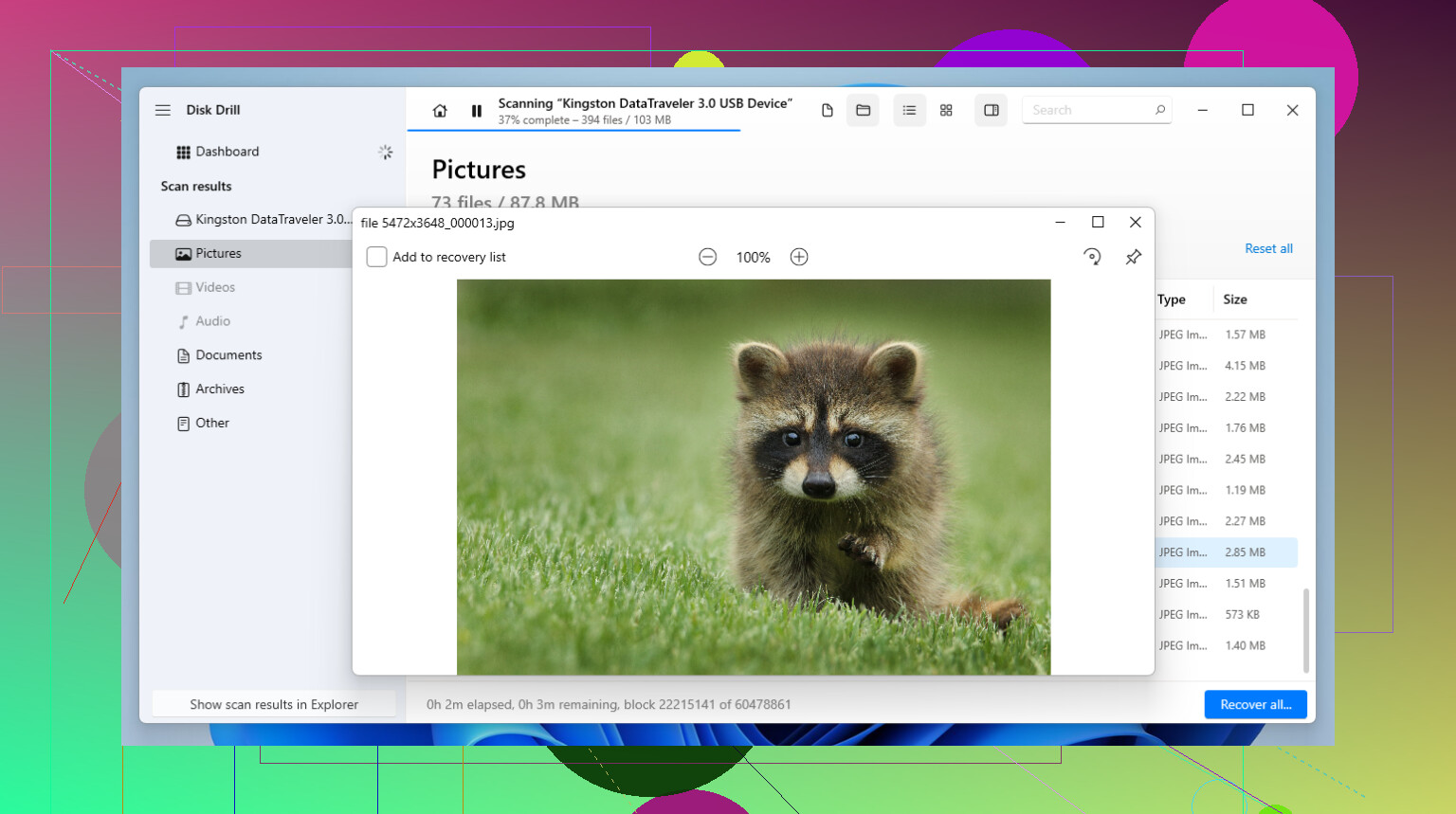
What made it usable for me was the way it scans USB media. A lot of flash drives are FAT32 or exFAT, and Disk Drill handles both well enough. When the file system is damaged, or the drive shows up as RAW, it still looks for file signatures and tries to piece things back together. The preview feature saved me time. I did not want to sit through a long scan and recover garbage. Being able to open a photo or inspect a document first helped me avoid wasting another hour. It also includes byte-to-byte imaging. If your USB keeps dropping off mid-scan, make an image first, then scan the image. I learned this one late, and yeah, it matters.
If you’re fine with a tool made for people who like menus inside menus, R-Studio is worth a look. I used it once on a drive with a broken partition map, and it found stuff the simpler tools missed. The downside is obvious the second you open it. The interface feels old, the wording is dense, and it does not try to hold your hand. For one deleted folder, it feels like too much. For a drive in bad shape, it earns its place.
Free options exist, but each one comes with a catch.
-
Recuva is the easy first shot for simple deletes. If you removed a file recently and barely touched the drive after, it often works. It’s light, quick, and free for basic use. Where it falls apart is after formatting, or when the file system turns RAW. I’d use it for “oops,” not for disaster recovery.
-
PhotoRec is the blunt instrument. It’s open source and strong at signature-based recovery, but the workflow is rough. No polished UI, no clean browsing, and no help with original file names or folders. You end up with a mountain of files named things like f12345.jpg, f12346.doc, and so on. I had to sort thousands once. It was ugly, but it got files back.
A few things I wish someone had drilled into my head earlier:
-
Stop using the drive the moment you notice files are missing. Unplug it. Don’t browse it, don’t copy to it, don’t let Windows poke around. Small writes happen in the background, and one of those writes lands in the wrong spot, your old file is done.
-
Never restore recovered files onto the same USB stick. People do this all the time and wreck their own recovery. Recover from the USB, save somewhere else, your internal drive, another external drive, anywhere but the source.
-
Watch the trial caps. A lot of freemium tools, including Disk Drill, give you a small free recovery allowance on Windows, often around 100MB. Use it to test a few files you care about. If the previews look good and the recovered files open cleanly, then you know if paying makes sense.
One more thing. If the USB does not show up at all, not even in Disk Management, this starts looking less like file recovery and more like hardware failure. Different problem. For the usual USB mistakes though, delete, format, RAW, missing partition, software is where I’d put my time first. Hope your files are still there. I’ve been lucky a few times, and I hope you get the same break.
4 Likes
Do not format it. First rule.
If Windows says the USB needs formatting, your file system is damaged or unreadable. Your files often still exist. Writing anything to the stick lowers recovery odds.
I agree with @mikeappsreviewer on one point, image the drive first if it disconnects or freezes. I disagree a bit on starting with the most feature-heavy tool every time. For a simple USB failure, I’d pick based on what you need recovered and how cleanly you need it back.
My short list:
-
Disk Drill
Best if you want a clean scan, file preview, and a simple workflow. Good fit for photos, docs, and mixed home files. For most people, this is the easiest place to start. -
UFS Explorer
Less talked about, more technical. Strong on damaged file systems and weird partition issues. Costs more, interface is less friendly, but results are solid. -
DMDE
Cheap and nerdy. Great value. Strong at finding lost partitions and directory structure. Harder to learn, but worth it if the USB shows RAW.
I would skip tools aimed only at deleted files. Your case sounds worse than a normal delete.
Also, this page is useful if you want a plain breakdown of recovery apps for USB, SD cards, and hard drives:
best data recovery software for USB drives and lost files
Do this in order. Stop using the USB. Try another port and another PC. Check if it appears in Disk Management. If yes, scan it with Disk Drill or DMDE. Save recovered files to a different drive. If the USB keeps dropping offline, stop messing with it and clone it first.
If it does not appear anywhere, software won’t help much. At taht point, you’re looking at hardware failure.
Do not click format. That prompt is Windows basically shrugging and saying “not my problem.”
I mostly agree with @mikeappsreviewer and @shizuka, but I’d add one thing: before you go deep into recovery software, check the USB’s size in Disk Management. If your 128GB stick suddenly shows some weird tiny capacity, that can mean the controller is failing, and software results get real sketchy real fast.
For software, Disk Drill is still a solid first pick because it’s easy to use and lets you see whether the files are actually recoverable before you commit. That matters more than people think. For family photos and work docs, ease of use counts. DMDE is powerful, sure, but it can feel like being punished for owning a computer.
What I’d do:
- stop using the USB entirely
- test on one other PC only
- check if it appears with the correct size
- if yes, scan with Disk Drill
- recover to another drive, never back to the USB
If files are super important, don’t keep retrying ten diffreent tools. Every extra poke is a gamble.
Also, if you want a simple step by step USB file recovery walkthrough, that one is actually pretty easy to follow.
If the drive disconnects, freezes, or makes the system hang, stop there. That’s where DIY recovery can go from “maybe” to “whoops.”