I’m trying to decide between using a mobile app or a SaaS platform for AI headshot generation for my small business and personal branding. I need something reliable, with good quality outputs and reasonable pricing for ongoing use. I’m confused about the real pros and cons of each option, like data privacy, customization, scalability, and ownership of the images. Can anyone share their experience and help me figure out which route makes more sense long term?
AI Headshot Generator: App vs Web, What I Ended Up Using And Why
I bounced between phone apps and browser tools for AI headshots for a while, so here is what I noticed in plain terms, with real use cases and not marketing fluff.
1) Mobile AI Headshot Apps
Phone apps lean into one simple fact. Your photos live on your phone.
You open the app, pick a few selfies, tap through some styles, wait a bit, and save. No cables, no AirDrop, no “where did I save that file” moment on a laptop.
For quick stuff, this feels right:
- Updating a LinkedIn photo before a call
- Swapping a dating app picture after a haircut
- Fixing an old Facebook or X avatar that looks nothing like you now
I tried this recently with Eltima AI Headshot Generator on my iPhone:
I did not overthink it.
I grabbed a couple of recent selfies from my camera roll, nothing staged, picked a few styles, hit generate, and waited.
Results:
- Looked like me, not an AI mannequin
- Skin texture still looked like skin
- Lighting looked closer to what you would get from a real quick studio session
- No strange eyes or melted ears that some early tools used to produce
All of it stayed on my phone. No importing to a laptop, no weird file juggling.
Here is what I saw on my screen when I tested it:
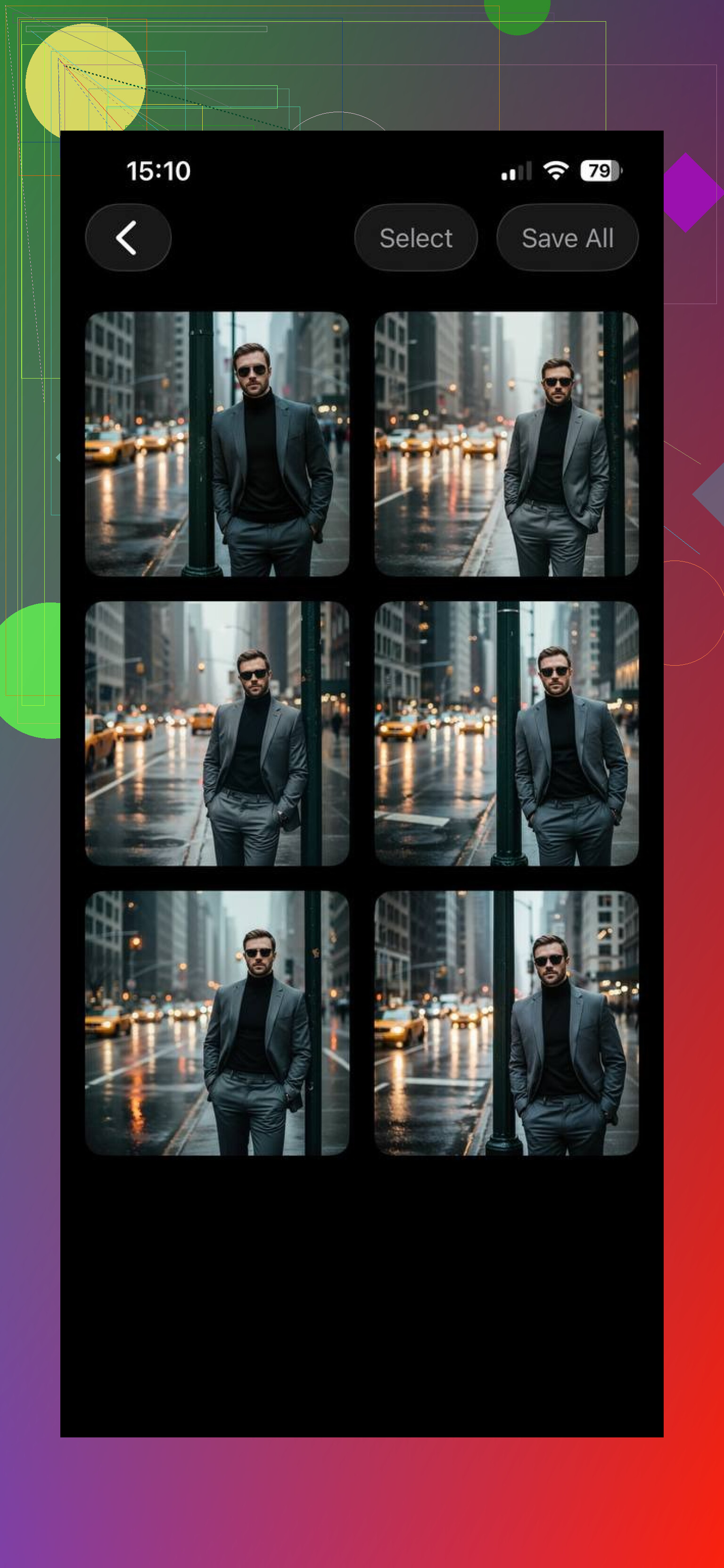
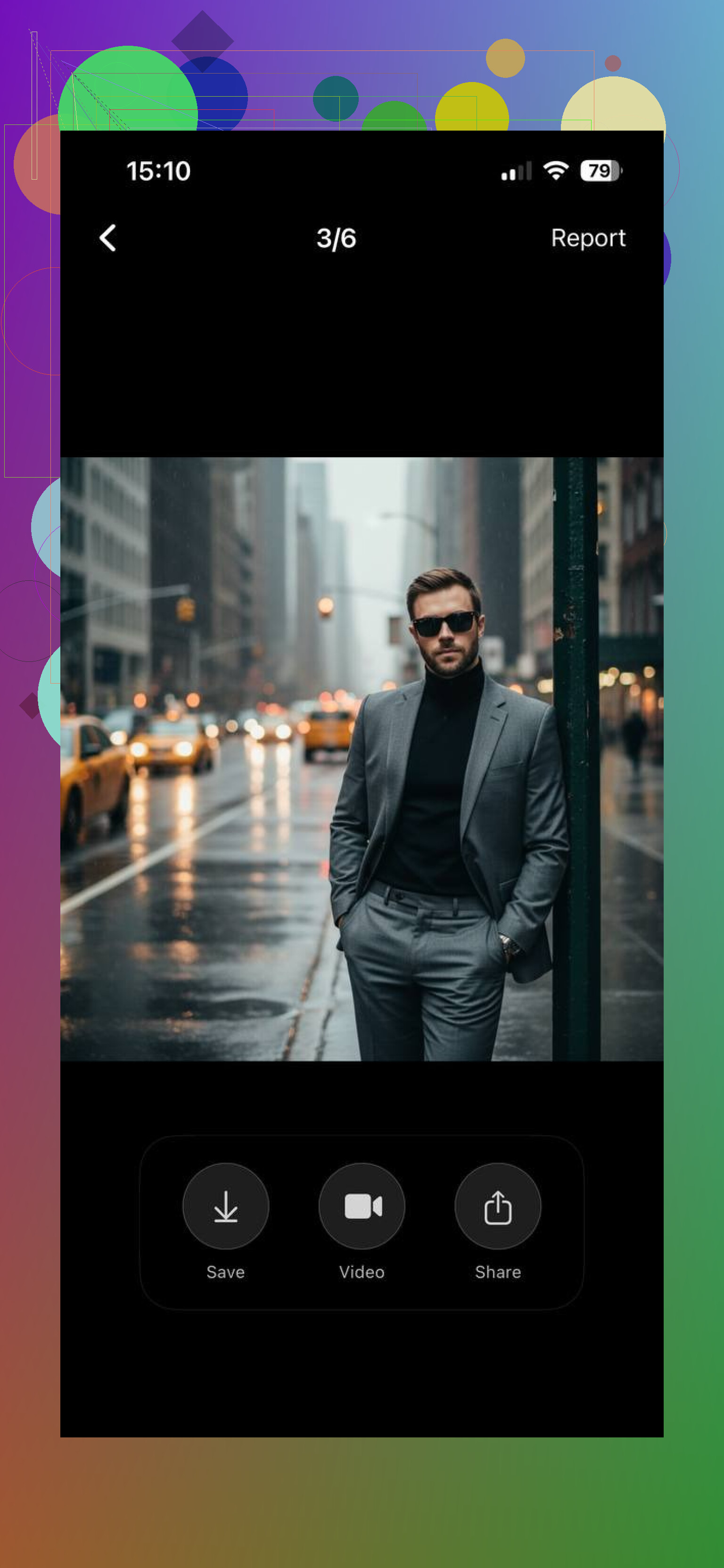
Same link again if you need it:
The main point: for “I need a better photo in the next 10 minutes,” an app like this fits how your phone already works. No extra friction. You grab the phone, tap, done.
2) Web Based / SaaS Headshot Tools
Browser tools sit on the other side of the spectrum.
They feel slower for personal one-off photos, but they tend to make more sense when you treat headshots like a small project instead of a quick fix.
Example: HeadshotPro
This one runs fully in the browser. You upload photos, pick styles and backgrounds, then wait for the system to crank out a big batch of results.
It behaves more like a “work session”:
- You sit at a desk
- You pick a folder of source photos
- You choose output options that look more corporate
- You download sets of headshots for later use
Here is roughly where it shines:
- Consistent portraits across a whole team page
- Same look and background for everyone in a company directory
- More precise tuning of pose, crop, wardrobe style, and backdrop
Their interface feels set up for detail tweaks and bulk output, not casual scrolling on a phone.
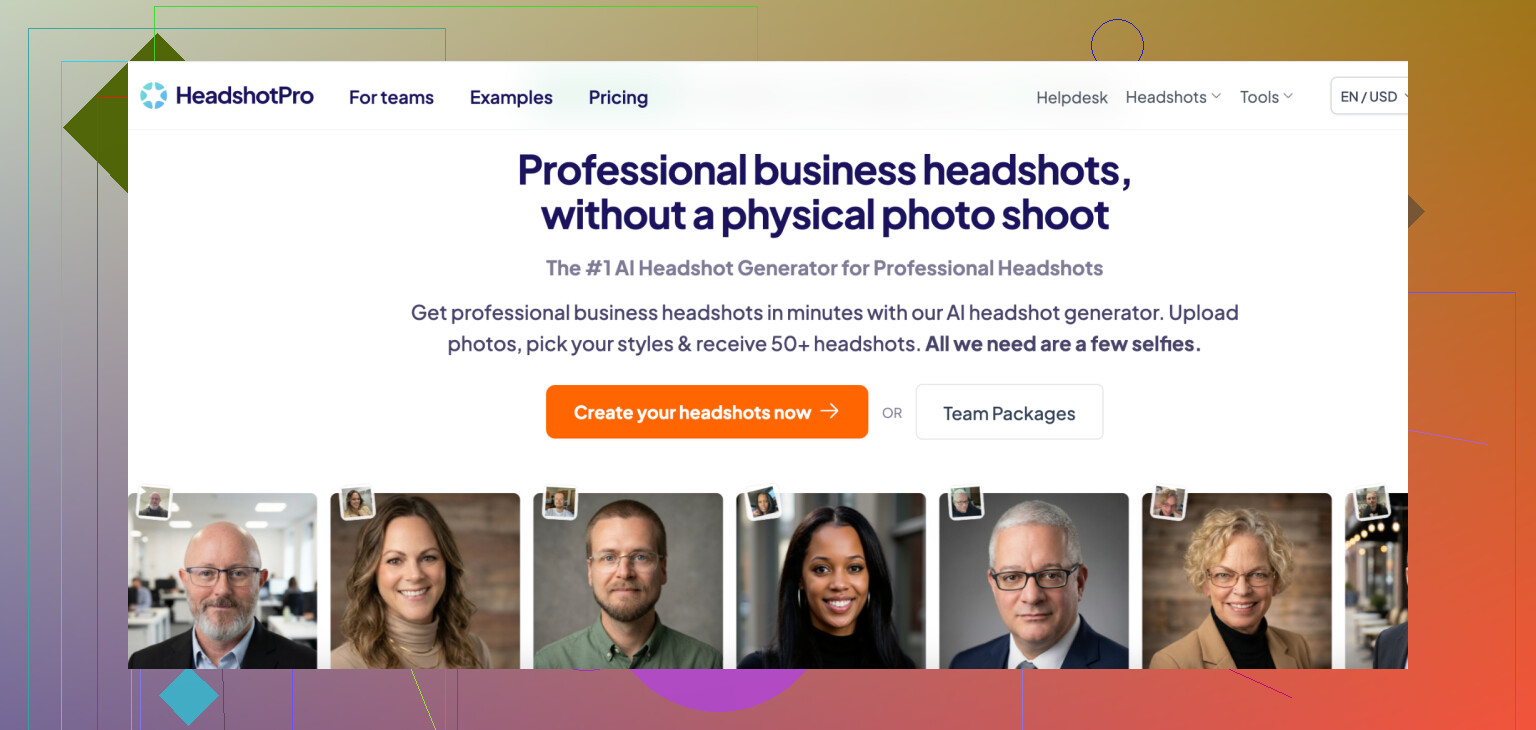
From using SaaS style tools like HeadshotPro, here is what I liked:
Pros
- More style and background control
- Better for batches of people or many variations at once
- Easier to manage files and naming when you sit at a computer
- Works on any device with a browser, good for mixed OS teams
Cons
- You have to upload source photos from somewhere, which breaks the smooth “phone only” flow
- Whole thing tends to take longer: prepare photos, upload, configure, wait, download, then share
- Often priced and structured with teams or business in mind, which feels heavy for a single new profile picture
3) How I Decide What To Use
Here is how it broke down for me after a few cycles of trying both.
I reach for a phone app when:
- I am fixing my own profile photos
- I do not want to open a laptop
- I want something decent in under 15 minutes
- The target is LinkedIn, Tinder, Instagram, or any avatar style image
In those cases, tools like Eltima AI Headshot Generator on iPhone stayed installed and used, because they match the “scroll, tap, share” rhythm.
I move to a browser tool when:
- I help someone redo all their brand photos
- A startup wants headshots for 5 to 30 people
- The output needs to match a site design or pitch deck
- I care about file naming, resolutions, and keeping everything sorted in folders
Then a SaaS like HeadshotPro starts to make sense. It is slower per person, but more organized overall.
4) App vs SaaS: Practical Takeaways
For everyday personal use — updating your social media image, refreshing dating app photos, or creating a new LinkedIn portrait — a mobile app often feels more natural and efficient. It keeps everything on your phone, removes steps, and gets results in minutes.
If you’re doing more professional or large-scale work — updating team portraits, preparing branding materials, or needing deeper controls — then a SaaS tool like HeadshotPro offers flexibility and power that apps don’t yet fully match.
The key isn’t which format is “better overall” — it’s which one fits how you actually take, edit, and share photos. Right now, for quick, realistic headshots without workflow friction, mobile apps hold a real advantage. And for deeper, professional work that benefits from fine‑tuned control and batch generation, SaaS tools are still very valuable.
In the end, the best AI headshot generator isn’t just about image quality; it’s about fitting into your real‑day photo routine. And increasingly, that routine starts on your phone. But for me, iPhone apps are best!
15 Likes
For your mix of small business + personal branding, I’d split it like this:
- When an app fits better
Use a mobile app if:
- You mostly shoot on your phone.
- You update your own photos every few months.
- You post on LinkedIn, IG, site “about” page, maybe a slide deck.
Pros for you:
- Zero friction. Open, pick selfies, done.
- Good enough quality for solo branding, if you pick a decent app.
- Pricing usually one time packs or cheap subs.
Downside:
- Hard to get the exact same look months later.
- Hard to keep your team’s photos consistent.
- Less control over exact crop, resolution, file naming.
- When SaaS fits better
Use a web SaaS if:
- You want consistent headshots for multiple people.
- You plan a rebrand, website relaunch, or pitch deck refresh.
- You care about file organization, exact dimensions, and color consistency.
Pros for you:
- Easier to run a batch for you + any staff or contractors.
- Often better controls for background color, crop, formats.
- Works fine for “project days” where you do all your assets at once.
Downside:
- Slower flow. Upload, configure, download.
- Pricing often per person or per batch. Can get expensive if you only need one image.
- Some tools lock features behind higher tiers.
- Where I slightly disagree with @mikeappsreviewer
They lean hard on “phone = quick fixes, SaaS = projects”. That pattern works, but for a business owner you also care about repeatability. Many mobile apps change styles often, or push new “trendy” looks. If your brand needs a stable look over 1 to 2 years, a SaaS that preserves presets and lets you re-run with the same settings is safer.
On the flip side, I do not think web tools are always better for teams. If your staff hates messing with uploads, having everyone install one app and send you their best outputs can be faster in practice, even if the results are a bit less uniform.
- What I would do in your place
Very concrete setup:
- Step 1. Pick one good mobile app for you personally. Use it to get 5 to 10 strong headshots in different crops and outfits for LinkedIn, website bio, speakers page, etc.
- Step 2. Once a year, or when you hire a few people, pay for one SaaS run and do the “official” company set there. Use those for website team page, internal directory, investor decks.
- Step 3. Keep a simple rule.
- Personal, frequent, low stakes = phone app.
- Company-wide, rare, higher stakes = SaaS.
- Things to check before you commit
Regardless of app vs SaaS, check:
- Rights: do you have commercial usage rights on all outputs.
- Storage: how they handle your source photos, retention, deletion.
- Price per usable image, not per “generated image count”. Many results will be throwaways.
- Skin tones and hair accuracy. Test with 5 to 10 source photos, not 2.
If you give a bit more detail, like how many people you have and how often you update branding, you can get to a pretty clear answer between “phone app first” or “SaaS first”.
Short version: use both, but for different “jobs.”
Where I’m gonna gently push back on @mikeappsreviewer and @viaggiatoresolare is this: the split is not only “phone = quick” vs “SaaS = project.” For a small biz + personal brand, the constraint is usually time and consistency, not device.
Couple of angles people skip:
-
Reliability & re‑usability
Some mobile apps are great today and completely different 6 months from now. New model, new filters, UI shuffle. If your brand colors, backgrounds and general “look” actually matter, that volatility is a problem.
Most SaaS tools keep presets, brand colors, backdrop hex codes, etc. So you can come back in 9 months, click the same preset, and get something close. For a business site, that matters more than “this was faster on my phone.” -
Privacy & risk
App: you’re usually piping your face through a third‑party model with an in‑app purchase slapped on top. Terms are often vague, and updates can quietly change how they use your data.
SaaS that targets businesses is usually more explicit about commercial rights, retention windows, data deletion, etc. For personal branding you might shrug, but as soon as that same image hits a pitch deck or paid ad, usage rights become non‑optional. -
Cost in practice, not sticker price
Mobile apps look cheaper, but:
- You may keep re‑buying “packs” as your look changes (haircut, glasses, weight loss, etc).
- You end up with 80 AI photos and only 2 that you’d actually put on your website.
SaaS looks pricey on the landing page, but if it gives you one solid, consistent batch you can reuse for a year across site, LinkedIn, speaker bio, Zoom avatar, etc, it’s often cheaper per usable image.
So what would I actually do in your shoes:
-
Personal brand:
- Use a solid phone app to explore looks and find what “feels” like you. Treat this as cheap prototyping.
- Once you know the vibe (background color, level of formality, clothes), lock that in via one good SaaS run and archive those files in a proper folder structure. That becomes your “official” set.
-
Small business side:
- For now, if it’s just you or 1–2 people, the app is totally fine. Nobody cares if your VA’s headshot is 3 percent warmer in tone.
- The moment you hit ~5+ people or redo your website, move the whole team to a SaaS batch. One background, one lighting style, one crop ratio. Treat this like a one‑time mini brand asset project.
One place I slightly disagree with both of them: you do not always need a heavy SaaS for teams. If your brand is intentionally informal and you live on socials more than a website, standardized “corporate” AI headshots can look oddly stiff. In that case, giving everyone the same mobile app and a simple style guideline can be “good enough” and a lot less painful.
If you share:
- how many people you need headshots for right now
- how often you realistically update photos (every 3 months vs “once a year if I remember”)
you can pretty cleanly decide if you start phone‑first or SaaS‑first. Right now my gut: app for frequent personal tweaks, one SaaS run as your “source of truth” when you’re ready to lock in the brand look.