My iPhone storage is almost full, but I really don’t want to delete photos, apps, or messages. I’ve already noticed my phone slowing down and some updates won’t install because there isn’t enough space. I need help finding ways to free up storage on an iPhone without losing anything important.
I went through the same mess. Mine stayed stuck on the “Storage Full” warning for weeks, and it made the phone miserable to use. I’d try to grab a short clip, save a PDF, even update an app, and the phone would shut me down.
Once storage gets pinned to the ceiling, iPhones start acting weird. I saw app launches slow down, keyboard lag, random pauses on the home screen. From what I found, iOS needs free space for temp files and background tasks. When it runs out, the phone feels older than it is. Mine did.
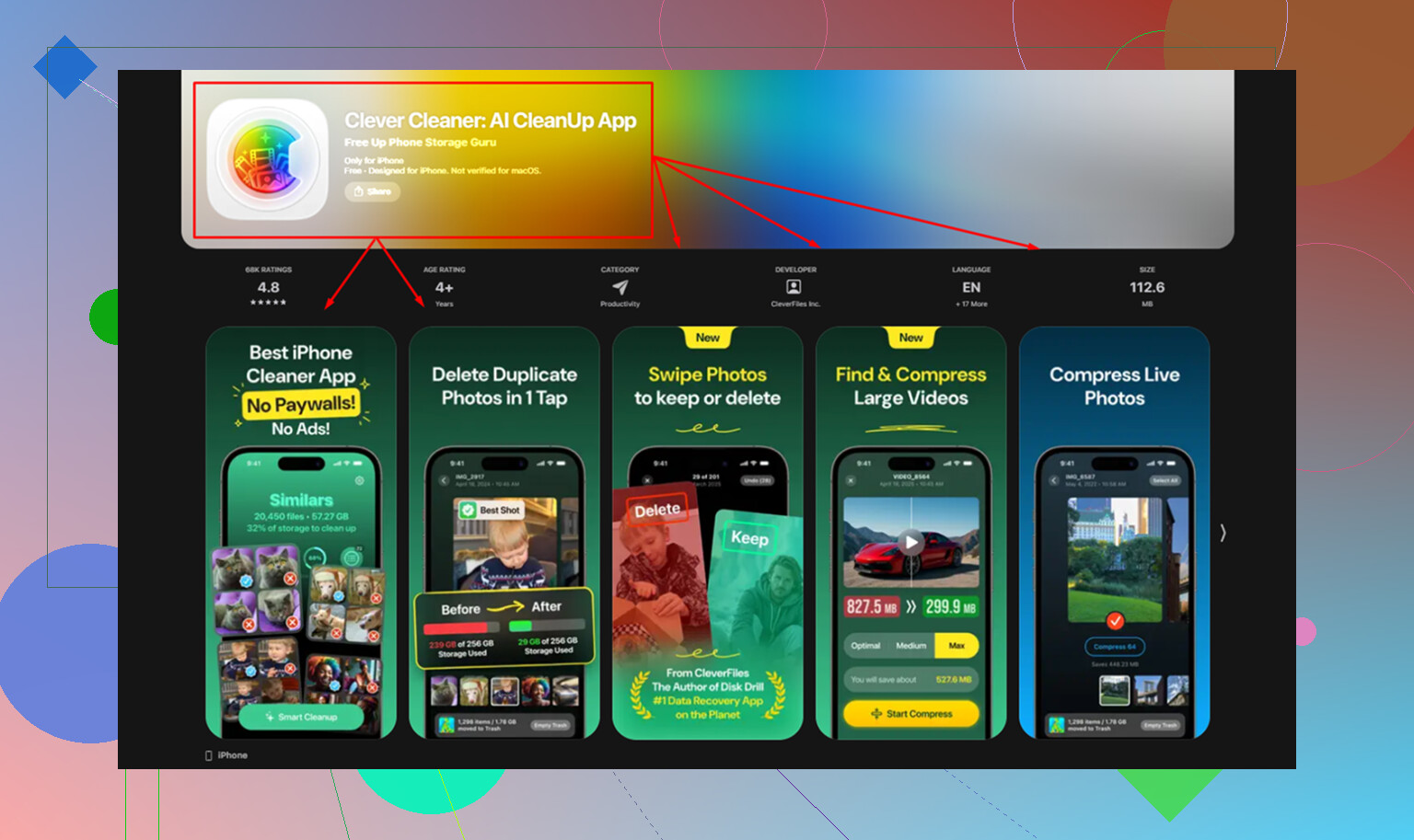
I wasted time doing the manual cleanup thing first. A few screenshots gone, a few memes gone, no real dent. What helped me most was Clever Cleaner. I don’t usually trust cleanup apps, most of them feel shady, push subscriptions fast, or drown you in ads. This one didn’t do any of that when I tried it. No paywall. No ads. No weird upsell screen every 10 seconds.
What I liked was how direct it was.
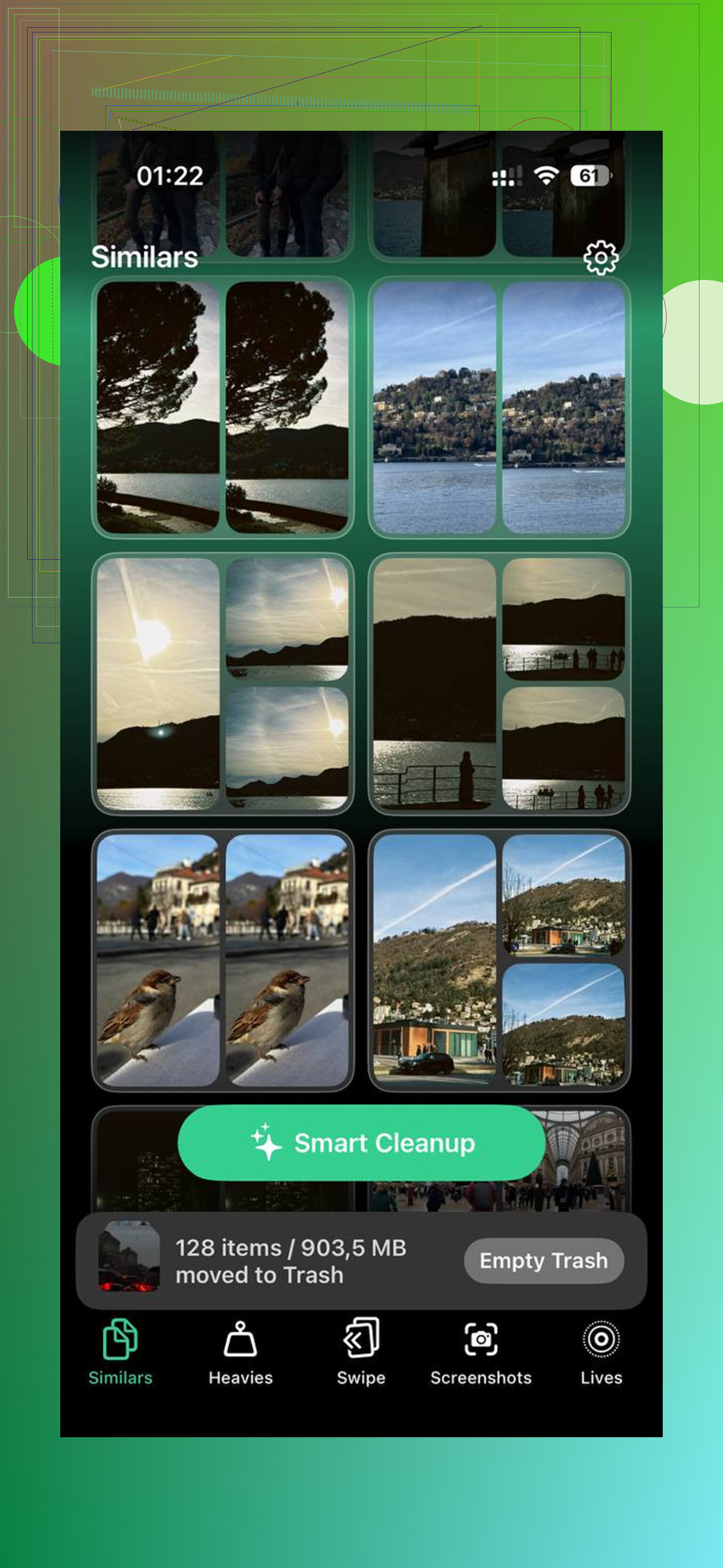
The Similars section found near-duplicate photos fast. I had whole runs of 8 to 15 shots of the same thing, same angle, same lighting, because I kept tapping without thinking. It picked a best image and let me wipe the extras fast.
The Heavies section was the other big one. Apple’s Photos app still makes it harder than it should be to sort media by size. This showed me the giant files first, old 4K clips, screen recordings, junk I forgot existed. Seeing “2.1 GB” next to one random video made the problem obvious. It also showed screenshot sizes, which helped me clear low-value clutter first.
One part I cared about, it processed on the device. My photo library didn’t get shipped off somewhere else. If you keep receipts, family pics, work docs, stuff like that on your phone, you’ll care about this too.
If you want the built-in fixes too, these are the ones I used and they worked.
- Turn on photo optimization
Go to Settings > Photos, then enable Optimize iPhone Storage.
This keeps full-res originals in iCloud and leaves smaller versions on the phone. You still see your library like normal. If you open a photo, the full file pulls down when needed. For people sitting on tens of gigabytes of photos, this usually frees a huge chunk fast. I saw my local photo storage drop hard after enabling it.
- Offload apps you barely touch
Go to Settings > General > iPhone Storage and look for Offload Unused Apps.
This removes the app binary but keeps your data, settings, and login info. So the app is gone, the baggage is gone, but your stuff stays. When you need it again, tap the icon and reinstall it. I used this on travel apps, store apps, and random tools I open once every few months.
- Reinstall social apps
Instagram, TikTok, Facebook, and apps like them pile up cache like crazy. Video previews, image data, feed junk, it stacks up. Many of these apps still don’t give you a clean cache reset inside settings, so I deleted them and installed them again.
The size drop was stupid. One app on my phone went from around 3 GB down to a few hundred MB after reinstalling. If your “System Data” looks bloated, start here.
- Clear Safari data
Go to Settings > Safari > Clear History and Website Data.
This signs you out of some sites, so be ready for that. Still worth doing if Safari has been your main browser for a long time. I got back a decent chunk of storage from old site data and cached files I didn’t need.
- Kill off Live Photos if you don’t care about motion
Live Photos eat more space than most people think. If you don’t need the few seconds of movement, convert them to stills. Doing it one by one is annoying, and I didn’t have the patience for it. The same Clever Cleaner app has a Lives tool for this, which saved me a bunch of tapping.
One thing people forget, empty Recently Deleted in Photos. Deleting a file doesn’t free the space right away. Apple keeps it for 30 days unless you go in and remove it for good. Open Photos, check Recently Deleted, then clear it out. I missed this the first time and thought my phone was broken. Nope. My trash was still full.
After I cleaned mine up, the difference was easy to notice. Fewer freezes. Less lag. No storage warning every five minutes. It felt usable agian.
17 Likes
No magic fix exists. If storage is full, something has to move off the phone, or get stored in a smaller local form.
I agree with part of what @mikeappsreviewer said, but I would not start with deleting app caches or random media first if you want to keep everything. Start with moving storage, not removing it.
Best no-delete options:
-
iCloud Photos with Optimize iPhone Storage
This is the big one. Your full files stay in iCloud. Your phone keeps smaller versions. For people with 20 GB to 200 GB of photos and video, this often frees the most space with the least pain. -
iCloud Drive, Dropbox, Google Drive for large files
Check Files app. Old ZIPs, PDFs, video exports, GarageBand files, downloads, screen recordings. Move them to cloud storage, then remove the local copy. You still keep the file, it’s not gone. -
Messages in iCloud
If your texts and attachments are eating space, turn this on. Old image and video threads stop taking up as much local room on the device. Settings, your Apple ID, iCloud, Messages. -
Remove downloaded media, not the account data
Spotify, Netflix, YouTube, Podcasts all store offline files. Deleting a 12 GB pile of downloads is not the same as deleting the app or your account. This one gets missed a lot. -
Mail attachments
The Apple Mail app stores local copies of attachments and message data. Removing and re-adding a mail account often cuts local storage. Annoying, yes. Effective too. -
Books and Maps downloads
Apple Books PDFs, audiobooks, offline Apple Maps areas. Easy to forget. Easy to trim. -
Use Clever Cleaner for review, not blind deletion
If your photo library is the problem, Clever Cleaner helps spot duplicates, similar shots, big videos, and Live Photos fast. Better than manual scrolling for hours. Still, I’d review its picks myself. Cleanup apps are hit or miss, so I’m more cautious than @mikeappsreviewer on that part.
Also, this review from NY Weekly gives a decent look at how Clever Cleaner performs in real use, NY Weekly’s hands-on Clever Cleaner review for iPhone storage cleanup.
One more thing. iOS updates often need 5 GB to 10 GB free for temp files. If you’re below 2 GB, the phone gets weird fast. Lag, failed installs, app stalls. Seen it too many times tbh.
If you want to delete nothing at all, your best path is photo optimization, cloud offloading, and removing offline downloads. That’s the closest thing to a no-delete fix on iPhone.
Not really in the purest sense. If your iPhone is full, space has to come from somewhere. I kinda disagree with the “just clean caches first” mindset from @mikeappsreviewer because cache gains are often temporary. And while @nachtdromer is right about cloud offloading, there are a couple other places people forget.
Try this stuff that keeps your actual content:
- Restart after changing storage settings. iOS sometimes does not recalculate storage right away.
- Delete the iPhone update file if one is already downloaded. Settings > General > iPhone Storage > iOS Update. That can free a few GB fast.
- Turn off shared photo library downloads if you use it, because those local copies add up.
- In Files, check “On My iPhone.” A lot of apps dump local folders there and nobody notices.
- Voice Memos can get huge. Keep them, just move them to iCloud Drive or another cloud folder.
- WhatsApp and Telegram media can live locally forever even if you think it’s “in the cloud.”
If you want the closest thing to no-loss cleanup, Clever Cleaner is actually useful for reviewing what is bloating Photos without blindly nuking stuff. I’d use it more as a sorting tool than a magic fix tbh.
Also, if you want a solid outside breakdown, this is a decent read on why Clever Cleaner is one of the best truly free iPhone cleaner apps.
Short version: you probably can free up space without losing anything important, but you cannot do it without moving, offloading, or temporarily removing somthing.