My iPhone has been running really slow and freezing since the latest iOS update. Apps take longer to open, typing lags, and the screen sometimes stops responding. I need help figuring out how to fix iPhone performance issues after an update and what steps actually worked for others.
Watching a flagship iPhone choke on typing, app launches, or plain scrolling is infuriating. I ran into this on my own phone, and a full wipe was not the fix. I’d leave a factory reset for the end. There are a few things worth checking first.
If the slowdown started right after an iOS update, give it a little time
This trips people up all the time. After a big iOS update, the phone often feels slow for a while because it is doing cleanup and rebuild work in the background. Photos get reindexed. App data gets reorganized. The system does its own post-update maintenance. While all of that is going on, the CPU stays busy, and stuff you do in the foreground feels delayed.
What helped me was simple. I left the phone plugged in, connected to Wi-Fi, overnight for two or three nights. I also restarted it once. In my case, the stutter eased off after that. If you updated less than a week ago, I would wait before trying bigger fixes.
If a week has passed and it still feels bad all day, I’d look elsewhere.
Storage pressure is the first thing I’d check
This was the real problem for me.
iPhones need open space to breathe. It is not only about avoiding the storage full warning. iOS needs room for temp files, caches, and app work in progress. Once free space gets too low, the phone starts feeling sticky. Keyboard lag shows up. Apps open slow. Animations hitch. Even small tasks feel off.
From what I’ve seen, keeping around 10 to 20 percent free helps. Dip under that and the phone starts acting tired.
My photo library was the main mess. I tried cleaning it by hand and it was awful. Thousands of pictures, too many similar shots, random screenshots, old videos I forgot existed. I ended up using Clever Cleaner, mostly because manual cleanup was going nowhere.
A few parts stood out:
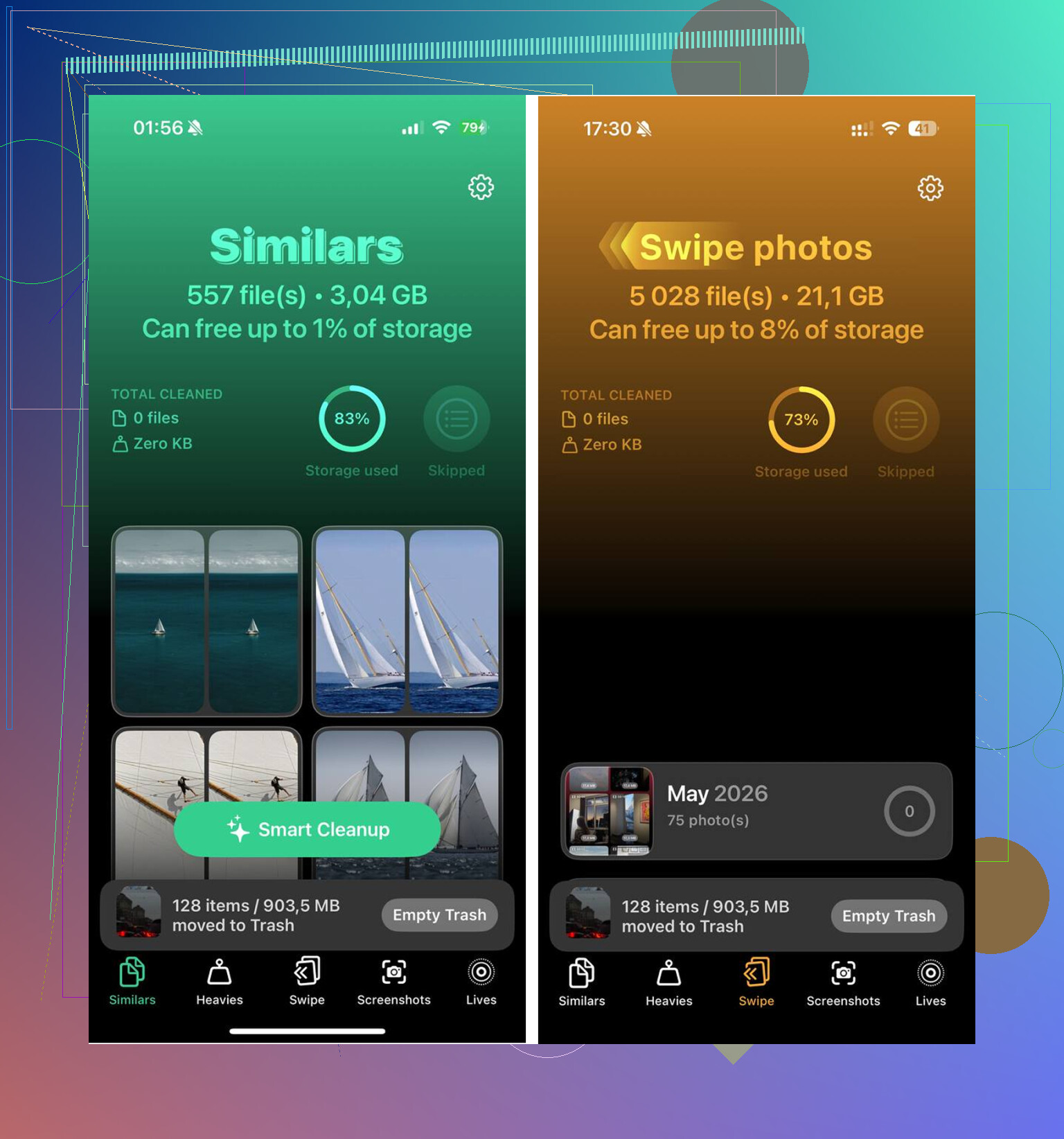
- The Similars section grouped near-matching photos together. Not only exact duplicates, also those five almost identical shots you take without meaning to. It picked a best image and let me remove the extras fast.
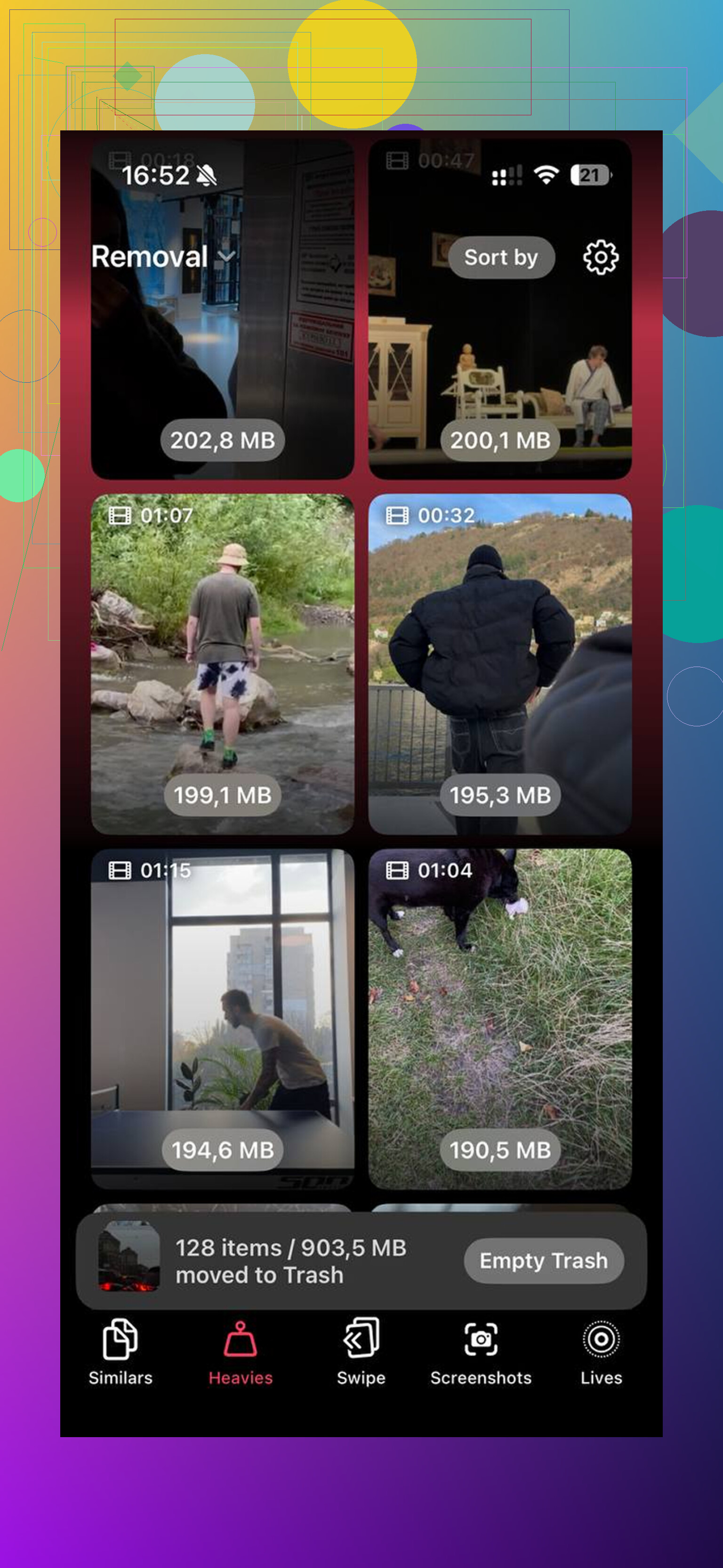
- The Heavies section ranked files by size. This made the problem obvious. Old 4K clips and screen recordings were eating way more storage than I guessed.
- The Screenshots section showed file sizes on each thumbnail. I had a stupid amount of junk in there.
- It handled everything on the phone itself, which mattered to me because I did not want personal photos pushed somewhere else.
After I cleared about 15GB, my phone felt normal again. One thing people miss, I almost missed it too, empty the Recently Deleted album in Photos. If you skip that, the deleted stuff still sits there for 30 days and still counts against storage.
A few settings changed the feel right away
If storage is fine, or if you already cleaned up and want to squeeze more speed out of the phone, these are the settings I’d try.
Low Power Mode
If you leave this on all the time, turn it off and test again. It reduces performance to save battery. Great when you need battery life, bad when you want the phone to feel quick.
Background App Refresh
Go to Settings > General > Background App Refresh. I turned it off for apps I do not care about updating in the background. This cut down on background activity and made the phone feel less busy.
Reduce Motion
Go to Settings > Accessibility > Motion and enable Reduce Motion. This does not make the processor stronger, obv, but it removes some of the heavier animation work. On an older or stressed phone, the difference is noticeable.
Update your apps
This one gets ignored. After iOS updates, some apps lag because they have not caught up yet. Open the App Store and install pending updates. I saw one or two problem apps calm down after doing this.
Battery health matters more than people think
Before blaming iOS, check this.
Go to Settings > Battery > Battery Health. If maximum capacity is under 80 percent, iPhone performance management often steps in to avoid random shutdowns. When that happens, the CPU gets held back. The result feels like general slowness, even if the phone used to be fast.
If your battery is worn out, no settings trick is going to fully fix the lag. A battery replacement usually makes more sense than buying a new phone, especially if the rest of the device is fine.
One reset worth trying before a full erase
If none of the above helped after a solid week, I’d try Reset All Settings.
Path is Settings > General > Transfer or Reset iPhone.
This does not remove your apps or photos. It resets system settings, network settings, display preferences, and other stuff that sometimes gets messed up after a major update. I’ve seen this fix weird lag when storage and battery were both fine.
I would only go to a full factory reset after all of this.
Short version
- Wait a few days after a major iOS update.
- Restart the phone.
- Free up storage, especially photos and videos.
- Empty Recently Deleted.
- Turn off permanent Low Power Mode.
- Cut down Background App Refresh.
- Enable Reduce Motion.
- Update all apps.
- Check battery health.
- Try Reset All Settings before wiping the phone.
For me, low storage was the whole thing. Once I cleared enough space, the lag stopped. If your phone is stuttering on basic stuff, I’d start there.
13 Likes
What fixed it for me was not a reset. I disagree a bit with @mikeappsreviewer on waiting too long. If your phone is freezing hard for days, I’d check heat first. If the iPhone feels warm a lot, remove the case, stop wireless charging for a bit, and see if lag drops. iOS throttles when temps stay up.
Next, look at one bad app, not the whole phone. I found one social app eating RAM and making typing lag system-wide. Delete the worst offenders, restart, then reinstall only the ones you use daily.
Also check Safari. Settings > Safari > Clear History and Website Data. Mine had gotten gross after the update and pages stopped hanging after I cleared it.
If Photos is huge, Clever Cleaner is worth a look. I saw a solid write-up here, free iPhone storage cleanup app review for Clever Cleaner. Helped me cut junk fast.
Last one, force iOS to rebuild one thing at a time. Turn off Siri Suggestions for Search and Home Screen for a day. Settings > Siri. Mine felt less sticky after tht. Small thing, but it worked.
What worked for me was not the usual reset circus.
I agree with parts of what @mikeappsreviewer and @cacadordeestrelas said, but I think people sometimes overlook two boring fixes that actually matter:
-
Check VPN, ad blocker, and security apps
After the last update, my iPhone got weirdly laggy because a DNS/adblock app was constantly filtering traffic in the background. Typing lag, Safari hanging, apps opening slow. I turned it off and the phone felt way less “stuck.” Same goes for always-on VPNs. -
Look at analytics data for crash loops
Go to Settings > Privacy & Security > Analytics & Improvements > Analytics Data. If you see the same app or process listed over and over, something is crashing in the background and dragging the phone down. In my case it was a mail-related process. I removed and re-added the account and it settled down. -
Mail and widgets can get buggy after updates
Try removing stacked widgets from the Home Screen for a day. Also if you use a bunch of mail accounts, set Mail to fetch less often. Sounds dumb, helped me a lot. -
Accessibility touch settings
If the screen feels unresponsive, check Settings > Accessibility > Touch and make sure weird stuff like Hold Duration wasn’t toggled on by accident.
If storage is part of it, then yeah, cleaning space helps. Clever Cleaner is decent for clearing out duplicate/similar photos and big videos, and this detailed Clever Cleaner review with real testing explains it pretty well.
Also, if it only started after the update and your phone is an older model, sometimes the update is just… kinda bad at first. Annoying, but true lol.