My iPhone storage is full, and I keep getting warnings that I’m out of space for photos, apps, and updates. I’m trying to find out if there’s any way to buy more iPhone storage without signing up for a monthly iCloud plan. I need help understanding my options for expanding storage, freeing up space, or using a one-time purchase solution.
I ran into the same wall with my iPhone. Storage looked tapped out, the phone felt slow, and paying for iCloud did not fix the part I cared about. A lot of people mix those up. iCloud storage gives you online space for syncing and backups. It does not add physical space inside the phone.
You cannot buy more internal iPhone storage later. The storage chip is part of the board, so whatever size you bought is the size you live with. Kind of annoying, yep. Still, you do have a few decent ways to make the phone feel roomy again without signing up for another monthly bill.
What tipped me off first was performance. My phone got sluggish when storage was low. Apps opened slower. The camera hesitated. App switching felt off. I did not know this at first, but iPhones need free space to breathe. When you cram them close to full, they start acting weird.
The first place worth checking is Settings > General > iPhone Storage. That screen tells you where the space went. On most phones, the big offenders are photos, videos, downloaded media, and System Data, which is mostly cache and leftover junk.
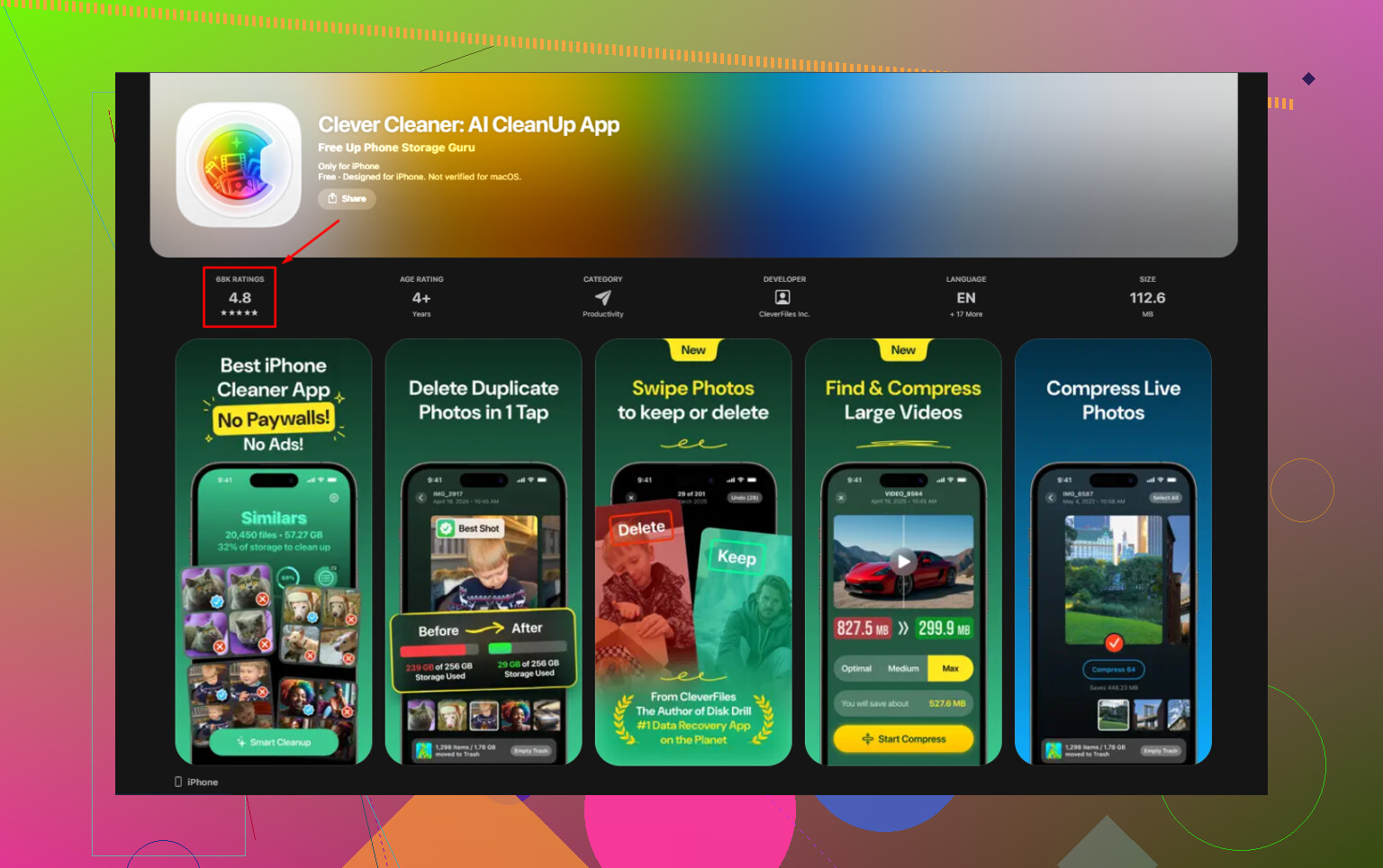
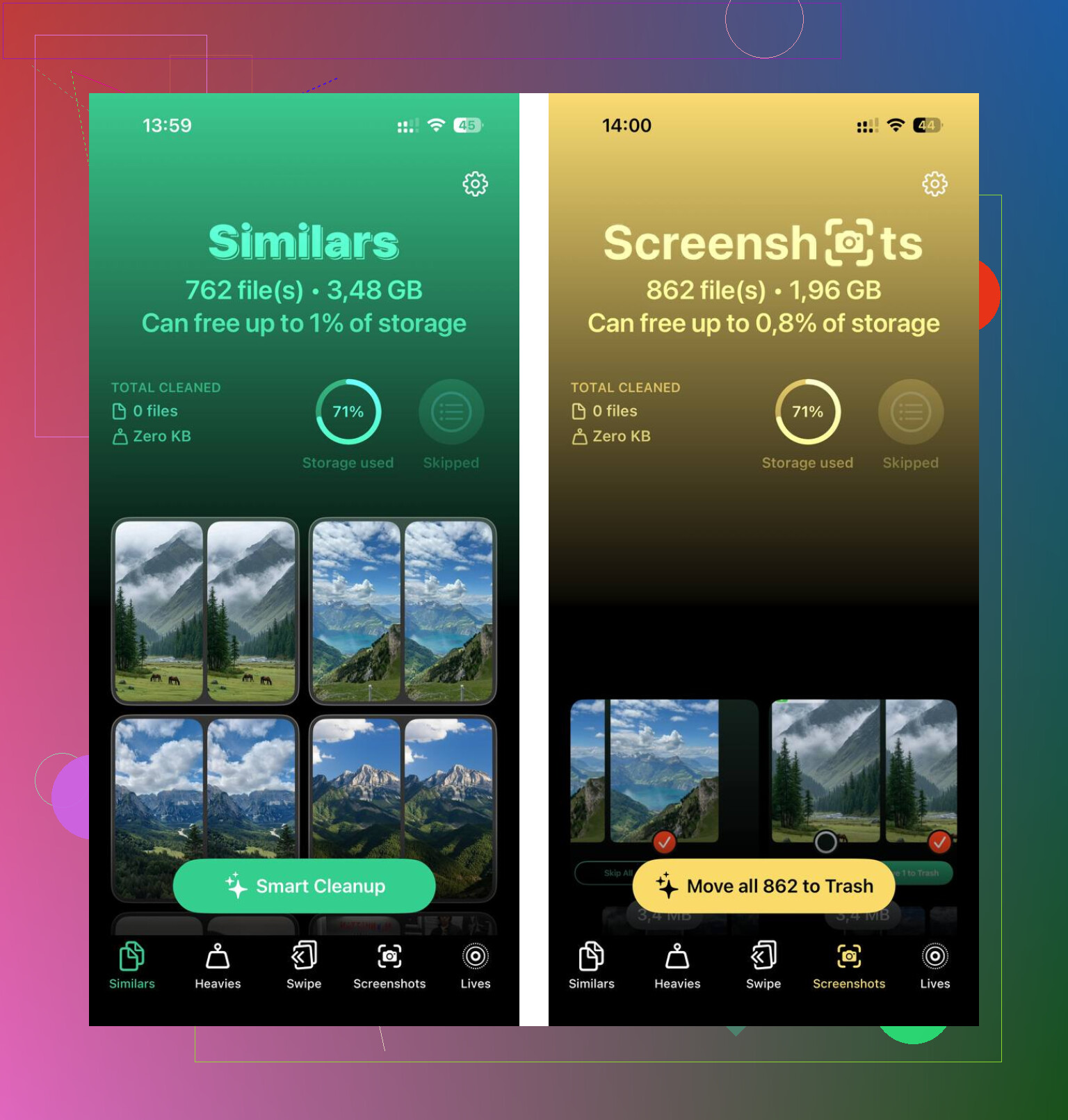
I tried deleting stuff by hand and got tired of it fast. Then I used Clever Cleaner. I went in skeptical because a lot of cleanup apps are paywall bait. This one felt different. No ads, no subscription nagging, no paid wall in the way. What helped me most was the Heavies section. It sorts media by file size, so you see the worst space hogs first instead of scrolling through your whole library like a maniac.
The similar photo finder helped too. I take too many repeat shots, and my screenshots folder was a mess. It found near-duplicates on the phone itself, which mattered to me because I did not want private photos pushed to some random server. After I cleared around 12GB of duplicate photos and old screen recordings, the lag dropped off right away. Myabe not magic, but close enough.
If you want more usable storage without monthly fees, external hardware is the clean option. You can buy a Lightning or USB-C flash drive, depending on your iPhone model, and move photos or videos off the device. SanDisk iXpand drives are one example. Same idea with a Lightning-to-SD card reader if you already have spare camera cards around. One purchase, no recurring charge.
If you want the free route, these are the ones worth doing.
-
Offload apps you do not use
Go to iPhone Storage and use Offload Unused Apps. This removes the app itself but keeps your data. If you reinstall later, your stuff usually comes back where you left it. -
Clear Safari data
Go to Settings > Apps > Safari, then clear history and website data. Safari hangs onto more junk than most people think. -
Check message attachments
Open iPhone Storage and look for large attachments. Group chats are sneaky. Old videos, GIFs, memes, voice notes, all of it sits there eating space. -
Use free cloud space elsewhere
Google Photos gives 15GB free. Dropbox gives 2GB free. Not huge, still useful if you want somewhere to park older files.
The old wired method still works best for big cleanups. Plug the phone into a Mac or PC, copy your largest videos to the computer, then delete them from the iPhone. It is slower and more manual, sure, but it works and there is no monthly charge hiding behind it.
So no, you are not able to purchase extra internal storage for the iPhone itself. What you can do is reclaim space, move files off the phone, and stop wasted storage from piling up. I did that instead of upgrading my phone, and it got me out of the red without paying Apple every month.
54 Likes
No. You cannot buy more internal iPhone storage after purchase. Apple does not offer a one-time upgrade for the phone’s built-in space. iCloud is separate. It helps with backup and sync, but your iPhone still needs free local storage for apps, photos, and updates.
I agree with @mikeappsreviewer on the main point. I disagree a bit on free cloud space as a long-term fix. It shifts clutter around, and your phone often keeps local copies anyway.
What works better is reducing the stuff iOS keeps hanging onto.
-
Change photo settings.
Go to Settings, Camera, Formats. Pick High Efficiency. HEIF and HEVC files take less space than JPG and H.264. On a big photo library, this saves gigabytes over time. -
Lower video recording quality.
4K at 60 fps eats storage fast. One minute is roughly 400MB. Switch to 1080p if you do not need pro-level video. -
Remove offline downloads.
Spotify, Netflix, YouTube, Podcasts, Maps. These quietly fill 5GB to 20GB on some phones. People miss this alot. -
Reset bloated app storage.
Some apps grow from cache and never shrink. Delete the app, reinstall it. Social apps are the usual offenders. -
Keep 10 percent free.
A 128GB iPhone should keep around 12GB free. iOS updates fail when you run too close to full.
If photos are the main issue, Clever Cleaner is worth a look for duplicate pics and big files. This App Store page is the easy place for free iPhone photo cleanup and storage recovery.
If you want more space with no monthly bill, your only true one-time option is moving files off the phone or buying a higher-storage iPhone later. Annoying, yup, but taht’s the answer.
Nope. You can’t buy more internal iPhone storage as a one-time upgrade. That part is fixed the day you buy the phone. iCloud is a separate thing, and I think @mikeappsreviewer and @hoshikuzu covered that part well enough.
Where I kinda disagree is this idea that cleanup alone always solves it. If your phone is 64GB and you shoot lots of video, you can delete till your thumbs fall off and still end up cramped again next month. Sometimes the real answer is managing what stays local.
A few things that help that weren’t already hammered too much:
- Turn off “Keep Originals” for Photos if you use iCloud Photos at all. A lot of people accidentally keep full-res versions on-device.
- Review Mail storage. The Mail app can hoard attachments and cached messages like crazy.
- Delete old voice memos and GarageBand projects if you use them. Sneaky storage hogs.
- Check Files app downloads. PDFs, ZIPs, random downloads, forgotten stuff. Easy to miss.
- Restart after a big cleanup. Sounds dumb, but iOS sometimes doesn’t report freed space right away.
If your biggest issue is a bloated photo library, Clever Cleaner is actually one of the better no-subscription options for finding duplicates, screenshots, and oversized media fast. Also worth a read if you want a clearer breakdown: see how Clever Cleaner frees up iPhone storage without a subscription.
If you want true extra room without monthly fees, your only real one-time purchases are:
- external flash storage
- a computer/external drive for offloading media
- eventually buying a higher-capacity iPhone
Annoying? yep. But Apple made this one pretty black and white.
Short version: no, you cannot buy extra internal iPhone storage as a one-time purchase. On that, @hoshikuzu, @chasseurdetoiles, and @mikeappsreviewer are all basically right.
Where I slightly disagree is the idea that cloud storage is always pointless here. It does not expand the phone itself, true, but for some people it does reduce local pressure if you’re disciplined about what stays downloaded. The catch is that iOS loves keeping recent stuff handy, so it’s not a magic fix.
A couple angles they did not hit much:
- Messages retention: set Messages to keep texts for 1 year or 30 days instead of forever if you have giant group chats.
- Shared albums and downloaded media in chat apps: WhatsApp, Telegram, Signal can quietly store duplicates of photos already in your library.
- Podcast and audiobook apps: these can stockpile finished episodes/books automatically.
- Apple Music lossless downloads: great for ears, terrible for storage.
- Browser downloads: Chrome/Firefox downloads do not always get noticed because people only check Photos.
If your phone is constantly near full, think in terms of storage habits, not just cleanup sessions. A one-time purge helps, but changing defaults helps more.
As for Clever Cleaner, it’s useful if photos are the mess.
Pros
- easy duplicate/similar photo cleanup
- good for spotting large media fast
- simpler than digging through Photos manually
Cons
- mostly helps media clutter, not every kind of iPhone storage problem
- you still need to review results carefully
- won’t create new physical storage, only reclaim what’s wasted
So the real no-monthly-fee options are:
- clean up smarter
- move files to a computer or external drive
- use a tool like Clever Cleaner for photo junk
- buy a bigger-capacity iPhone next time
Annoying answer, but that’s the honest one.
Try the built-in Recently Deleted folders first. Deleted photos, videos, and files still occupy storage for up to 30 days.
Open Photos, scroll to Utilities, tap Recently Deleted, then Delete All. Next, open Files, tap Browse, Recently Deleted, then remove everything.
Restart your iPhone afterward. Storage totals sometimes update slowly. This takes two minutes and frees space immediatly, especially if you recently deleted alot of videos. Review the folders first, since permanent deletion removes recovery options.
Honestly the biggest ghost hog nobody here nailed is System Data. It can balloon to 10 or 15GB of cache that iOS refuses to release, and no cleanup app touches it. If yours is stuck there, a backup then restore is the only reliable way to flush it. Clever Cleaner is fine for photo duplicates, but don’t expect it to fix that particular mess.