I’m trying to figure out if a picture I received was created with AI tools or is a real photo. I need tips or tools to help detect AI-generated images because I’m not sure how to spot the differences. Any advice or programs that actually work would be appreciated.
Oh wow, AI images are basically the new deepfakes for photos, huh? Here’s the wild jungle we’re in: AI-generated pics are EVERYWHERE, and some are reallllly slick, but there’s still a bunch of things you can scan for to sniff out the fakes. I’m talking about weird, extra fingers, glasses misaligned with faces, warped backgrounds, or jewelry that looks more like melting ice cream than gold. Teeth especially—goofy grins with mutant teeth are a huge red flag! Sometimes the backgrounds sorta melt together or look strangely blurry where you wouldn’t expect.
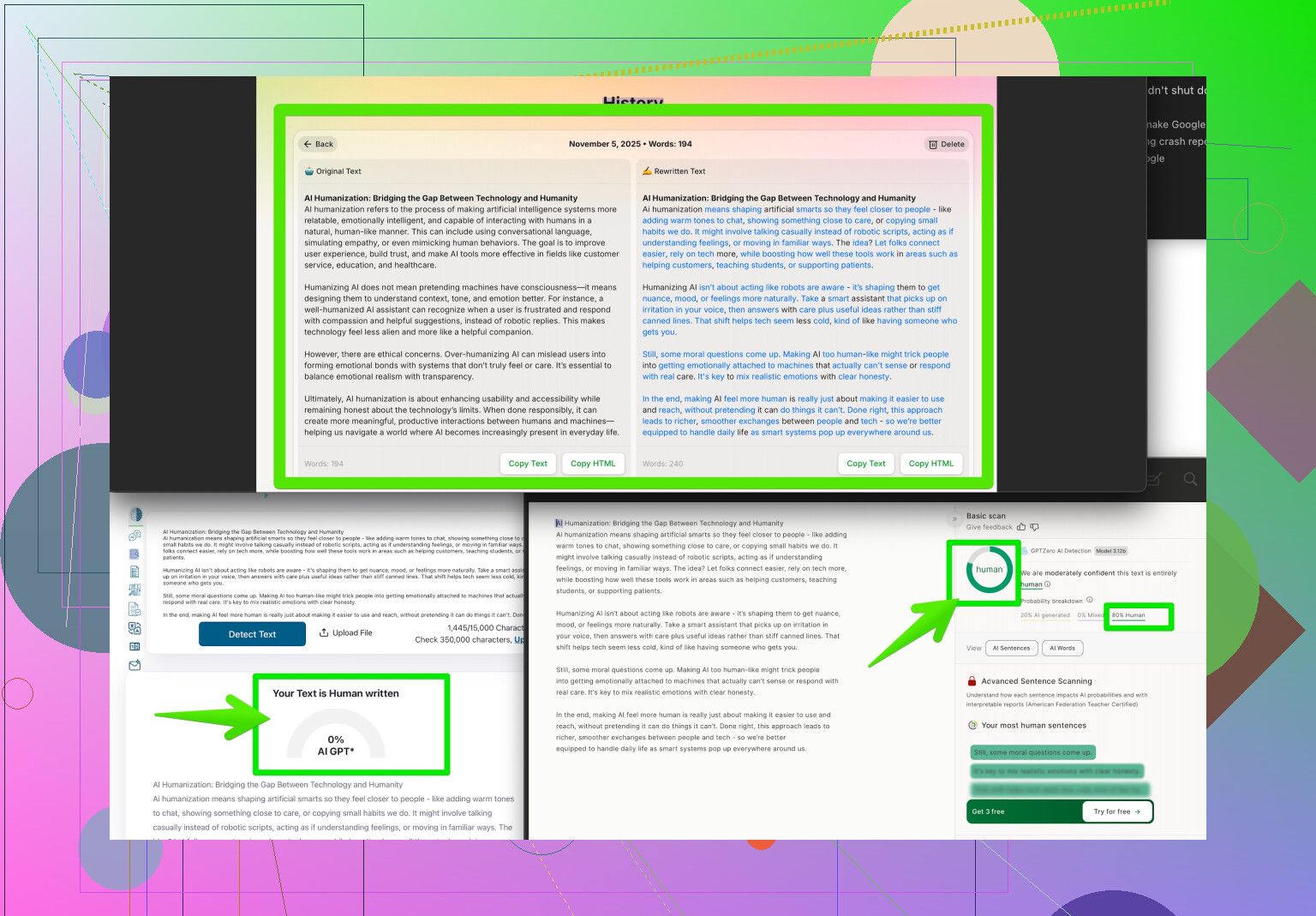
There are some tools out there you can throw the photo into—stuff like Google’s “About this image” feature (if you’re on Chrome), AI-dedicated detectors (though warning, they’re not always great), or even reverse image search. But to really up your sleuthing game, you might want to check out tools like the Clever AI Humanizer. It’s actually designed to detect and humanize AI content but sometimes can tip you off if something smells a little too silicon-y. You can find out more about how it makes AI detection easier by visiting analyzing images for authentic human touches.
At the end of the day though, if it looks too perfect, or if people in the background have ten fingers or a dog has seven legs, trust your gut. AI’s good—but not THAT good yet. Also, if you’re really serious about this, comparing the EXIF metadata (the hidden stuff in the file) can give you clues—AI tools often strip metadata or leave clues like “Stable Diffusion” in the details. Stay paranoid, trust nothing, believe no one 
33 Likes
Man, you’re not alone—AI is spitting out images faster than my brain can process TikTok trends, and honestly, some of them would fool even my grandma (and she still thinks Photoshop is a dish soap). @espritlibre covered a ton of the classic “AI fail” tells, and yeah, those mangled hands or giggle-worthy teeth are dead giveaways, but here’s the rub: the really good AI stuff out there? It doesn’t always trip up like that. Sometimes, you’re looking at a photorealistic image and thinking, “Is that person even real, or am I being catfished by a bot again?”
Here’s a different approach I learned the hard way (after believing someone’s vacation pics were real for, like, two weeks): zoom in and look for image compression noise. AI images tend to have a sort of unnatural smoothing or weird repetitive textures—especially in areas like hair, fabric, or foliage. Real photos usually have complex, natural variation; AI sometimes blurs or “averages” things weirdly. Lighting is another one—a lot of AIs struggle with realistic shading, so if the shadows don’t quite match up, that can be a hint.
If you want to go all cyber-detective, run the image through forensic tools like FotoForensics. The Error Level Analysis (ELA) can sometimes highlight manipulated or generated areas—although, caveat, it’s not infallible and real photos can throw false positives too.
Now, hot take: EXIF data is okay, but I wouldn’t trust it as far as I can throw my phone. Some AI tools wipe metadata clean, but so do WhatsApp, Facebook, and every other app that wants to shave 0.01MB from your photo. Not always a smoking gun!
For those who want an SEO gold star, there’s also a great community breakdown on Reddit about “humanizing” AI—check out these proven methods for making AI images look authentic and spotting the difference by seeing how AI-generated images can be distinguished from real photos.
And, just to echo what’s already been said, the Clever AI Humanizer tool’s gotten a lot of hype for flagging non-human patterns, especially with images that are otherwise pretty convincing. I haven’t caught it making mistakes as often as some of the more generic detectors, so it’s another piece in your digital detective toolkit.
TL;DR: Go beyond hands and teeth—look for weird textures, unnatural lighting, and use advanced forensic tools. Metadata is cool but fickle, and don’t sleep on tools like Clever AI Humanizer. If all else fails, trust the classic vibe check: if it looks too slick, it probaly is.
Let’s keep this real: if all you do is “count fingers or check teeth,” you’ll spot the low-hanging fruit and totally miss the next-gen AI fakes. The truth is, a lot of these tools—like what’s described by other posters—either grab a handful of visual glitches or look for stripped metadata, but that’s maybe 10% of the battle.
Here’s a hot take: human intuition + pattern disruption trumps most detection tools right now. But hey, why not layer methods? For example, the Clever AI Humanizer is great for highlighting nonhuman “vibes” in an image, not just obvious deformities or blur lines. Big plus: it analyzes semantic coherence, so if the scene feels uncanny—lighting, objects, and context not quite jiving—it’ll flag it. On the downside, it can throw up its hands over hyper-compressed social media images, or it may flag artsy real-life photos as “sus,” so it’s not a magic bullet.
Comparatively, some go wild with forensics like FotoForensics (as pointed out above), or lean on crowd wisdom (Reddit-style), but all of those approaches get murky when you’re up against AIs trained on super “clean” data. Low-res? Forget it—half these forensics choke on pixel mush. And reverse image searches? Well, duh—they’re only as smart as the database, so a never-before-seen AI image slides right by.
So, what actually works for more advanced cases? My two cents:
- Check lighting and the “storyline.” If shadows, source of light, and object placement don’t match, that’s a yellow flag AI often flubs.
- Look for geometric inconsistencies in repeated patterns—like perfect tiles or bricks warping out of sync.
- Use tools like Clever AI Humanizer as an extra diagnostic, but don’t expect revelation every time.
Pros: Easy UI and semantic-level analysis.
Cons: Can misfire on stylized real photos or get tripped up by lossy image compression.
Long story short? No tool is king. Stack methods, zoom way in, and let your critical thinking do the heavy lifting. Or just embrace the chaos and accept that, someday soon, grandma’s vacation selfies might be AI, too.
You nailed the problem. Finger counts and stripped EXIF miss advanced fakes. Tools struggle on low res. Lighting, shadows, geometry, and scene logic help. Reverse search fails for new images. No single tool wins.
Simpler path: ask for provenance. Request the original file, not a screenshot. Check Content Credentials C2PA with a verifer app. Ask for a quick video, a burst, or an iPhone Live Photo of the same scene. Real captures show consistent frames, matching lens model in EXIF, and steady perspective. Fake shares rarely supply these. Fast, low friction.