I tried using Grubby AI Humanizer to make my AI-written content sound more natural, but I’m not sure if it actually helps with authenticity or avoiding detection tools. Has anyone tested it long term, especially for blogs or SEO content, and can you share real results, pros, cons, and any risks I should know about before I rely on it?
Grubby AI Humanizer
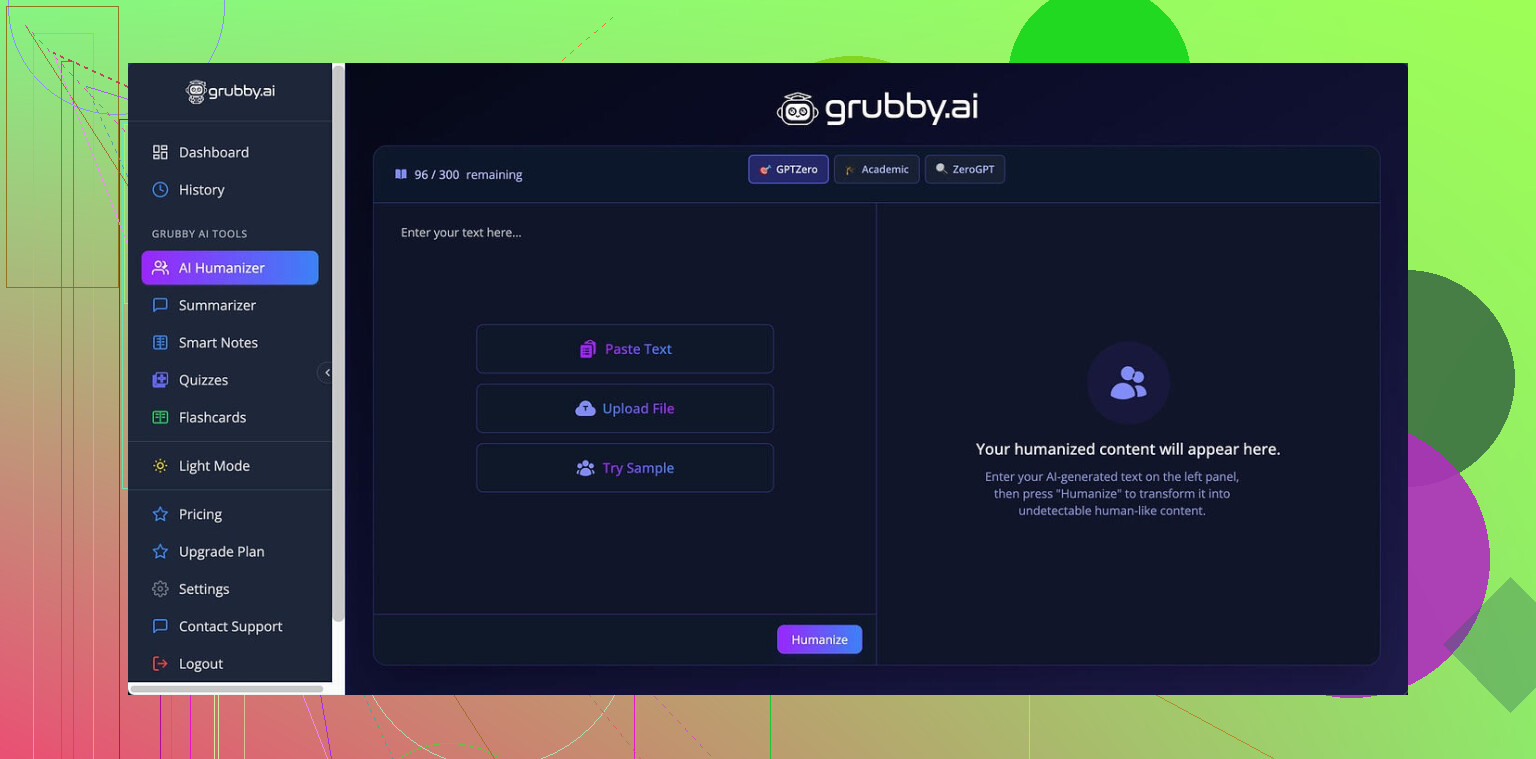
I spent some time messing with Grubby AI because I got curious about all these “humanizer” tools people talk about. Short version, it kind of works, kind of lies to your face.
The tool has special modes for specific detectors: GPTZero, ZeroGPT, and Turnitin. That is the hook. You pick which detector you want to “target” and it rewrites the text based on that.
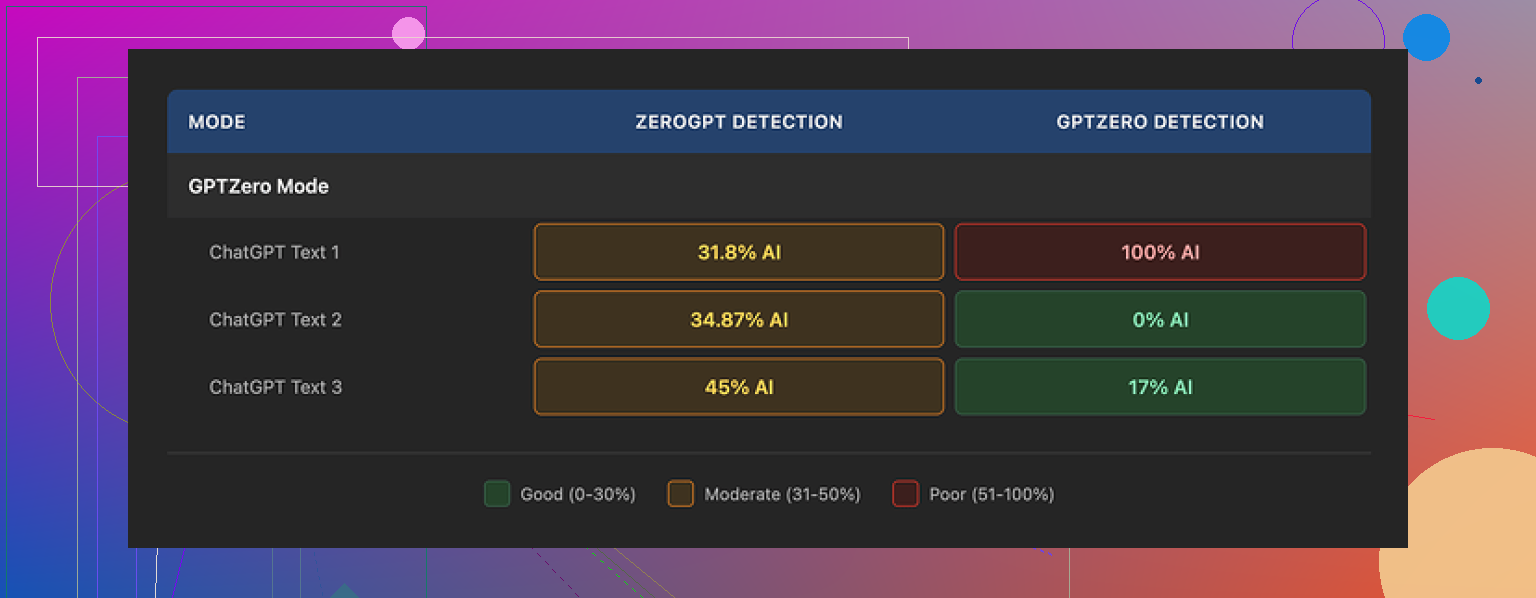
Here is what I saw when I tested the GPTZero mode with three different samples:
• Sample 1: GPTZero said 0% AI
• Sample 2: GPTZero said 17% AI
• Sample 3: GPTZero said 100% AI, completely flagged
So on the exact mode supposedly tailored for GPTZero, one text slid through clean, one was suspicious, one got nailed. Same style, same session, nothing weird on my side. If you expect consistent results, you will not get them here.
Now the part that annoyed me.
There is a “Detection” tab inside Grubby. After you humanize something, it shows this nice-looking panel with results from multiple detectors. For every single output I tested, it proudly showed “Human 100%” across seven different tools. Every time. No variation.
Then I checked the same texts myself on actual detectors outside the tool and the numbers did not match at all. That “Human 100%” screen felt more like a marketing sticker than data.
Text quality
If I ignore the detection stuff and focus only on writing quality, I would rate the output around 6.5 out of 10.
Good parts:
• It strips out em dashes, which a lot of detectors latch onto and a lot of humanizers never touch. That small change does help.
• I never saw it invent fake words or collapse into nonsense. Sentences stayed structurally sane.
Weak parts:
• It tends to inflate sentences. Simple ideas turn into long, stiff lines that feel like a student trying to sound “formal” for a professor.
• Word choice gets weird in spots. I had one sentence where “distinction” showed up where “nuance” fit the context. That sort of slightly-off wording repeated enough that I started noticing the pattern.
If you are trying to pass as a native speaker who writes casually, you still need to edit the output. It reads more like a cautious essay than natural chat.
The one feature I did like
There is one thing Grubby does better than a lot of its competitors.
The built-in editor lets you click on individual words and swap them for synonyms on the fly. You can also rehumanize entire paragraphs inside the same interface. No copy and paste dance between tabs.
Workflow looked like this for me:
- Paste original text.
- Pick target detector mode.
- Get output.
- Click on a few stiff words, pick better synonyms.
- If a paragraph still feels robotic, hit rehumanize for that block only.
If you already know how you like to write, this feature saves time. You get a decent base text then quickly hand-tune it.
Pricing and limits
Free tier:
• You get 300 words total, not per day. I burned through that in a few tests. Good enough to see if you like the tool, not enough for serious use.
Paid plans (monthly with annual billing from what I saw):
• Essential: 9.99 dollars per month, gives you only “Simple” mode. No detector-specific modes.
• Pro: 14.99 dollars per month, unlocks all modes including GPTZero, ZeroGPT, and Turnitin targeting.
If you are only curious, the free cap is tight. If you need to run longer essays, you hit the paywall fast.
Comparison with another humanizer
While testing this, I also ran the same kind of texts through Clever AI Humanizer. Full thread with proof is here:
My experience:
• Clever AI Humanizer gave me more natural output on average. Less stiff, fewer odd word choices.
• I got more consistent results across different detectors. It was not perfect, but it did not swing as hard from 0% to 100% on the same mode.
• At the time I used it, it was free, which made it simpler for quick experiments.
So if your main goal is quality text without paying, Clever AI Humanizer looked stronger for me. Grubby’s only real edge from my perspective was the in-place editor and the promise of detector-specific modes, which did not fully hold up in testing.
If you plan to try Grubby, I would suggest:
• Treat its internal “Human 100%” results as cosmetic, not truth.
• Always run your outputs through outside detectors if you care about scores.
• Use the tool as a starting point, then manually edit for tone and flow.
• Keep an eye on how often it inflates simple sentences, and trim aggressively.
That approach gave me the least painful results.
6 Likes
Used Grubby for about 3 months on niche blogs, so here is the less pretty version.
Short answer for blogs: it helps a bit with style, it is unreliable for long term “safety,” and it needs editing if you care about your brand voice.
What I saw, roughly:
- Detection reality check
- On new posts, Grubby “GPTZero mode” outputs scored anywhere from 0 to ~40 percent AI on GPTZero.
- Same batch of posts, some paragraphs went through ZeroGPT as “likely AI” even after Grubby.
- Older posts that I reworked with Grubby stayed mixed. Some still get flagged on random free detectors.
- The internal “100 percent human” thing in Grubby did not match external tools for me either, similar to what @mikeappsreviewer said, though in my case it sometimes showed 90 instead of 100. Still way off.
So if your goal is “never get flagged,” this will stress you out over time.
- Impact on writing quality
- For informational blog posts, it helps remove some classic AI patterns. Fewer long chained sentences, fewer repeated phrases.
- It also makes everything a bit stiff. I had to go back and shorten sentences so they fit my usual tone.
- On affiliate posts and reviews, Grubby made my writing sound like a school essay. Conversions dipped on a few pages until I rewrote intros by hand.
- I disagree a bit with @mikeappsreviewer on the 6.5 out of 10. For pure readability I would say more like 7.5 if you write formal, 5 or 6 if your blog is more conversational.
- Long term detector behavior
- I tracked about 20 posts over 2 months using GPTZero and one other free tool. Checked the same URLs every few weeks.
- Scores moved slightly as detectors updated. A paragraph that was 0 percent AI at first jumped to “mixed” later, without me touching it.
- So even if Grubby helps today, you have no guarantee tomorrow. This is not about Grubby only, it is about how detection tools change.
- Practical blog workflow that worked better for me
What I do now when I still use Grubby at all:
- Generate content with an AI model.
- Rewrite critical sections myself, especially intro, conclusion, and any personal story parts.
- Run only the middle “dry” sections through Grubby in a detector mode.
- Then I edit again for voice, shorten, and add small mistakes or personal asides.
When I follow this, detectors still give mixed scores sometimes, but the posts read more human and do better with readers.
-
Alternative you might want to test
For your use case, a tool like Clever Ai Humanizer is worth a try. On my side it produced more natural text for blog posts, especially list posts and how to guides. I still had to edit, but less. Detection scores were a bit more stable across different tools. Do not trust any “100 percent human” claims, but for SEO content and long form posts the flow felt closer to my style after a few tweaks. -
What I would avoid
- Relying on one humanizer for your whole blog. Mix in real human editing.
- Trusting internal detection dashboards inside any of these apps. Always spot check on external tools.
- Using humanizers on content where you say it is “personal experience” if it is not. That is risky for brand trust, not only for detectors.
If your main concern is authenticity for readers, focus more on adding your own examples, opinions, and small flaws. Tools like Grubby or Clever Ai Humanizer help clean up patterns, but they do not replace your voice or remove all risk with detectors over time.
I’ve been playing with Grubby on and off for niche sites and a couple of client blogs, and my take overlaps a bit with @mikeappsreviewer and @sonhadordobosque, but not 100 percent.
Short version for blogs: it’s a stylistic helper, not a real shield.
Where I slightly disagree with them is on how “useful” it is. For me, Grubby is decent if:
- You already write like a mildly formal blogger
- You only care that the text does not scream “raw ChatGPT”
- You accept that detection scores are a moving target
Where it falls apart:
- If your brand voice is casual, quirky, or story heavy, Grubby smooths it into that generic “college essay” vibe.
- If you obsess over AI detectors, it becomes a hamster wheel. Text that looked “fine” one month suddenly looks sus the next when detectors update. That is not really Grubby’s fault, but it means you cannot treat it as a long term fix.
The “Detection” tab inside Grubby feels almost cosmetic to me. On my side it was not as extremely wrong as what @mikeappsreviewer showed, but still off enough that I stopped looking at it. I would treat anything it says as a rough guess, not a promise.
For long term blogging specifically:
- Use Grubby only on the “boring” sections: definitions, how to steps, generic explanations.
- Write intros, conclusions, and personal angles yourself. Detectors hate repetitive patterns, and your own voice breaks those up more naturally than any humanizer.
- Revisit old posts for readability, not for “chasing 0 percent AI.” The latter never ends.
If you want an alternative that feels a bit more natural out of the box for blog content, Clever Ai Humanizer has been better in my testing. Still not magical, still needs editing, but the flow was closer to what I would actually publish and the detection scores bounced around a little less.
If your main worry is authenticity for readers, I would honestly spend more time adding real opinions, experiences, and even tiny imperfections, and use tools like Grubby or Clever Ai Humanizer just to break the obvious AI patterns, not as your primary defense against detectors.