Trying to watch videos from my MacBook on my TV, but I can’t figure out how to connect the two or what options are best. I’ve tried using an HDMI cable, and also looked for AirPlay on my devices, but it’s not working as expected. Any advice on the best way to stream or mirror Mac video to a TV would really help!
Casting from Mac to TV: My Rollercoaster Ride
So, whenever the topic of streaming from a Mac to a TV pops up, everybody in the room seems to yell “AirPlay!” like it’s a magic word that makes all your problems go away. If you’re rocking an Apple TV or the type of smart TV your uncle brags about at Thanksgiving, yeah, AirPlay’s gonna sort you out—kind of. My experience, though? It’s like borrowing WiFi from the neighbor: sometimes it’s fine, then outta nowhere, the movie pauses, buffers, or just decides to peace out halfway through a car chase. Great for popping your screen up in a hurry or showing grandma some photos, but let’s just say my patience wore thin when the Lord of the Rings marathon became the Buffering of the Rings.
My Oddball Solution: Elmedia Player
One random Saturday afternoon (when AirPlay had crashed for the third time before lunch), I went on a mission to fix my situation. That’s how I tripped over Elmedia Player. I honestly wasn’t out hunting for The Next Big Thing; I just wanted something that could handle all those video files my TV’s brain simply didn’t understand—stuff like MKV or the goofball AVI clips my friends send me.
Shoutout to the developers, because you literally open your movie, smash the little casting icon, and suddenly your TV is playing the file. Doesn’t seem to care whether your setup is AirPlay, Chromecast, or those mysterious DLNA options buried in your TV settings. Works on basically any smart device in your living room menagerie.
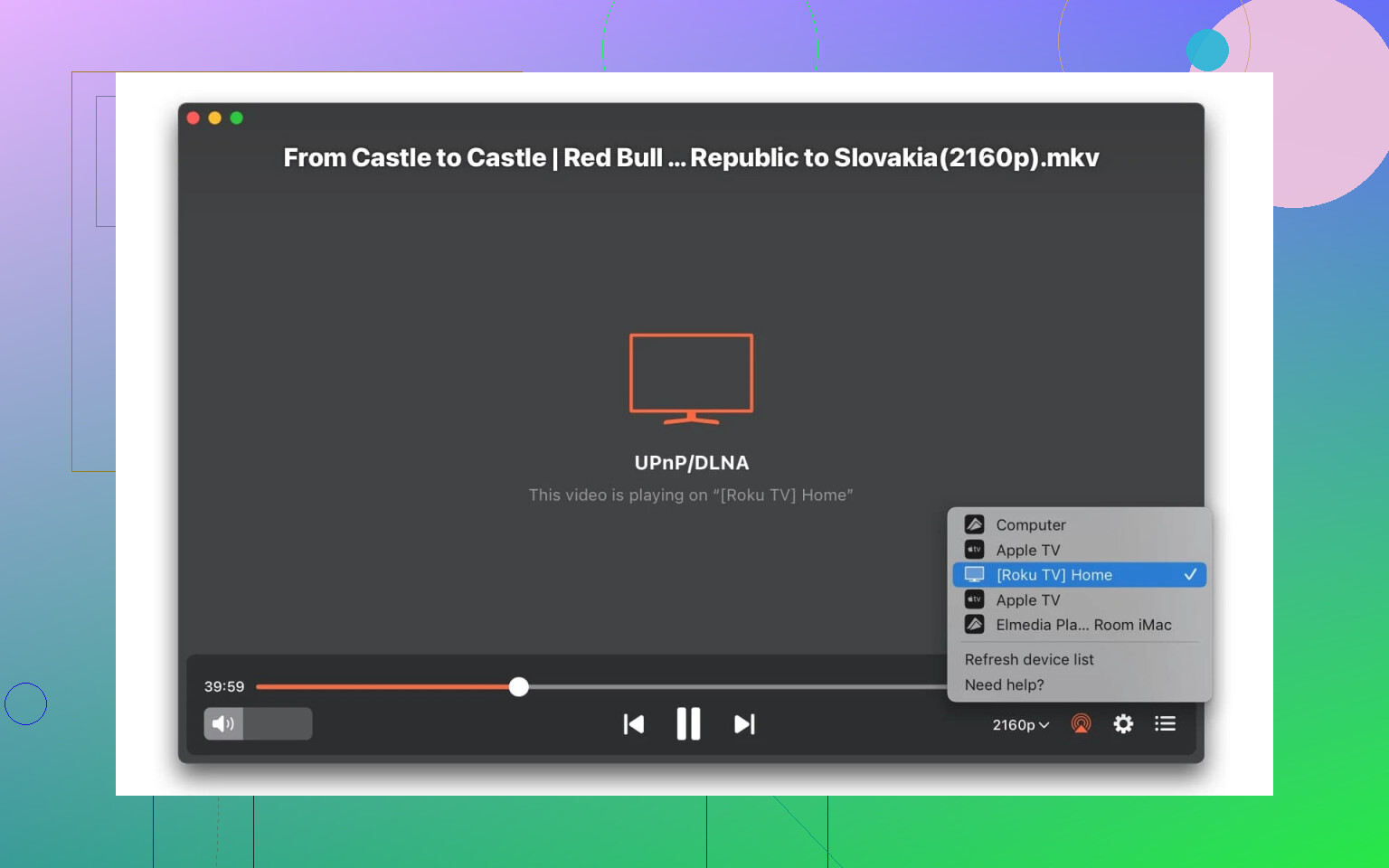
Here’s Why I Switched: The List
There are a few big reasons why Elmedia’s become my ride-or-die for TV nights:
- No more streaming your whole desktop. Just the video goes to your TV—with a noticeable drop in lag. Like, the movie actually matches the audio…imagine that.
- It eats every weird video format I throw at it. I haven’t had to convert a single file. I tossed it everything short of a VHS tape and it played.
- Control is king. You can flip subtitles on or off, fiddle with audio tracks, rewind, you name it—directly from your laptop.
Alternate Paths (If Apps Aren’t Your Thing)
Look, nothing’s perfect. Some folks are allergic to installing new apps, or maybe your company laptop has IT restrictions that rival Fort Knox. You can always grab an HDMI cable and just hardwire the thing (ancient but indestructible), or try a tab-casting extension if your TV can handle it natively from Chrome.
If you’re after a setup with the least tech headaches, though? Elmedia’s been my trusty sidekick for at least a year now, and I’m not looking back.
Movie nights have gotten a lot less…frustrating. Give it a whirl—life’s too short for stuttering superhero flicks.
35 Likes
Let’s be real: streaming from a Mac to a TV should be a walk in the park, but somehow it’s like trying to assemble Ikea furniture with no instructions. Everyone chants “Use AirPlay!” like it’s a lifehack, but sometimes your TV just pretends it doesn’t hear you, especially if it’s picky about WiFi networks or you don’t own the latest Apple tech. HDMI is the old reliable, but it’s not exactly elegant having cables snake across your living room, and it doesn’t vibe if your MacBook only has USB-C and you forgot the dongle (story of my life).
So, I actually back what @mikeappsreviewer said about third-party apps, but I’m not totally sold on ditching all other options. Sure, Elmedia Player seems like the Swiss Army knife of streaming, and it’s great for quirky file types your TV won’t touch. But if all you want to do is stream what’s already in Safari or YouTube, honestly, Google Chrome’s “Cast Tab” can do the trick too — assuming your TV plays nice with Chromecast. No extra downloads, just that little icon in your browser. Downside: it chokes harder than AirPlay on big file sizes or high-bitrate stuff, so it’s not flawless.
If you’re open to apps, Elmedia Player really is worth a try since it’s a killer for those stubborn MKVs or when you want subtitle support (seriously, why don’t TVs support more formats out of the box?). But for anyone who hates apps, check your TV menus for “Screen Mirroring” or “Cast,” sometimes it’s hidden away and not called AirPlay. And always doublecheck: both devices must be on the exact same WiFi network (trust me, guest network ≠ main network).
TL;DR: HDMI if you’re patient, Chrome browser for basic YouTube/Netflix casting, or Elmedia Player when you need all the bells and whistles, especially with weird file formats or subtitle drama. And yeah, sometimes you just gotta reboot everything—classic tech advice that weirdly works.
Here’s the thing no one ever admits: streaming from a Mac to a TV is annoyingly inconsistent. You’d think the answer would be as easy as “get an HDMI cable, plug it in, world peace is achieved,” but between USB-C dongle drama, unsupported formats, and the black-magic handshake that is AirPlay, sometimes you feel like you need a secret Apple handshake just to get video playing where you want.
@vrijheidsvogel harps on AirPlay not being the magic bullet, and yeah, who hasn’t been trolled by that spinning wheel of doom mid-movie? Personally, I’ve got a love/hate thing with AirPlay—it occasionally works, but only if every device on your network is best friends and Mercury’s not in retrograde. Chromecast via Chrome? Yeah, it’s “fine” for browser tabs, but the moment you throw a 4K file or a weird subtitle at it, things go sideways fast.
So—alternative solution incoming: Plex. If you’re down for a little setup (and don’t mind having your Mac run as a “media server”), Plex can actually work wonders for large video libraries. Dump your files on your Mac, fire up the Plex Media Server, and use the Plex app on your smart TV, Apple TV, or anything with a screen and an attitude. Bonus: it handles transcoding a lot better than most. Downside? Bit of setup, and their subtitle support is weirdly inconsistent, but at least you get a nice organized library to show off.
If you just want “click, play, appear on TV” without learning network engineering, Elmedia Player is honestly a strong bet (not gonna fully repeat @mikeappsreviewer, who’s basically Elmedia’s unpaid hype man, but he’s not wrong). Unlike, say, VLC’s periody half-baked cast features, Elmedia is as close to plug-and-play as this cursed workflow can get. And unlike AirPlay, your TV doesn’t have to be from some specific Silicon Valley aristocracy—DLNA, Chromecast, Roku, it’ll try anything once.
TL;DR: If you want almost-zero setup, Elmedia Player or a decent HDMI cable (dongles and all). If you want “whole home” streaming and TV guide nostalgia, Plex. If you want maximum pain, stick with AirPlay. And seriously, sometimes turning it all off and on again actually works—IT crowd wisdom.