I need an updated professional headshot for LinkedIn and my company profile, but I don’t have access to a good camera or photographer right now. I’ve heard some people use ChatGPT and AI tools to generate realistic headshots from casual photos. Can someone explain if this is actually possible, what tools or prompts I should use, and any tips to make the final image look professional and trustworthy for job applications?
Yes, technically — but it’s not the easiest or most reliable way.
ChatGPT (with image generation) can create professional-looking headshots, but there are important limitations that people usually discover only after trying.
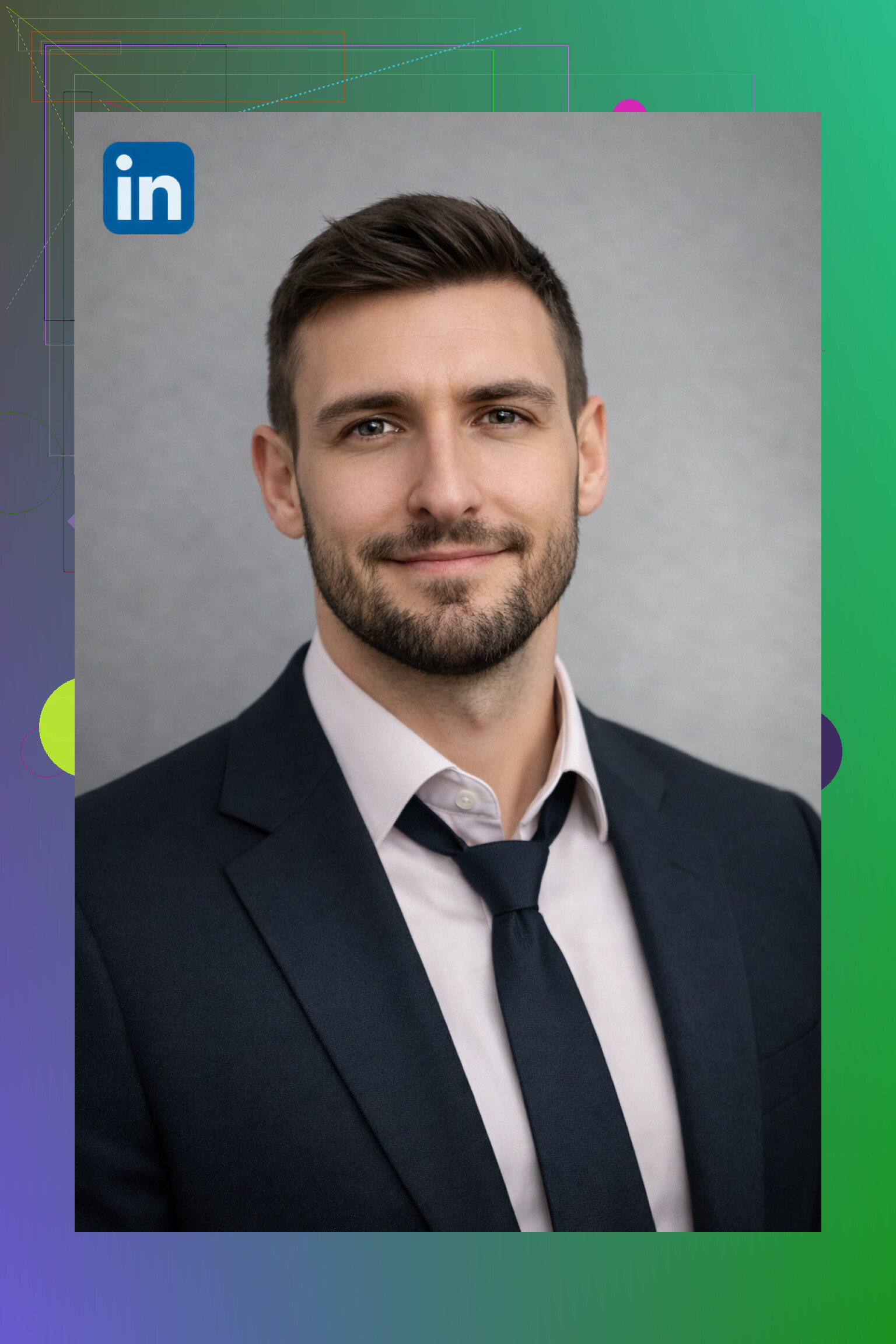
This is the photo ChatGPT generated for me for LinkedIn:
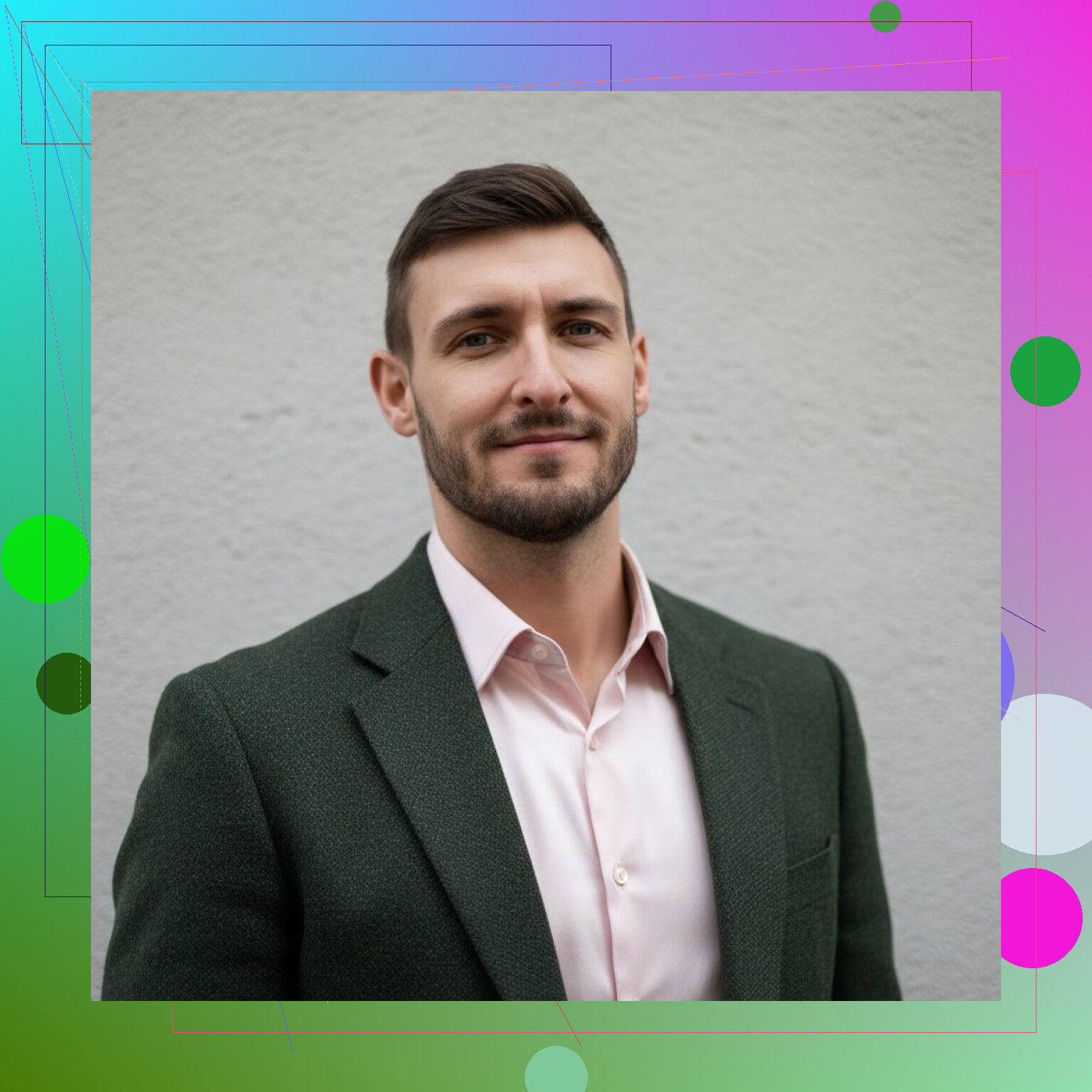
And this is what I got from AI Headshot Generator:
What ChatGPT Can Do
With the right setup, ChatGPT can:
- Generate AI photos that look like professional portraits
- Follow detailed prompts (studio lighting, neutral background, business outfit, etc.)
- Produce creative or cinematic styles if you describe them well
If you enjoy writing prompts and tweaking details, ChatGPT can absolutely deliver interesting results.
Where ChatGPT Falls Short for Headshots
This is where most people get frustrated:
-
Prompt-dependency
The quality of the result heavily depends on how well you write the prompt.
If you don’t know how to describe lighting, camera angles, facial realism, or style — the output can feel off. -
Inconsistent likeness
ChatGPT sometimes:
- Changes facial structure slightly
- Alters skin tone or hair texture
- Makes you look like a “version” of yourself rather than you
That’s fine for art or fun images, but not ideal for professional headshots.
-
Too much experimentation
You often need multiple attempts to get something usable.
If your goal is “just give me a clean LinkedIn-ready photo,” this gets tiring fast. -
Not optimized for headshots
ChatGPT is a general-purpose AI. It’s not specifically trained or optimized for professional headshots, resumes, or business profiles.
Why Dedicated AI Headshot Generators Are Easier
This is where AI headshot generator apps make more sense.
Instead of:
- writing long prompts
- guessing styles
- regenerating endlessly
You just:
- Upload 1–3 selfies
- Pick a style or pack
- Generate results optimized for headshots
For example, apps like Eltima AI Headshot Generator are built specifically for this use case. You don’t need to prompt anything — the app already knows how a LinkedIn, business, casual, or studio headshot should look. It focuses on realistic skin texture, natural lighting, and keeping your face recognizable.
That’s a big difference if you want speed and consistency.
Both photos are good. BUT with ChatGPT I spent a total of about 10 minutes: around 5 minutes writing the prompt and another 5 minutes waiting for the generation. On top of that, ChatGPT for some reason removed my wrinkles and lightened my skin. I’m not embarrassed by my wrinkles — I’m an adult person 
With Eltima AI Headshot Generator, the whole process took about a minute, and the photo looks much more realistic — closer to what I actually see when I look at myself in the mirror.
When ChatGPT Makes Sense
ChatGPT is great if:
-
You want creative or cinematic portraits
-
You enjoy experimenting with prompts
-
You don’t mind results that are more stylized or artistic
-
You’re okay with some trial and error
When a Headshot Generator App Is Better
A dedicated AI headshot app is better if:
-
You want a professional, realistic headshot
-
You don’t want to write prompts
-
You need something fast for LinkedIn, resumes, or social profiles
-
You care about looking like yourself, not an AI version
Final Take
Yes, ChatGPT can generate a professional-looking headshot, but it’s not the most practical tool for the job. It works best for creative experimentation, not quick, reliable results.
If your goal is a clean, realistic, professional photo with minimal effort, a dedicated AI headshot generator like Eltima AI Headshot Generator is usually the smarter choice. You’ll spend less time tweaking and more time actually using the photo.
8 Likes
Short answer for LinkedIn and company profile: use ChatGPT images as a backup option, not as your first choice.
I agree with a lot of what @mikeappsreviewer said, but I would push a bit in another direction. You do not always need a dedicated headshot app if you use ChatGPT in a more structured way and accept “good enough” instead of chasing the perfect render.
Here is a practical path.
-
Start from a real photo, even a bad one
If you have any selfie with decent light, use that as reference.
Upload it and tell ChatGPT something like:
“Make a professional LinkedIn-style headshot based on this face. Neutral gray background. Office-style soft lighting. Keep my age, wrinkles, and facial structure. No beauty filter. Subtle retouch only.”
Mention “must still look like me” and “do not change jaw, nose, or eye shape”. That reduces the “AI influencer” look. -
Lock the boring details early
Instead of fighting with long prompts each time, decide your basics first.
For example:
• Shoulder-up framing
• Facing camera, slight angle, friendly, neutral smile
• Plain background, light gray or soft blue
• Simple shirt or blouse, no logos, no wild colors
Tell ChatGPT to keep the same styling across regenerations. That cuts re-roll time.
-
Force realism, block the plastic look
Use phrases like:
• “Realistic skin texture”
• “Visible pores and fine lines”
• “Natural office lighting, not cinematic”
• “No heavy smoothing or beauty filter”
If the first output looks too young or too glossy, reply with “make this look more like an unedited DSLR headshot, keep the same pose and expression” instead of starting from zero. -
Decide your tolerance for “lie vs polish”
Some people want honest, some want flattering.
If this is for job interviews or security badges, stay close to your real face.
If it is more for employer branding or speaking gigs, a bit of polish is fine.
You control this with prompts like “subtle retouching similar to light studio retouch” vs “no retouch at all”. -
Compare to a zero-cost phone option
Since you said no photographer or good camera, do a quick test.
Stand near a window, neutral wall behind you.
Set your phone at eye level, clean lens, use timer, take 10 shots.
Then upload the best one to ChatGPT and ask for “minor color correction and background cleanup only, do not change my features”.
Often that combo beats a fully AI generated face, because the base is you.
Where I slightly disagree with @mikeappsreviewer is on prompt effort.
If you write one solid prompt, then iterate in short replies like “less glossy skin” or “slightly darker background”, the time cost drops a lot. You do not need to think in camera jargon after the first run.
Quick decision guide:
Use ChatGPT image tool if:
• You have at least one okay selfie to give as reference.
• You are fine spending 5 to 10 minutes tweaking.
• You want one or two options, not 50 variations.
Use a dedicated AI headshot app if:
• You want fast results with minimal thinking.
• You prefer default LinkedIn vibes without tuning prompts.
• You want consistent output across multiple outfits or backgrounds, like what @mikeappsreviewer showed with Eltima.
If you go the ChatGPT route, aim for “good enough, honest, clean” in under 15 minutes, then stop. The endless re-roll loop is where most people burn time for small gains.
Short version: yes, ChatGPT can help, but I would treat it as one piece of the solution, not “my headshot generator.”
@mikeappsreviewer is right that ChatGPT is like a Swiss army knife here, and @ombrasilente is right that you can structure it better. Where I’d push a bit differently is this: instead of asking “Can ChatGPT replace a headshot app?” I’d ask “What’s the smartest combo of my phone + ChatGPT + maybe an AI app so I don’t look like a plastic NPC?”
Here is where ChatGPT really earns its keep that they did not focus on:
- Use it as your “remote art director,” not just the image generator
Tell it:
- What you look like
- Your role and industry
- How formal your company / field is
Then ask: “Describe how I should set up a DIY photo with my phone for a LinkedIn headshot: pose, background, clothing, lighting, and where to stand in my apartment.”
It will give you a plan so you are not guessing. This kills a lot of that “I don’t have a good camera” anxiety. Modern phones are fine if your setup does not suck.
-
Let ChatGPT critique your photo
Take 10 shots with your phone following that plan. Upload 2 or 3 and ask:
“Which of these is stronger as a LinkedIn headshot and why? Be picky about posture, expression, and background.”
This is something dedicated headshot apps usually do not do: they generate, but they do not coach. ChatGPT can nitpick your expression, symmetry, distractions in the background, posture, etc., so you know what to fix in the reshoot. -
Use it for micro‑retouching instructions
Instead of “make me a perfect AI face,” do:
“Slightly clean this photo:
- remove background clutter and replace with a neutral office‑style backdrop
- minor color correction
- reduce under‑eye shadows a bit
- do not change my jaw, nose, or age
- keep natural skin texture.”
So you keep your face and just remove bad lighting and messy room. That’s more honest than a fully AI face and more realistic than what @mikeappsreviewer showed where the wrinkles vanished.
- Only go full‑AI face as a fallback
If your phone shots are truly unusable, then yes, use ChatGPT to generate from scratch or refine a basic selfie into more of an illustration. Just decide your rules ahead of time:
- Are you OK looking 5 years younger?
- Are you OK if people say “You look a bit different from your profile photo”?
If that bugs you, stop when the image is “recognizably you, slightly cleaned,” not “conference speaker Marvel filter.”
- Mix tools instead of picking a “winner”
The part I slightly disagree with both of them on is this idea that you must choose between ChatGPT and a dedicated headshot app. You can do:
- Phone selfie with coaching from ChatGPT
- Light cleanup in ChatGPT
- If you still hate it, drop those same selfies into a headshot app like the ones they mentioned and compare.
Often the best result is: - One decent real photo
- One AI‑polished variant from ChatGPT
- One fully generated headshot app version
Then pick what feels most “you” that still looks professional.
So: yes, ChatGPT can help you create a realistic professional headshot, but its biggest value is not just pressing “generate.” Use it as:
- Your virtual lighting / posing coach
- Your tough editor on which shot works
- Your subtle retoucher
Do that, and the fact that you do not have a fancy camera or a photographer becomes way less of a blocker.
Short version: use ChatGPT as your “director + retoucher,” and keep fully AI‑generated faces as a controlled last resort.
Where I slightly diverge from @ombrasilente, @yozora, and @mikeappsreviewer:
They all focus on how to get a usable image. I think the bigger decision is how much fakery you can get away with before it backfires in real life.
You are not just making a pretty picture. You are creating the thing interviewers will mentally compare to the person who shows up on Zoom.
1. ChatGPT images as a truth budget
Think of three levels of manipulation:
- Real photo, light clean up
- Real photo, heavy “glow up”
- Fully AI‑invented face
For LinkedIn and a company profile, I would stay in zone 1 or at most early 2.
Where I disagree a bit with the others: they treat “slight idealization” as mostly fine. In practice, the more you smooth age, change jawline, or brighten eyes, the more uncanny it feels when you meet for real. If you are in any relationship‑heavy role (sales, consulting, leadership), that disconnect matters.
So when you use ChatGPT, literally tell it your rules, for example:
- “Do not make me look younger.”
- “Keep all moles, freckles, and general skin tone.”
- “Do not change head size, jaw width, or nose.”
You are not just fighting the plastic look; you are protecting trust.
2. Use ChatGPT to benchmark AI vs real phone shot
Others already covered workflow tricks, so here is a different angle.
Do this:
- Create one headshot via ChatGPT from a selfie.
- Create one with your phone + minimal edit.
- Put both side by side on a screen, step back 2 meters, and ask:
“Which one looks like a human who exists in the real world and has slept badly at least once?”
In my experience, the “good enough” phone shot wins more often than people expect, even if the raw technical quality is lower. Texture and tiny asymmetries read as honest.
That is the main place I am stricter than @yozora: I would rather have a slightly noisy, well lit real photo than a super clean synthetic one for anything involving hiring or clients.
3. When a headshot generator app actually makes sense
A dedicated AI headshot generator app (like the one hinted at in this thread) is basically ChatGPT on rails:
Pros for a headshot generator app like ’
- Tuned for business portraits out of the box
- Minimal decisions: upload, choose style, pick best
- Often more consistent across multiple images than “prompt roulette”
- Interface usually built around LinkedIn / CV needs
Cons
- Less control over micro‑details than prompt‑driven ChatGPT
- Easy to drift into “everyone looks like the same tech bro / tech sis” aesthetic
- Still has the realism vs honesty tension
- Quality can depend heavily on the selfies you feed it
Compared to the flows described by @ombrasilente and @mikeappsreviewer, I would treat a tool like ’ as:
- Great if you need 10 solid options in one go
- Overkill if you only need one photo and are willing to spend 15 minutes with your phone and ChatGPT
4. A use that almost nobody mentioned: consistency across platforms
One underused trick:
Use ChatGPT to “normalize” several photos rather than invent one new face.
- Take 2 or 3 phone selfies in slightly different outfits.
- Ask ChatGPT to standardize: same background family, similar color grading, same general crop.
Result: LinkedIn, internal company profile, and conference bio all look like the same person in the same era of their life. Recruiters love this kind of subtle consistency more than a single “perfect” shot.
5. When not to rely on AI at all
If any of this fits, I would avoid a fully generated headshot, whether from ChatGPT or a tool like ':
- You work in law, government, health, mental health, or education.
- Your role involves security badges or physical access control.
- Your company has strict photo policies.
In those cases, just use ChatGPT for what @yozora hinted at but did not fully lean into: coaching. Let it help you set up your DIY shoot, critique posture and expression, and fix the background only.
Bottom line:
- Phone + ChatGPT coaching + subtle edits should be your first move.
- A headshot generator app like ’ is a solid “I need this fast and decent” plan B.
- Let fully synthetic, heavily idealized faces remain in the “fun experiment” bucket, not the thing that represents you to future employers.