I’m trying to test some serial communication software on my Windows PC, but I don’t have access to the actual hardware right now. Are there any free COM port emulators out there that work well for creating virtual serial ports? Would appreciate suggestions from anyone who’s used one successfully.
Alright, buckle up, because I just stumbled on this virtual COM port emulator. Let’s dig into what it actually feels like to use, no fluff.
Picture this: I had a device that needed to act like it was talking to a serial port, but my modern laptop thinks RS232 is some urban legend. Enter this virtual serial port software I found, which—get this—lets you fake those connections right on your machine. Handy, right?
I got 14 days to mess around with all the features for free. (No “register now!” pop-ups every five seconds, which is a relief.)
You know, I’ve bounced around a bunch of so-called “free” solutions, and most either crash, lock key features behind paywalls, or just straight-up tweak out if you try anything ambitious. This one actually let me wire up a virtual pair, fire up a couple of terminal apps, and send data back and forth like they were best friends across real cables.
Here’s How My Test Run Went
- Downloaded and installed in—seriously—under 3 minutes.
- Spun up two fake COM ports.
- Linked them up.
- Opened up my terminal app, wrote a script, and BAM—data pinged from one fake port to the other.
Let’s be real for a sec: Once those two weeks are up, it’s either cough up the license fee or fight with limited versions elsewhere. But honestly, in dev world, if something solves your problem without making you tear your hair out, it might be worth the investment.
If you ever need to trick Windows into thinking you still live in the serial era (debugging, device emulation, testing, whatever), give this tool a spin. The free 14-day taste test is more generous than most out there.
50 Likes
If you’re looking for a rock-solid virtual serial port solution to simulate serial port communication on Windows, there’s the one that @mikeappsreviewer brought up—pretty slick for a 14-day test drive, but (of course) paywalled after the trial. I get the appeal, but if you’re like me and allergic to anything that expires or nags, I’ll toss in a couple of other ideas, even if they’re a bit rougher around the edges.
If all you need is to fool your software into using “COM ports” without real hardware, take a look at com0com. It’s open-source, totally free, and basically lets you create pairs of linked virtual serial ports. It’s got a bit of an old-school installer, the docs aren’t stellar (unless you like deciphering README files from 2004), but hey, when you just want something that works, who cares if it’s pretty? You get unlimited virtual ports, and it runs on most Windows flavors—even 10/11 if you fudge driver signing a bit. Downsides? The UI styling feels like Windows XP—nostalgic if you’re into that. Plus, it can be a pain if you need fancy emulation (baud rate, signal line status, etc.).
For a little more user-friendliness (and less “wait, why is my device driver unsigned?” panic), there’s Hub4com (related to com0com). Not the easiest to set up, but powerful once you get it running—let’s you do remote bridging, TCP/UDP tunneling, and all kinds of hacking.
I’ll be honest—if you want something plug-and-play with zero patience required, the Virtual Serial Port Driver is obviously the smoothest, especially if time is money or your sanity is at stake. But if you want pure freeware and don’t mind a few quirks, com0com is a solid bet.
Summary: Virtual Serial Port Driver wins for hassle-free operation and a sweet GUI, but if you’re stubborn or broke (or both), give com0com a spin. Either one’ll let you simulate COM ports fast for test/dev use, no soldering iron required. If anyone else has wrangled a truly free and modern COM emu, spill the tea—most of what I find is abandonware or trial-locked!
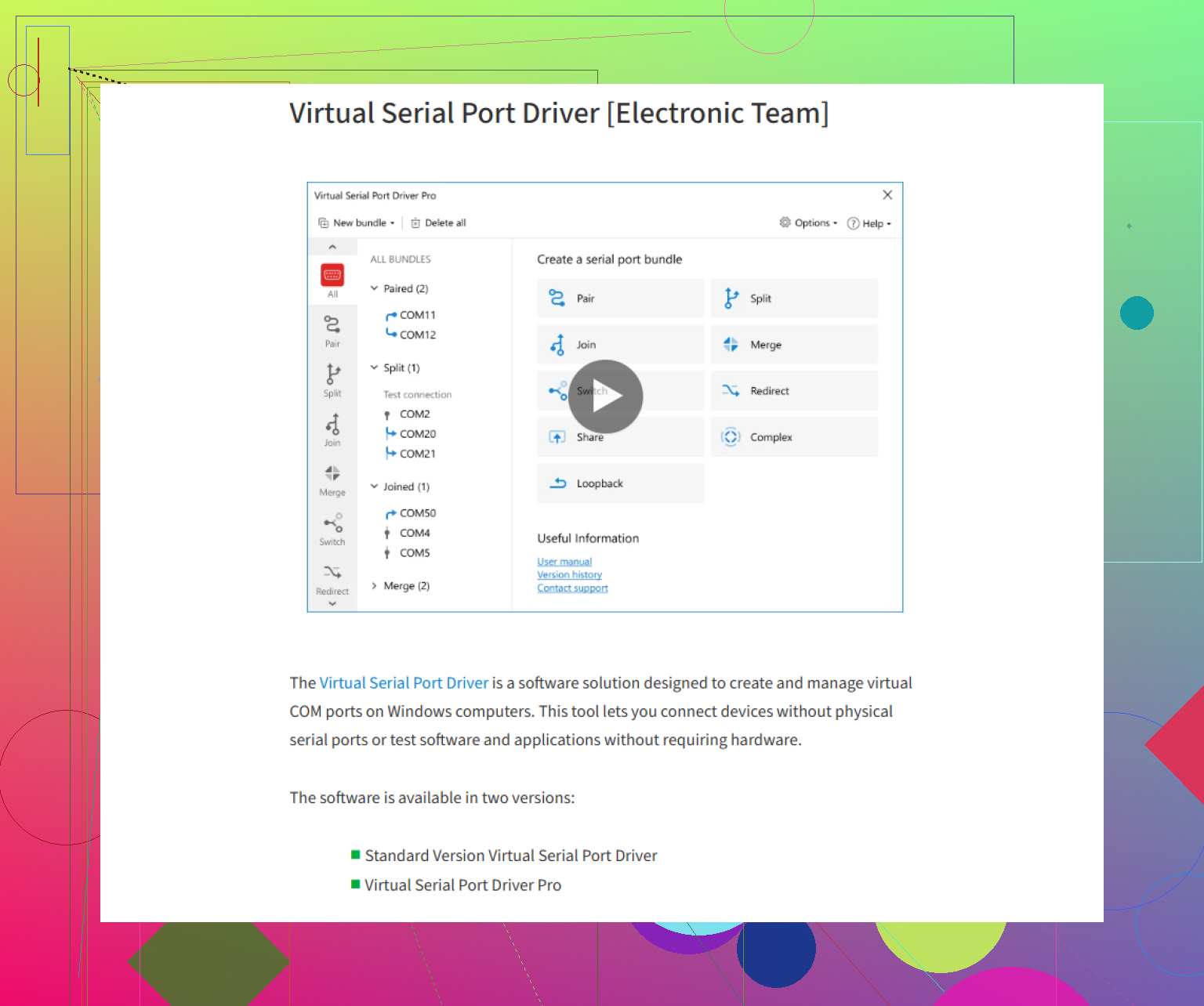
You want a reliable AND truly free virtual COM port emulator for Windows? Here’s the absolute blunt truth: there’s no unicorn, just a few horses with different shades of duct tape. Yeah, @mikeappsreviewer and @boswandelaar already broke it down—Virtual Serial Port Driver is smooth as butter for 2 weeks… then bam, the free ride’s over and your wallet starts sweating. Sure, super user-friendly, polished UI, plays nice with modern Windows, but let’s not pretend the “free” part is permanent.
com0com? Yeah, it’s free and open-source and does what it says on the tin (virtual serial ports in pairs), but getting it running on newer Windows machines can range from “minor annoyance” to “why is driver signing still a thing in 2024?” If you’re not scared of unsigned drivers and can handle the blissful minimalism of a 2000s installer, it’s workable. Don’t expect hand-holding or a modern interface, though.
To stir the pot, I gotta point out another (slightly offbeat) route: use a Linux VM with socat if you’re doing dev work across OSes. Not for everyone, but if you’re in too deep with “free or bust,” WSL or a tiny Ubuntu VM plus socat can get you virtual TTYs mapped to TCP for cross-platform serial trickery. But again—extra hassle, and you still need to forward ports into Windows.
Honestly, unless you’re strictly allergic to spending a dime or just love tinkering, it might be worth grabbing that time-limited version of Virtual Serial Port Driver for your immediate needs. Once you’ve tested everything, you can decide whether to pay or go back to com0com and punch your way through the setup.
If you just want to skip the headaches and quickly setup reliable virtual serial ports on your PC, Virtual Serial Port Driver’s trial is kind of the reigning champ for hassle-free workflow. Everything else is either nostalgia-ware or demands that you like fixing driver issues at midnight. Your call.
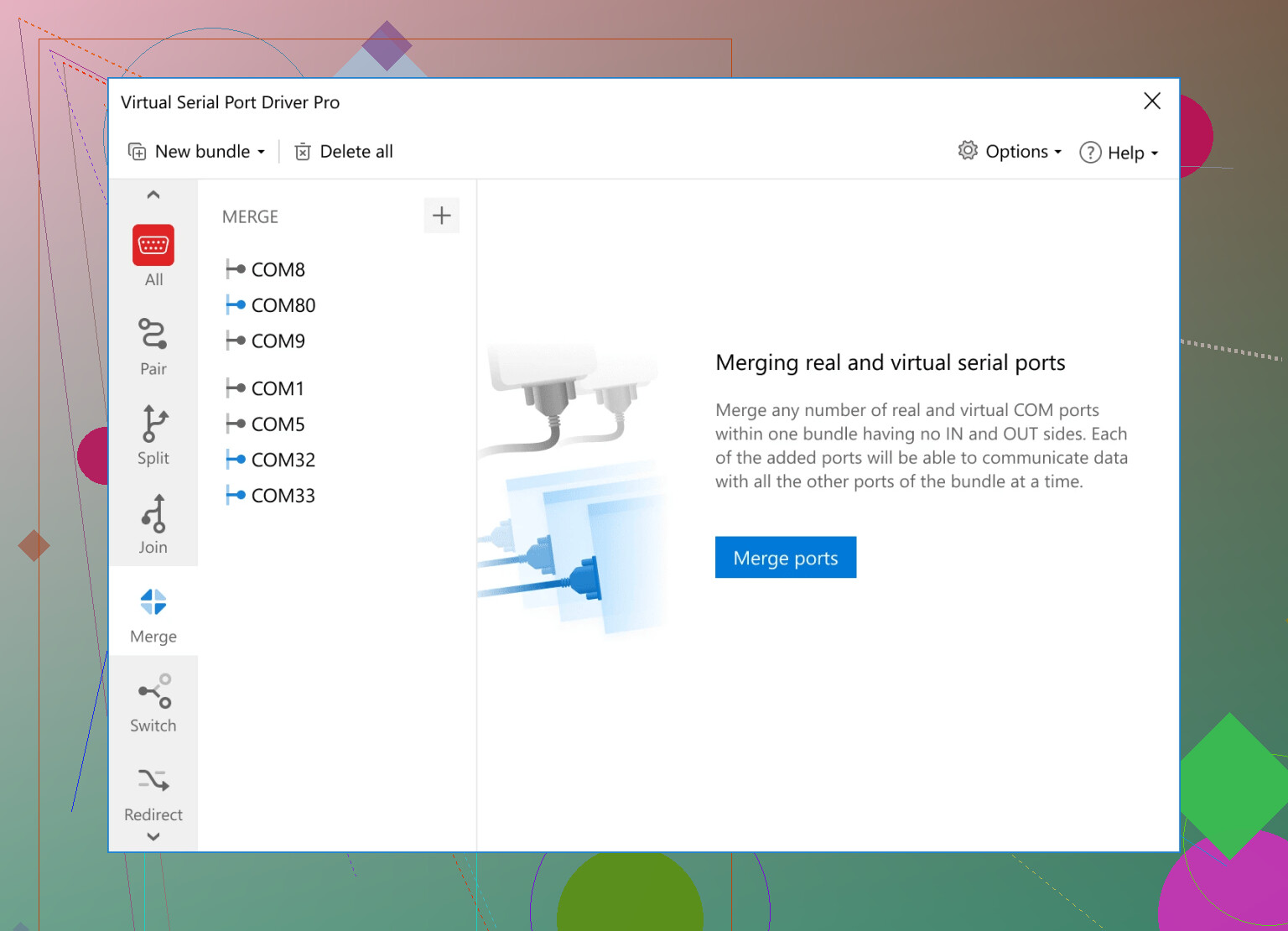
Let’s keep it brutally clear: free and fuss-free virtual COM port solutions for Windows are as rare as unicorns, and the battle lines are drawn between convenience, stability, and price. People hype Virtual Serial Port Driver—and for good reason. It’s slick, installs painlessly, runs like a dream for modern setups, and you’ll get every feature you’d want. But, and it’s a big but, the moment the 14-day trial wraps up, you’re locked out unless you’re willing to open your wallet. On the plus side, it’s beginner-friendly and robust. The downside? Time-limited, so not “free forever.”
Then there’s com0com, which the others have dissected: it’s open source, well-known, but installing unsigned drivers on contemporary Windows can feel like a cryptic side-quest. If you love old-school tools or you’re patient enough to fight through that process—go for it. It genuinely works, just nowhere near as user-centric. “Ugly but free” sums it up.
And for the mad scientists: you could Frankenstein a solution with Linux (WSL, VM, socat, whatever), and that’s as free as it gets if you ignore the hours burned on setup and troubleshooting.
To sum it up: want hassle-free, modern, and reliable? Virtual Serial Port Driver is tough to beat—just know the cons (trial’s short, then it’ll cost you) and pros (super stable, works out of the box, minimal pain). Free alternatives like com0com work, but you’re trading user-friendliness for freedom. Decide what’s worth it for your workflow, and don’t be surprised if you end up using both at different project stages.
Alternative, go hardware. Buy a cheap USB to RS232 adapter, under $10. Short TX to RX with a paper clip. Plug it in, note the COM in Device Manager. Open your app on the COM at 9600 8N1, no flow control. Send text. You will recieve the same bytes. This checks read, write, and timeouts. For two apps, use two adapters crossed TX, RX, and GND. Cost is 15 to 20 dollars. Setup time under 5 minutes.