I accidentally deleted important photos from my Canon camera while reviewing images, and I need help figuring out the best way to recover them. The pictures were from a recent event and aren’t backed up anywhere, so I’m looking for safe Canon photo recovery tips before I use the memory card again and risk losing them for good.
Yeah, there’s still a decent shot your photos are sitting on the Canon card. What matters now is what you do next. Stop using the card right away. No test shot. No short clip. No poking around in menus. And if your camera or computer asks to format it, don’t do it.
On most Canon setups, deleting a photo removes the file listing first. The image data often stays on the SD card until new data lands on top of it. I’ve seen people lose recoverable shots because they kept “checking if it still works.” Bad move.
First thing I’d do, pull the SD card out of the camera. If it’s a regular full-size SD card with the tiny side switch, slide it to lock. This won’t restore anything by itself. It does help stop accidental writes, which is the part you care about right now.
Then use a card reader and plug the card into your computer. I’d skip connecting the camera by USB for recovery work. In my experience, a separate reader tends to give recovery apps cleaner access to the card. Also, don’t write anything onto the card. Don’t run CHKDSK on Windows. Don’t run First Aid on a Mac. Those tools try to repair filesystem problems, and I’ve seen them make recovery messier when the goal was getting deleted photos back.
For recovery, use file recovery software. Disk Drill is one option I’ve used for cases like this. It handles common Canon image types, including RAW files, and the preview feature helps a lot. If you can preview an image before recovery, you’re not guessing blind and dumping hundreds of junk files onto your drive.
What I’d do, step by step:
- Install the recovery app on your computer, never on the SD card.
- Put the Canon SD card into a card reader.
- Open the recovery tool and pick the SD card.
- Run a full or universal scan.
- Open the deleted or lost files section.
- Filter for photos or RAW formats.
- Preview what looks intact.
- Recover the files to your computer or another external drive, not back to the same card.
Before you assume the card is the only source, check the boring places too. I’ve had people recover “lost” shots from places they forgot they used. Look in Recycle Bin if you’re on Windows. Check Trash on Mac. If you had File History, Time Machine, Google Drive, iCloud, OneDrive, or Canon image.canon syncing, look there too. Sometimes the card copy is gone and the cloud copy is still sitting there.
Your odds are better if the deletion happened recently and the card hasn’t been used since. If you kept shooting after deleting the photos, some files might be overwritten. In those cases, recovery still works sometimes, though you might get partial files or missing images.
So the short version is this. Stop using the card. Remove it. Scan it with recovery software. Preview files before restoring them. Save recovered photos somewhere else. If you get your images back, I’d stop trusting that card for the rest of the day, maybe longer. These cards pick the worst times to act up, and yeah, it sucks.
14 Likes
Stop using the card. That part @mikeappsreviewer got right.
I’d add two things.
First, make a byte-for-byte image of the SD card before you try recovery. Work from the image, not the original card. If a scan crashes or the card starts failing, you still have one clean copy to work with. On Windows, USB Image Tool or similar apps do this. On Mac or Linux, dd works if you know what you’re doing. This matters more if the card is old, slow, or started throwing errors.
Second, check whether your Canon saved duplicate formats. A lot of people forget they shot RAW plus JPEG. You delete one set, then later find the other in recovery. Search by file type, CR2, CR3, JPG, MOV, MP4. Don’t only look for photos.
I disagree a bit on one point. A full scan is not always the first move. If the card was only deleted, not formatted, I’d try a quick deleted-file scan first. Less junk, faster results. If that misses files, then run the deep scan in Disk Drill.
If the card shows 0 bytes, asks to format, or disconnects mid-read, skip the DIY hero stuff and clone it first. If the event pics are irreplaceable, a pro lab is worth thinking abotu before too many home attempts.
For search, think of it as photo recovery from a Canon camera SD card, deleted pictures and RAW files. That’s the phrase set most people need.
Also, this video is decent if you want a visual walk-through for SD card photo recovery: watch how to recover deleted photos from a camera SD card
Main thing, recover to your computer, not back to the card. That mistake burns people al the time.
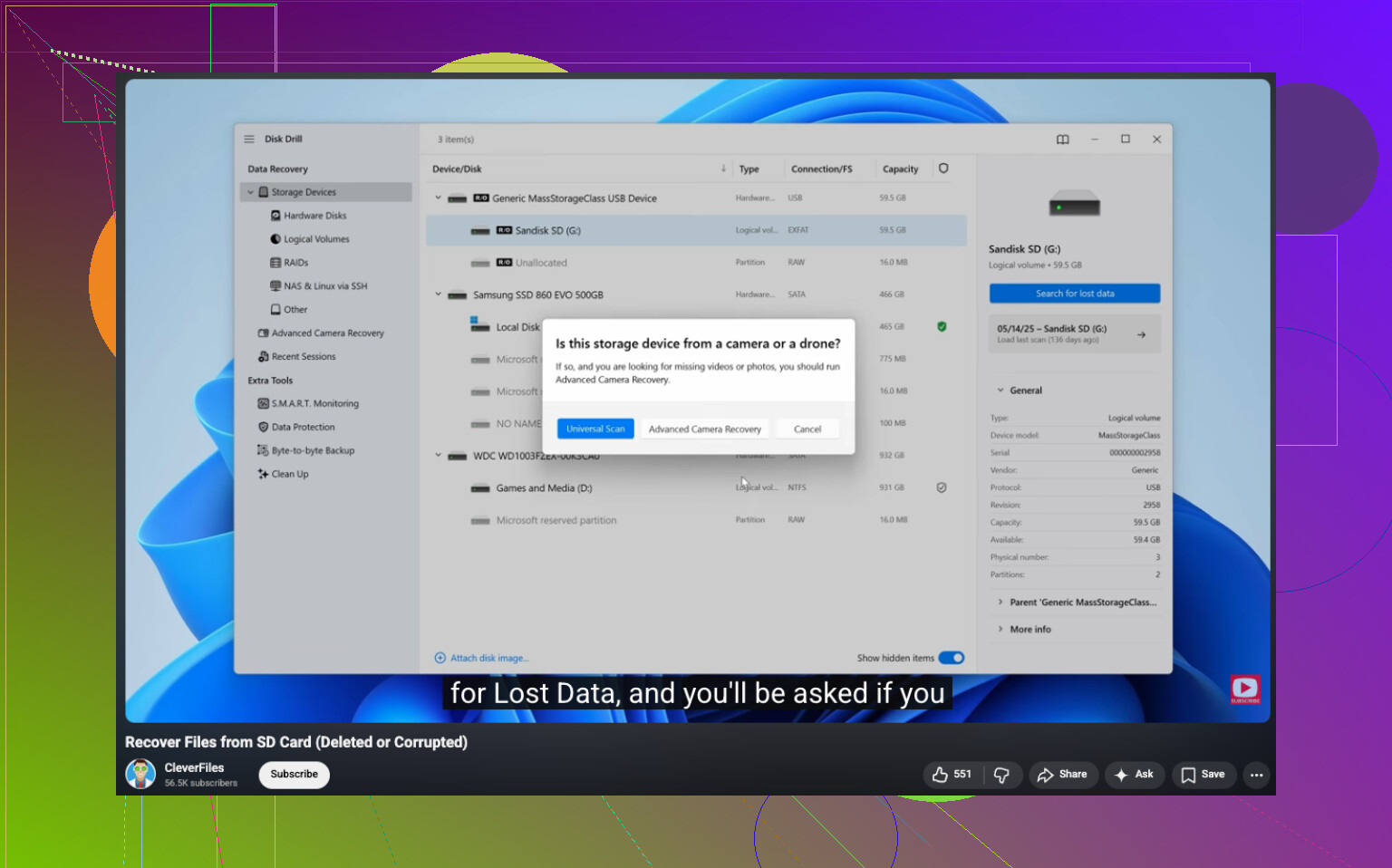
One thing I’d do that neither @mikeappsreviewer nor @boswandelaar really stressed enough: check whether the photos were only “hidden” by Canon’s database getting weird, not actually deleted. Pop the SD card into a computer and look for the DCIM folder manually. Sometimes the camera can’t index the shots properly, but the JPG/CR3 files are still there. Also check for weird folder names like 100CANON, 101CANON, etc.
If they’re not visible, then yeah, recovery software is the move. Disk Drill is fine for Canon SD card photo recovery, especially if you need CR2/CR3 support and previews. I’d also sort recovered files by date/time instead of filename, because recovered camera files often come back with generic names and people think they’re missing when they’re just shuffled around. Annoying, but fixable.
Small disagreement with the “just keep trying apps” idea some people get after reading threads like this: don’t run five different recovery tools back-to-back on the original card if it’s acting flaky. That’s how a simple delete turns into a bigger mess. If the card is stable, sure, test a second app if needed. If it’s unstable, stop.
Also, if you used Canon’s Wi-Fi transfer at the event even once, check your phone gallery and the Canon Camera Connect app cache. I’ve seen people recover “lost” event pics that way. Not common, but worth 2 mins.
For anyone searching this later, this is basically Canon camera SD card deleted photo recovery, including RAW and JPEG files after accidental deletion. Also found a relevant thread here: Canon SD card photo recovery discussion for deleted wedding and event pictures.
Biggest thing: recover to your computer, then retire that card for anything important. Cards get sketchy fast, and they never fail at a convienent time.

One extra angle besides what @boswandelaar, @sternenwanderer, and @mikeappsreviewer already covered: check the card’s actual capacity and health before you do anything ambitious. If the reported size is suddenly wrong, or reads crawl, that points more toward card failure than simple deletion. In that case, every extra scan is a gamble.
I also would not assume the camera “delete” function behaved normally. Canon cards sometimes end up with a damaged FAT/exFAT directory after a battery pull or power glitch, which looks like deletion but is really metadata loss. That matters because recovery may return photos with no original names or folder structure, yet the image data is still fine.
Disk Drill is reasonable here, mostly because it handles Canon RAW types well and its preview is useful.
Pros:
- good RAW/JPEG detection
- easy previews
- simple filtering by file type
Cons:
- deep scans can return lots of clutter
- not the cheapest option
- less ideal if the card is physically unstable
One thing I’d do after recovery: compare file sizes and open several recovered images from the start, middle, and end of the event. Sometimes people recover hundreds of files, then realize half are corrupted. Better to verify immediately.
If the photos are mission critical, I’d stop after one careful pass and escalate to a recovery lab rather than trying endless software rounds. That’s where I differ from the usual “keep testing tools” mindset.