If you need an app for an Insignia TV remote, the first thing I’d check is which system your TV uses. Most Insignia sets I’ve seen run either Fire TV or Roku TV, so there isn’t one official Insignia app that covers every model.
If your Insignia uses Fire TV
I’d go with the Amazon Fire TV app. It matches the system and usually works without much fuss.
If your Insignia uses Roku TV
Use the Roku mobile app. If your TV is on Roku, this is the direct fit.
If you don’t want to figure out which one it is
This is the route I’d take if I wanted the fast answer.
A lot of people use TVRem – Universal TV Remote:
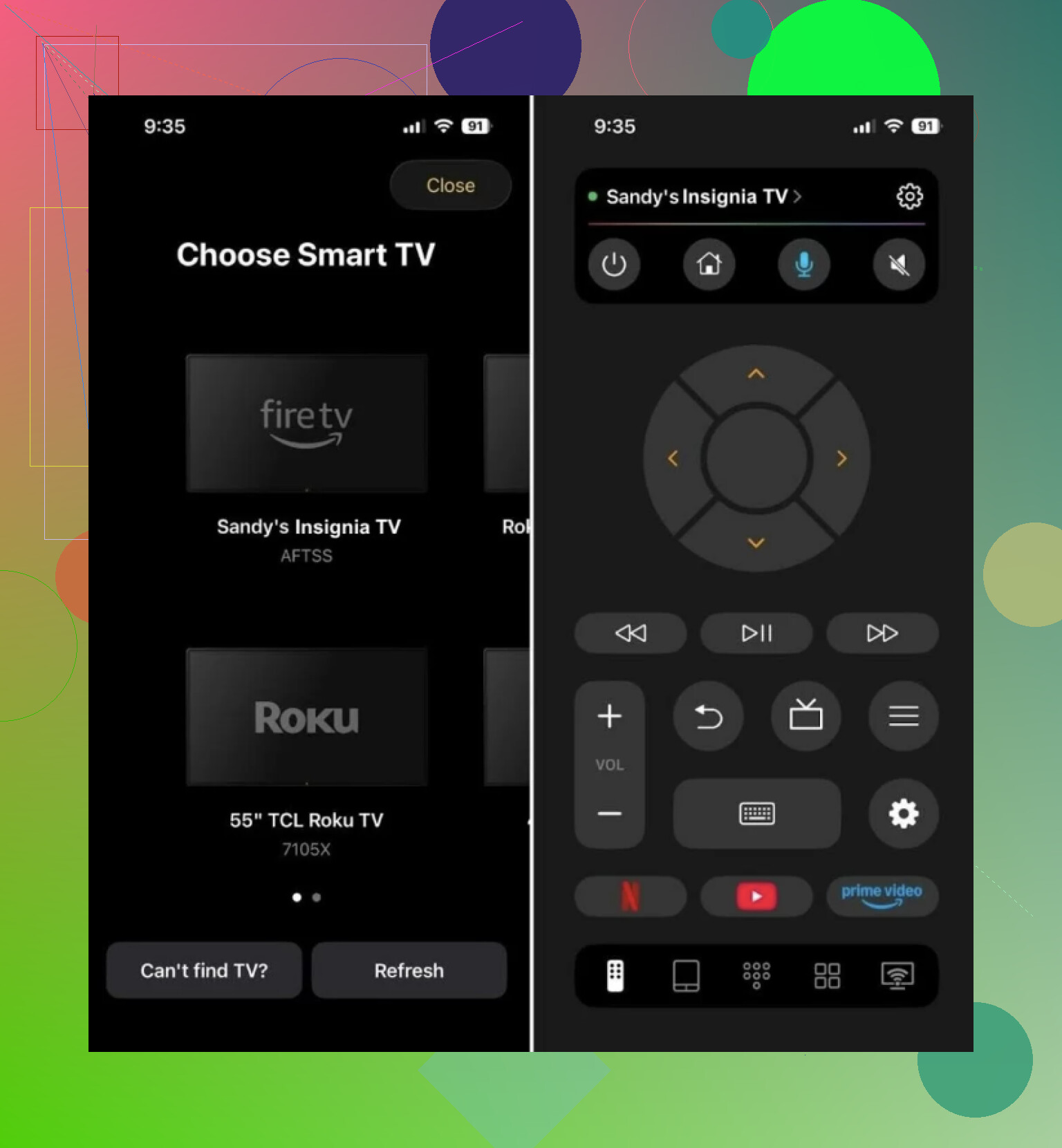
It works over Wi-Fi and supports a bunch of smart TV systems, including Roku TV, Fire TV, and Google TV / Android TV. So if you’re staring at an Insignia set and you’re not sure what’s under the hood, this saves time.

What I liked in apps like this is the usual stuff is there:
- directional controls
- volume
- keyboard input
- quick action buttons
That covers the annoying day-to-day cases, like when the physical remote vanished into the couch or died at the worst time.
Short version
If you know your TV runs Fire TV, use the Fire TV app. If it runs Roku TV, use the Roku app. If you want one app that handles most Insignia TVs without the guesswork, TVRem is the simple pick.